Main Controls 59
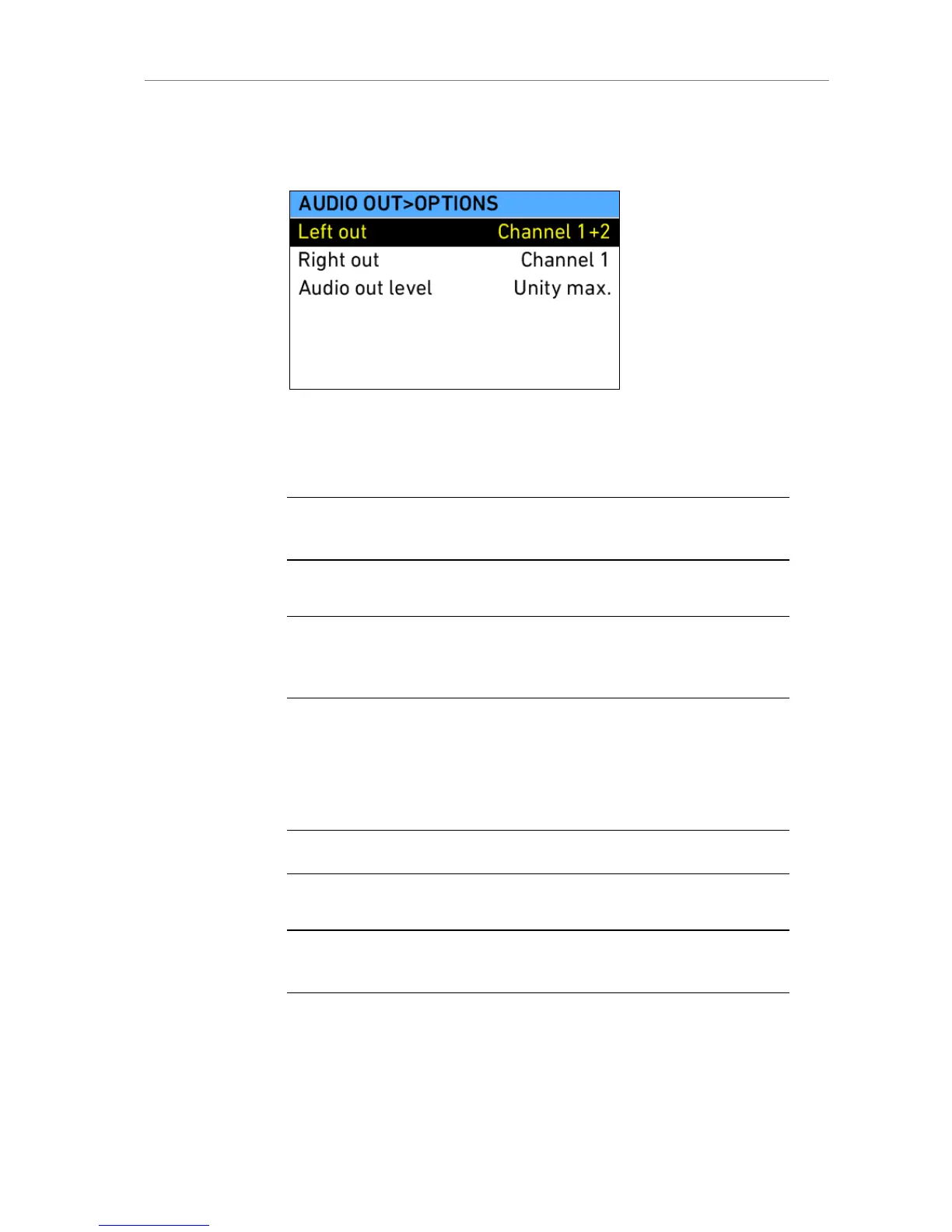
The AUDIO OUT opens a screen where the global volume for both Audio out
channels can be adjusted. The OPTIONS button in this screen loads a list of
Audio out options.
Figure 38: Audio out options
Left out: Sets which channel is routed to the left output.
Right out: Sets which channel is routed to the right output.
Note: This setting does not influence audio embedding in HD-SDI or recording in
QuickTime clips. It only affects the AUDIO OUT connector!
Audio out level: Choose to determine the level of the audio out
channels manually, or set it fix to the maximum output.
Note: ALEXA automatically determines the internal signal run time and matches
audio and images so they are always in sync. When changing sensor fps or project
fps, it may take up to 2 seconds for the camera to resync image and audio signals.
11.1.3.4 SHUTTER
Pressing the SHUTTER screen button in the HOMESCREEN opens the
SHUTTER list screen. The list contains default shutter angles 11.2°, 22.5°,
45.0°, 90.0°, 172.8°, 180.0°, 270.0° and 358.0°.
Note: Access to this screen is disabled during record.
Below the list, the actual exposure time at the currently set frame rate is
shown.
Note: Be aware that combination of long exposure times (small sensor frame rate
with large shutter angle) and high exposure indexes can lead to image artifacts!











 To Next Page