48 Camera Controls
11 Camera Controls
The camera can be controlled through three different interfaces:
1 Main
controls
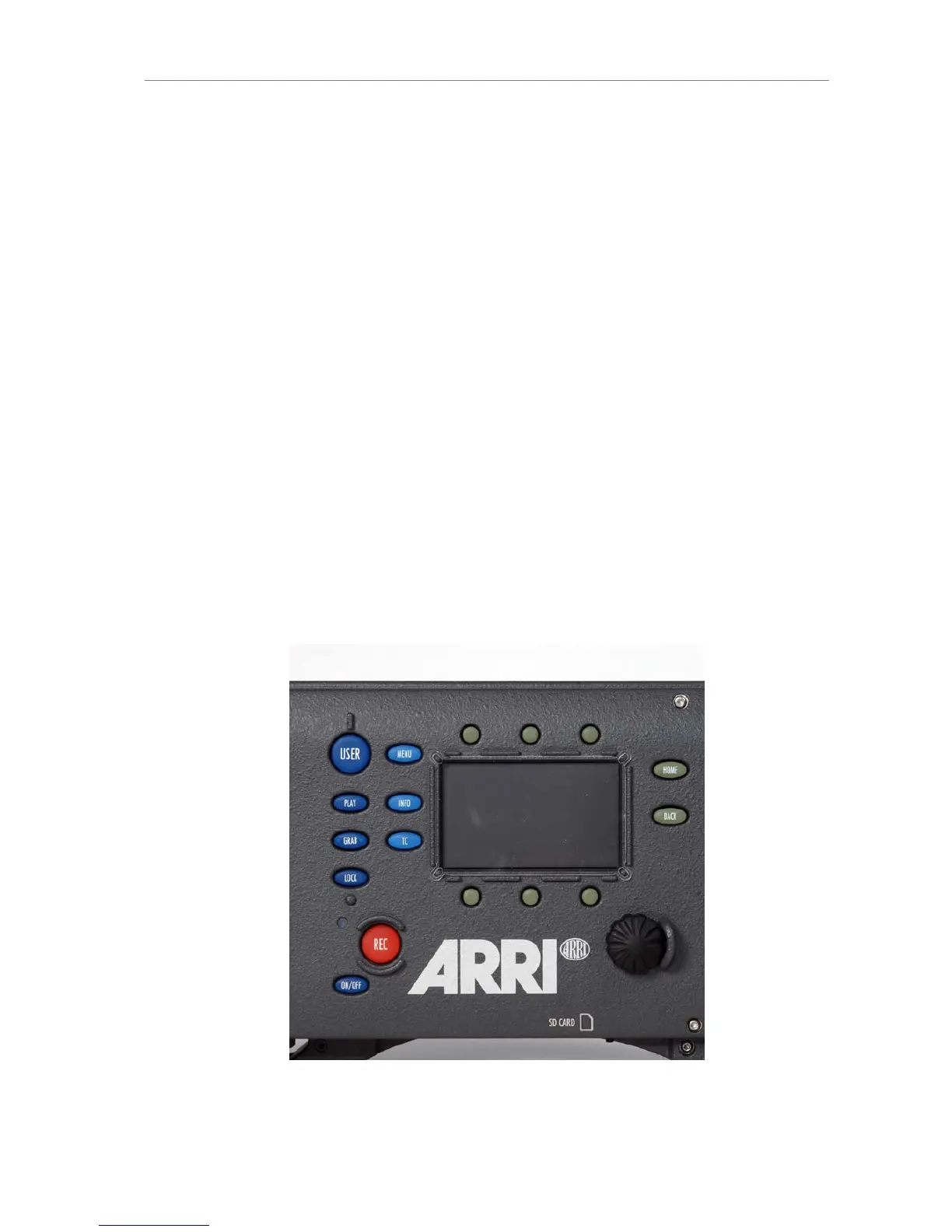
Located on the camera right side. Consist of a 3" LCD-screen
with screen buttons changing their behavior depending on
the screen content, a jogwheel to navigate through menus
and adjust parameters and a range of function buttons with
dedicated behavior.
2 Operator
controls
Located on the camera left side. Consist of three assignable
function buttons plus three function buttons for quick-and-
easy operator interaction.
3 EVF
controls
Located on the electronic viewfinder. Allow adjustment of
viewfinder parameters and the most important image related
parameters.
11.1 Main Controls
The main controls can be used to set all camera parameters.
Figure 30: Main user interface











 To Next Page