Operator controls 99
Note: User setups cannot be used across SUPs. Always create new setup files after
a SUP update, and discard the old ones. The camera will block the usage of a user
setup that has been created with a different SUP.
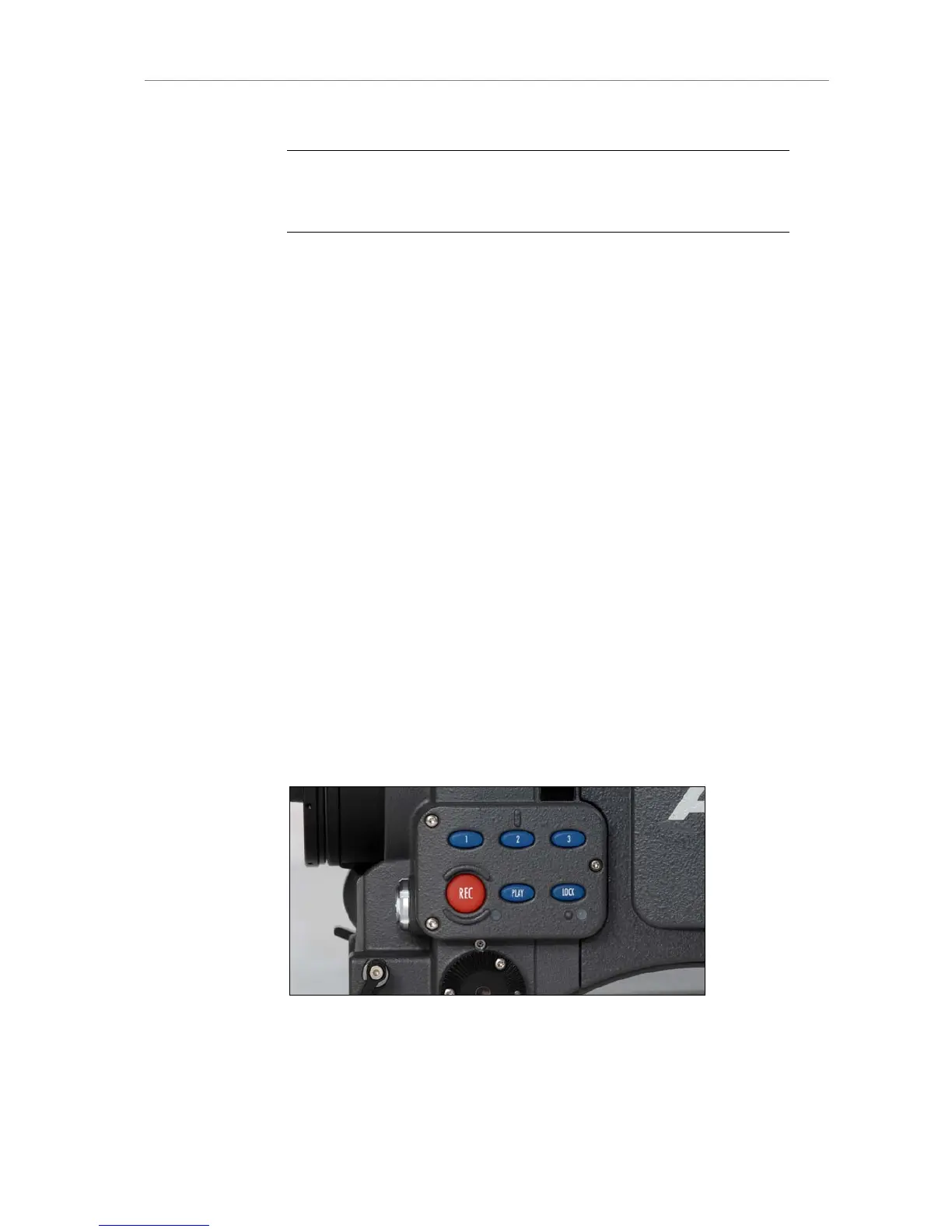
11.2 Operator controls
The operator controls are located on the camera left side and consist of
three function buttons plus three assignable buttons.
1 User button 1.
Can be assigned with functions through the USER
button on the main UI.
2 User button 2.
Can be assigned with functions through the USER
button on the main UI.
3 User button 3.
Can be assigned with functions through the USER
button on the main UI.
REC Starts and stops internal recording. LED tally goes
red during record.
PLAY Short press loads last clip. Short press again to
toggle between play and pause. Press for 2 seconds
to stop playback.
LOCK Long pressing of the button locks the main and the
operator controls. LED indicates if lock is active. Long
pressing again deactivates the locking.
Figure 79: Operator UI











 To Next Page