CHAPTER 4 REFERENCE GUIDE
EFD1000 PRO MAX PFD Pilot’s Guide
Page 4-83
091-00005-002 ()
4.10.1.7 Traffic Symbols & Advisories
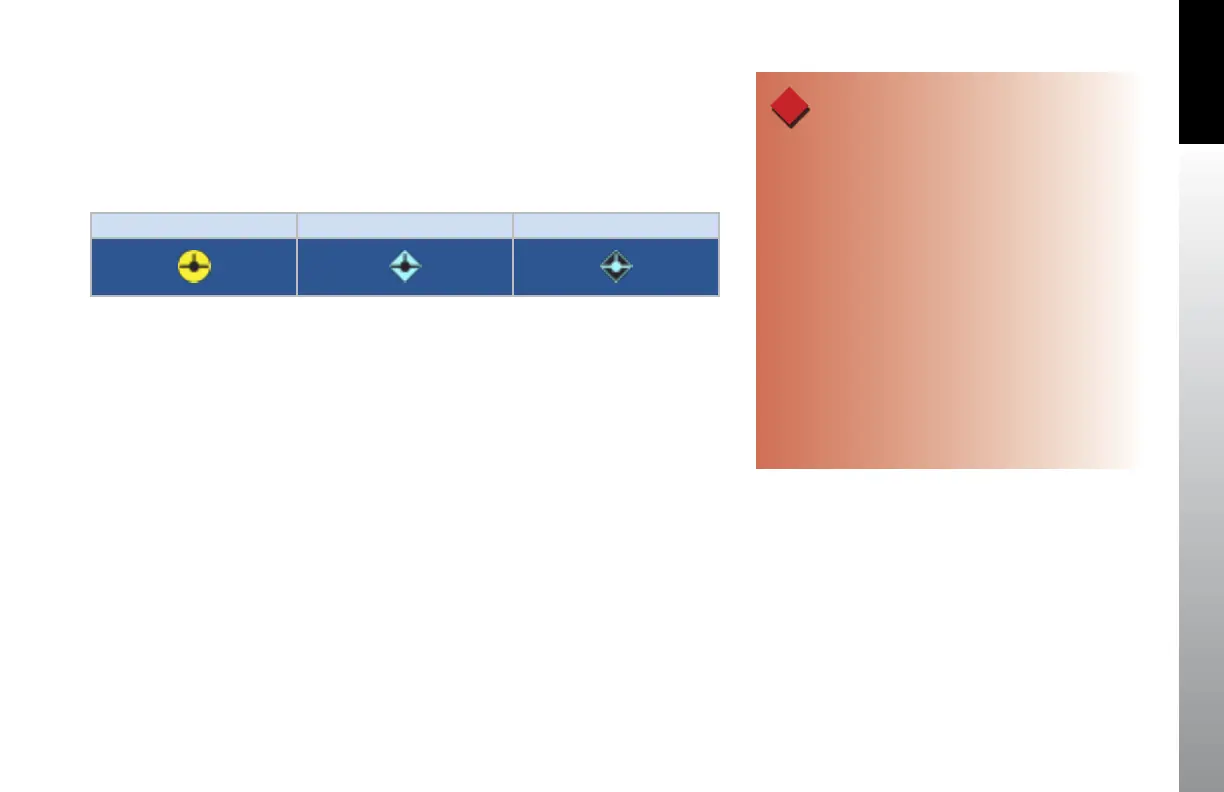
For aircraft equipped with a compatible traffic detection system, ESV 3D Traffic Symbols
Table 4-15 are presented on the Synthetic Vision VIEWs. The traffic symbols are oriented
in three dimensions. A traffic symbol will appear larger as the traffic approaches and
smaller as the traffic recedes.
Traffic Advisory Proximity Adviso-ry Other Traffic
Table 4-15 ESV 3D Traffic Symbols
When a traffic advisory occurs on the Synthetic Vision VIEW, an amber TRAFFIC
annunciation is automatically presented in the Data Bar. Additionally, TRFC appears in
amber above the Lower Middle button (Figure 4-125).
Pressing the Lower Middle button when the amber TRFC appears, switches the display
to SV2 and presents the traffic on the Nav Display for situational awareness on the Nav
Display. After selection, the Lower Middle button label changes to BACK to enable the
pilot to quickly return to the previous display (Figure 4-126).
All traffic shown on the Nav Display of SV2 and SV3 are presented in 2D plan view
(top-down view) and represent the relative range and bearing to the aircraft. The
range shown on the lower left of the view represents the range from the center of the
compass rose to the edge of the compass rose.
WARNING
Do not rely on the PFD/MFD as the sole source of data
for traffic avoidance. It is the pilot’s responsibility to
visually acquire other aircraft for safe flight. Maneuver
your aircraft based only on ATC guidance or positive
acquisition of conflicting traffic. Traffic information is:
Provided as a proximity warning only.
Intended to assist the pilot in the visual acquisition of
other aircraft.
Not intended to provide recommended avoidance
maneuvers.
Not provided for aircraft that are not transponder
equipped, experiencing a transponder failure, or
(in the case of TIS) out of radar coverage.



 To Next Page