CHAPTER 4 REFERENCE GUIDE
EFD1000 VFR PFD Pilot’s Guide
Page 4-14
091-00028-001 ( )
4.2.2.3. MACH Number Display for Mmo Aircraft
For Mmo aircraft, the PFD can show aircraft Mach number in the Data Bar with a
display resolution of 0.01 Mach.
The Mach number (congured during initial installation) can be displayed for either
altitude or speed transition.
When congured to ALTITUDE transition, the TAS indication will be replaced by the
Mach number whenever the aircraft is above the selected transition altitude.
When congured to SPEED transition, the TAS indication will be replaced by the Mach
number whenever the aircraft is above the selected transition Mach number.
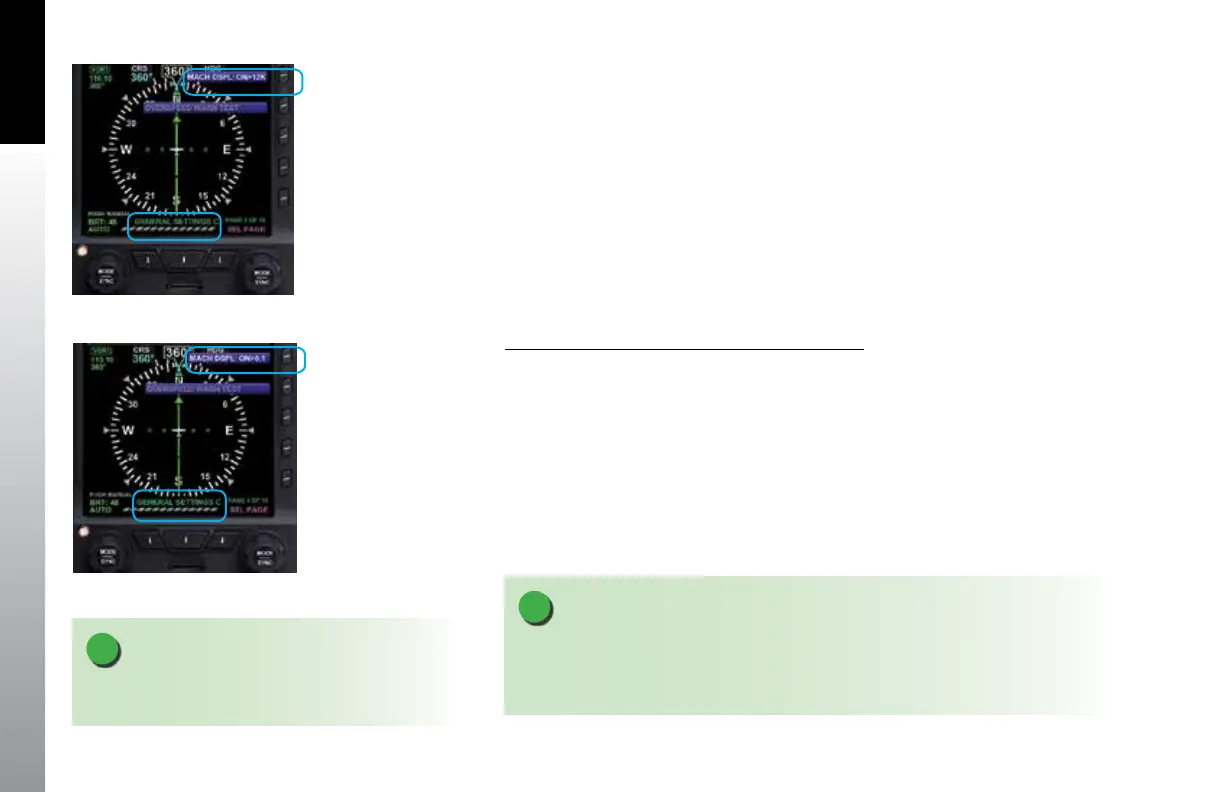
Select the Altitude or Speed Transition setting
1. Press the MENU Button and rotate the Right Knob to the GENERAL
SETTINGS C page.
2. Press the MACH DSPL Menu Key and rotate the Right Knob to the desired
Altitude setting (Figure 4-13a) or Speed setting (Figure 4-13b).
3. Press the MENU Button to exit.
NOTE
The installer will congure the PFD to display redline or barber pole airspeed limits that
vary with pressure altitude. The colors are congured to correspond with the aircraft’s
approved markings on the mechanical airspeed indicator.
NOTE
Refer to Chapter5,Table5-3, Menu - General Settings
C for the available Altitude and Speed settings
Figure 4-13a
Altitude Transition Setting
Figure 4-13b
Speed Transition Setting



 To Next Page