CHAPTER 3 FLYING THE EFD1000 PRO PFD
EFD1000 VFR PFD Pilot’s Guide
Page 3-20
091-00028-001 ( ) EFD1000 VFR PFD Pilot’s Guide
Page 3-21
091-00028-001 ( )
Display the Lightning Overlay
1. Display the 2/2 Hot Key Menu.
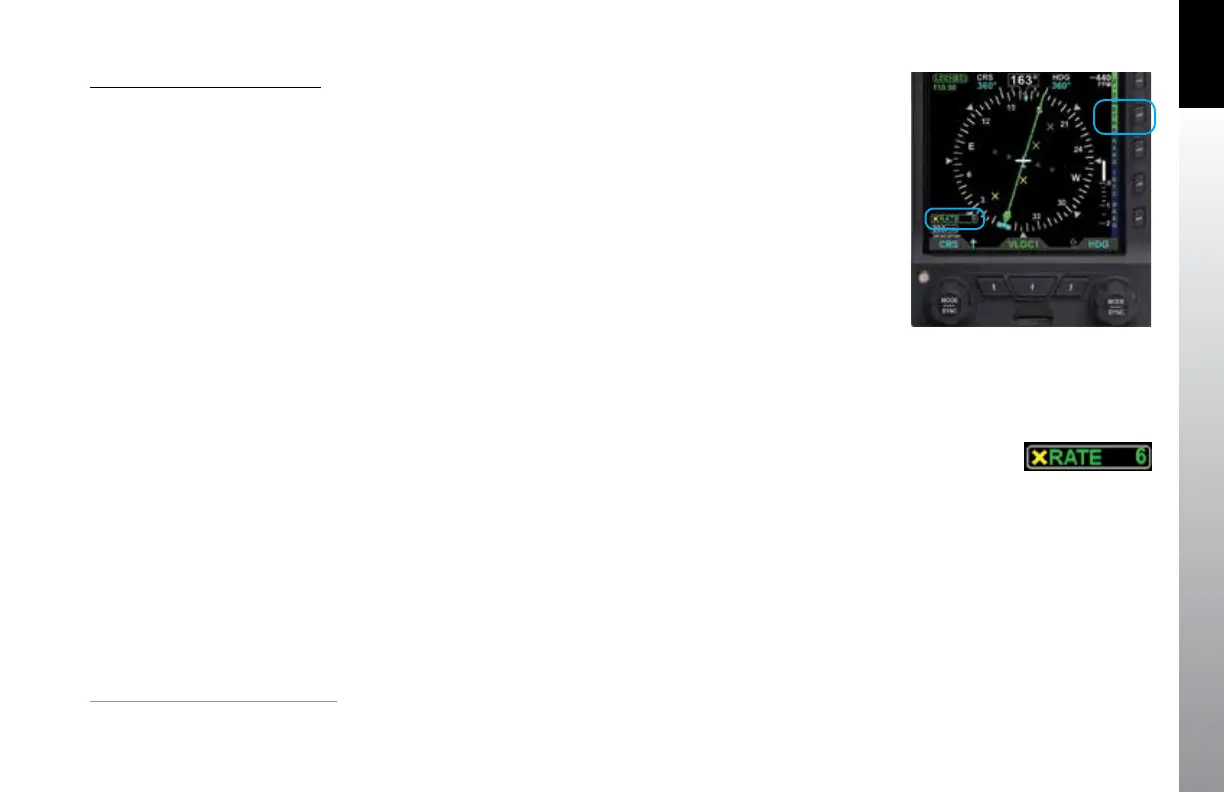
2. Press the LTNG Hot Key until the STRK label is shown in green next to the Hot
Key (Figure 3-35).
3. The STRK mode annunciation appears in the lower left-hand corner of the
Navigation Display, showing a yellow X for Strike mode, and a strike rate of 6
(moderate lightning activity) (Figure 3-36).
Fortunately, the Nav Display shows our ight plan will make a right turn at Winslow
(INW) and a another right turn at Flagsta (FLG), which will keep us clear of the weather.
Continuing enroute, we monitor progress along our ight plan on the extended
forward view of ARC mode, watching as GPSS keeps us exactly centered on course
through several turns on the airways.
Once the airport is in sight we disconnect the autopilot and hand y the plane down to
a smooth landing.
3.3 Conclusion
The VFR PFD is a powerful addition to any cockpit, providing far more capability,
information and automation than the mechanical instruments it typically replaces.
While it is simple and intuitive enough to start using with only a short orientation, fully
understanding and exploiting all of its features require some study and experience.
Figure 3-35
Lightning Overlay On Displaying WX-500 Strike Data
Figure 3-36
WX-500 Strike Rate Annunciation
1.
Requires compatible auto pilot and ACU option



 To Next Page