CHAPTER 4 REFERENCE GUIDE
EFD1000 VFR PFD Pilot’s Guide
Page 4-54
091-00028-001 ( )
Display Lightning
1. Select the 2/2 Hot Key Menu.
2. Press the LTNG Hot Key to select the desired option.
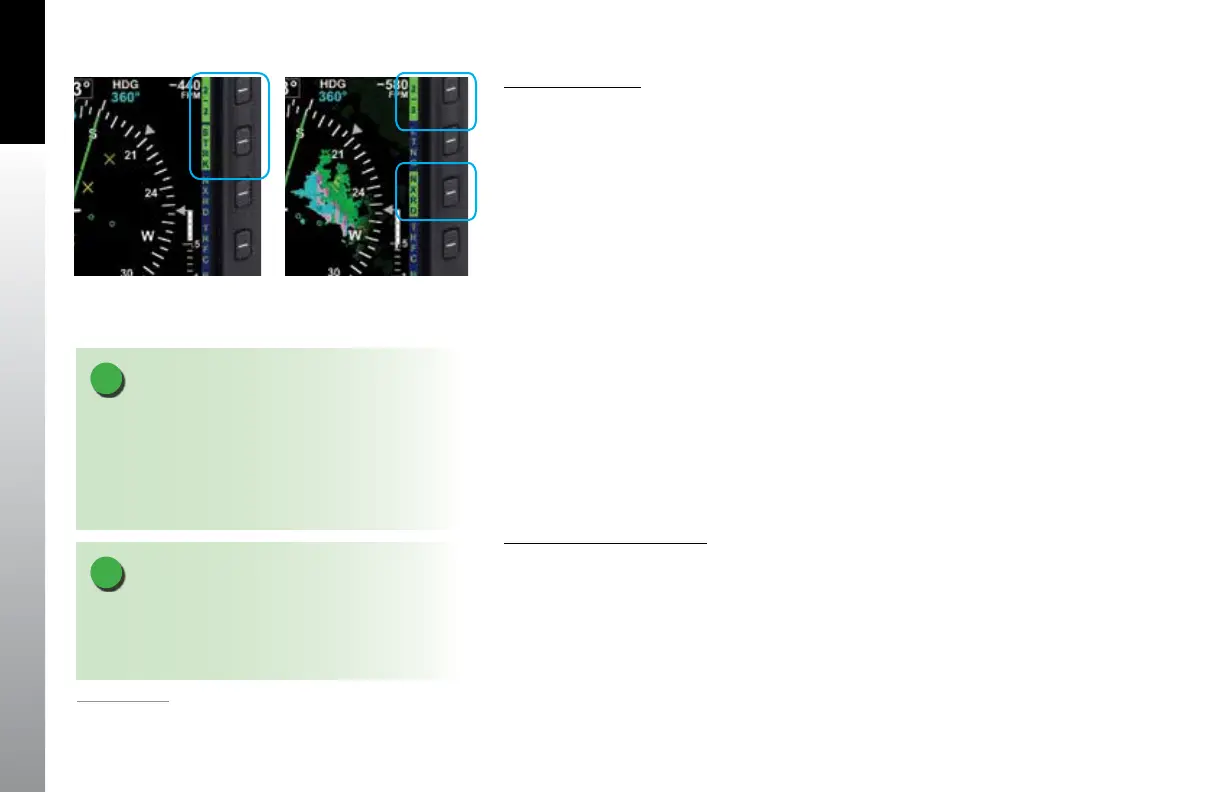
The LTNG Hot Key label turns inverse green when enabled. Each press of the Hot Key
cycles through the available options; LTNG, STRK, CELL, or LTNG disabled. (STRK is
selected in Figure 4-122).
4.8.2. Data Link Weather Overlay
1
The NXRD Hot Key enables the display of NEXRAD (Next Generation Radar) and
precipitation data overlaid on the Navigation Display relative to the Ownship Symbol.
The Hot Key label is green when enabled and gray when disabled. The Data Link
Weather default setting is o. NEXRAD coverageincludes:
• U.S. and Puerto Rico NEXRAD
• U.S. Precipitation type
• Canada Radar
• U.S. NEXRAD Coverage
• Canada Coverage
Display Data Link Weather
1. Select the 2/2 Hot Key Menu.
2. Press the NXRD Hot Key to enable Data Link Weather
The NXRD Hot Key label turns inverse green when enabled (Figure 4-123).
NOTE
When US and Puerto Rico NEXRAD and Canada Radar
exceeds the specied expiration time, the depiction for
the respective radar is rendered as no Radar Coverage.
Figure 4-123
Data Link Weather Enabled
Figure 4-122
Lightning Overlay Enabled
Displaying WX-500 Strike Data
NOTE
When Strike or Cell mode is displayed, pressing
and holding the CELL or STRK Hot Key will reset the
respective RATE to zero and remove all stormscope
symbols from the display. This function may also be
performed from the MENU.
1.
VFR PFD option



 To Next Page