CHAPTER 2 CONTROLS AND DISPLAY
EFD1000 VFR PFD Pilot’s Guide
Page 2-33
091-00028-001 ( )
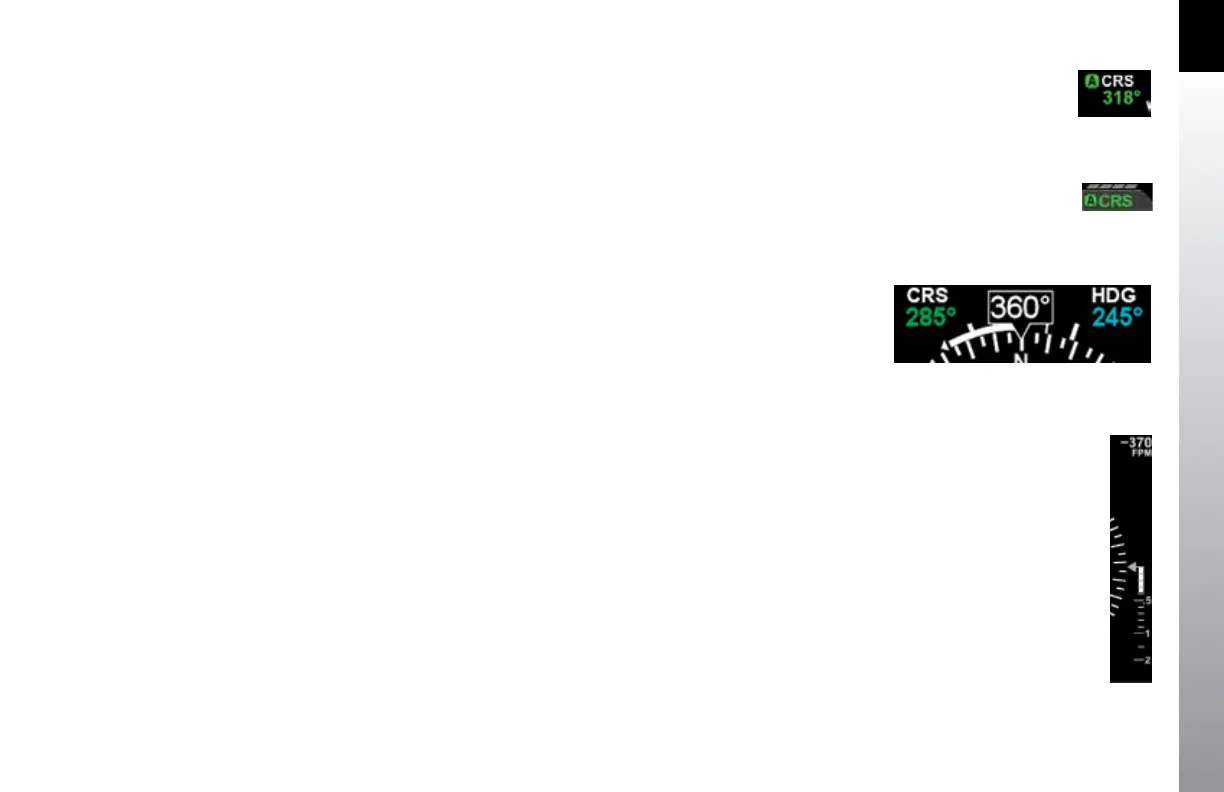
Auto Course Select is indicated by an inverse A on a green background, adjacent
to both the numerical CRS value and the CRS Left Knob State. (Figure 2-44 and
Figure2-45).
If the GPS navigator enters the OBS or HOLD mode, Auto Course Select is automatically
disabled on the EFD1000 VFR PFD until the GPS navigator resumes waypoint
sequencing. The pilot can disable Auto Course Select from Page 1 of the Menu.
2.3.4.7. Rate of Turn Indicator
A Rate of Turn Indicator (Figure 2-2, No. 48) with a range of 0 to 6 degrees per second
is provided for both the 360 and ARC Compass Modes. The indicator consists of a
curved white tape that extends from the Numerical Heading Indicator’s lubber line and
in the direction of the turn, along the outer curve of the compass card.
The Rate of Turn Indicator features an outer thick white tick mark for a Standard Rate
turn, and an inner thin white tick mark for Half-Standard Rate turns. A Standard Rate,
two-minute turn equals 3 degrees per second. When the rate of turn exceeds 6 degrees
per second, an arrowhead is added to the end of the tape to show that the rate of turn
has exceeded the limits of the indicator (Figure 2-46).
2.3.4.8. Vertical Speed Indicator (VSI)
Whenever the vertical speed exceeds +/- 100 feet per minute (fpm), the vertical
speed is indicated by a rising/sinking white vertical tape and associated scale markers
immediately to the right of the compass rose (Figure 2-2, No. 57 and Figure2-47).
A numerical value of the aircraft’s vertical speed is shown directly above the tape, in
the upper right-hand corner of the Navigation Display (Figure 2-2, No. 56). Rates of
up to ±2,000 fpm are indicated by the tape, while the numerical value will display rates
Figure 2-44
Auto Course Indication on CRS Field
Figure 2-45
Auto Course Indication over Left Knob
Figure 2-46
Rate of Turn Indicator, Rate Shown >6º/second
Figure 2-47
VSI Tape Showing 370 fpm Descent



 To Next Page