CHAPTER 7 APPENDICES
EFD1000 VFR PFD Pilot’s Guide
Page 7-9
091-00028-001 ( )
2. Select the functions that use the databases (moving map, terrain, charts, and
synthetic vision).
3. Verify the functions can be accessed.
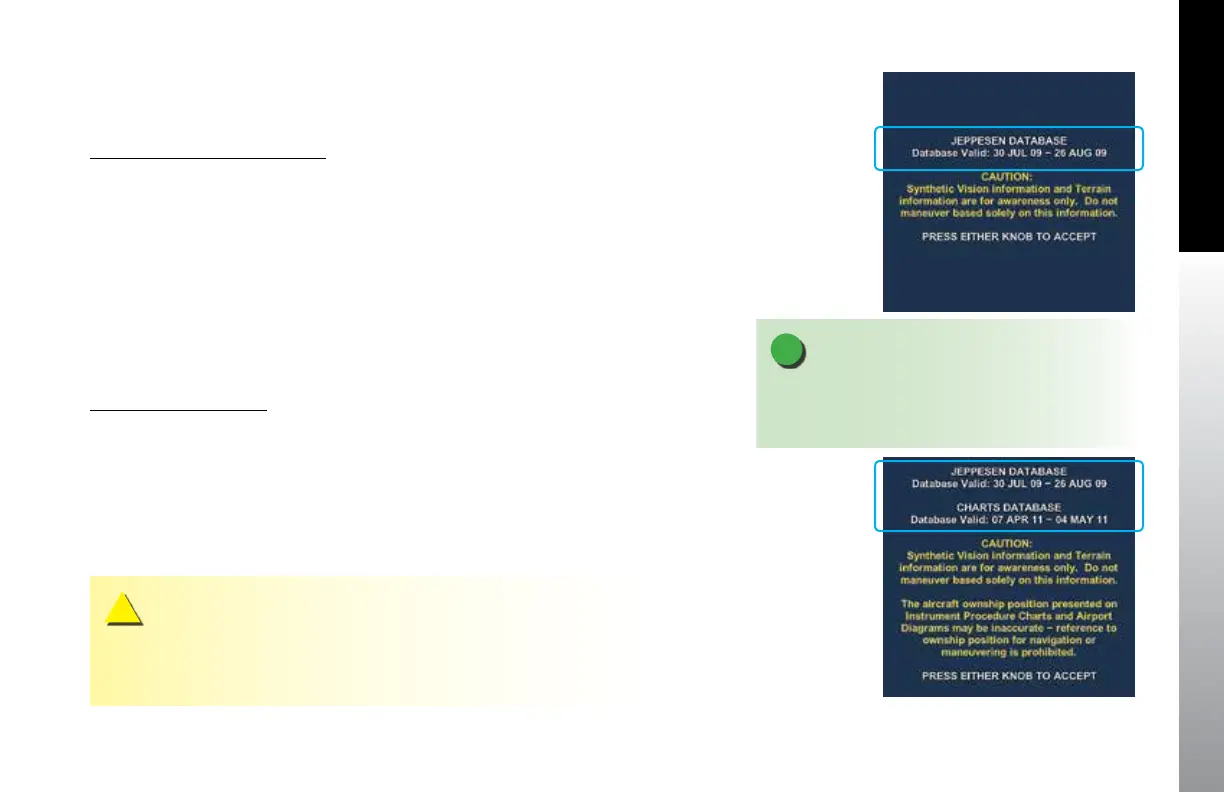
Database Conrmation Screen
The Database Conrmation Screen is presented at system startup and displays the
validity dates of the currently loaded:
• Jeppesen Database and the
• Seattle Avionics Software Charts Database (Figures 7-6 and 7-7).
At startup, the pilot must acknowledge this operational limitation and the validity dates
on the Database Conrmation Screen by pressing either the Left or Right Knob.
7.4.3. Removal Procedure
microSD Card Removal
1. Have a suitable packaging available to accept and protect the microSD card.
2. Press the card against the spring tension, then slowly release the pressure.
3. When the card is unlocked, grasp the card with the thumb and forenger and
remove the card.
4. Place the microSD card in the packaging.
Figure 7-6
PFD Conrmation Screen
Jeppesen Database
(ESV Option Installed)
Figure 7-7
MFD Conrmation Screen
Jeppesen Database and
Seattle Avionics Software
Charts Database
NOTE
Whenever a preloaded microSD card (loaded with
both databases) is inserted into the PFD, the PFD can
only read the Jeppesen database (see Figure 7-6).
CAUTION
It is possible to push the card in with a ngernail and then suddenly release it, ejecting the
microSD card out of the card slot. If the card is dropped, keep in mind that it can be resting
on its side.



 To Next Page