CHAPTER 3 FLYING THE EFD1000 PRO PFD
EFD1000 VFR PFD Pilot’s Guide
Page 3-18
091-00028-001 ( ) EFD1000 VFR PFD Pilot’s Guide
Page 3-19
091-00028-001 ( )
3.2.3. Enroute
Albuquerque Center gives us a new altimeter setting of 30.11. We set 30.11 on the
standby altimeter and then on the PFD.
• Press the BARO Hot Key and rotate the Right Knob to set 30.11.
• Press the BARO Hot Key, or any knob, button/key to exit.
Soon, the CDI comes “alive” and attracts our attention as it changes from hollow (Figure
3-28) to solid green (Figure 3-29) and begins to move in towards the Course Pointer as
we intercept our course. We enable GPSS to complete the intercept and steer us along
the airways all the way to Reno, and engage the autopilot.
Engage GPSS
1
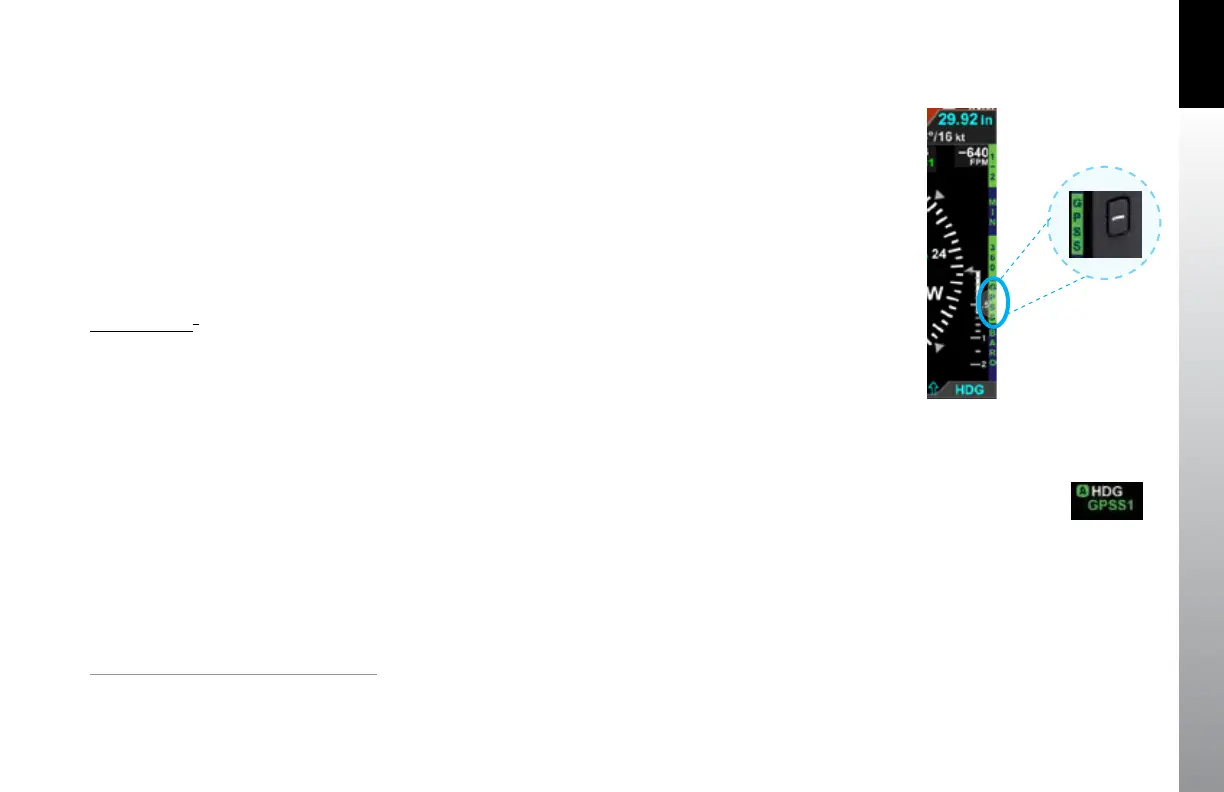
1. Press the GPSS Hot Key to Enable GPS Steering (Figure 3-30).
2. Verify indications that GPSS is now enabled on the PFD.
• The GPSS legend adjacent to the GPSS Hot Key should be shown in
inverse green.
• The annunciation GPSS1 (or GPSS2, depending on the selected CDI
Navigation Source), along with an inverse A, should be shown next to
the HDG reference at the top of the navigation display (Figure 3-31).
3. Select HDG mode on the autopilot’s mode selector.
4. Engage the autopilot (if desired).
Figure 3-30
GPSS Enabled legend in Green
Figure 3-31
GPSS Enabled
1.
Requires ACU option to enable autopilot / GPS Steering



 To Next Page