CHAPTER 3 FLYING THE EFD1000 PRO PFD
EFD1000 VFR PFD Pilot’s Guide
Page 3-20
091-00028-001 ( ) EFD1000 VFR PFD Pilot’s Guide
Page 3-21
091-00028-001 ( )
With GPS Steering (GPSS), a compatible GPS navigator (in this case, a Garmin 430W)
drives the autopilot directly via the autopilot’s HDG mode, telling it how to bank to
stay centered on course. GPSS can drive the autopilot far more accurately than the NAV
mode (which is based on course deviation indications) because the GPS always knows
the ground track and how to adjust to maintain that track, implicitly accounting for
changing wind conditions. The GPS also includes turn anticipation based on current
ground speed and track, enabling it to turn early and roll out centered on the new
course without overshooting.
Select a Compass Mode
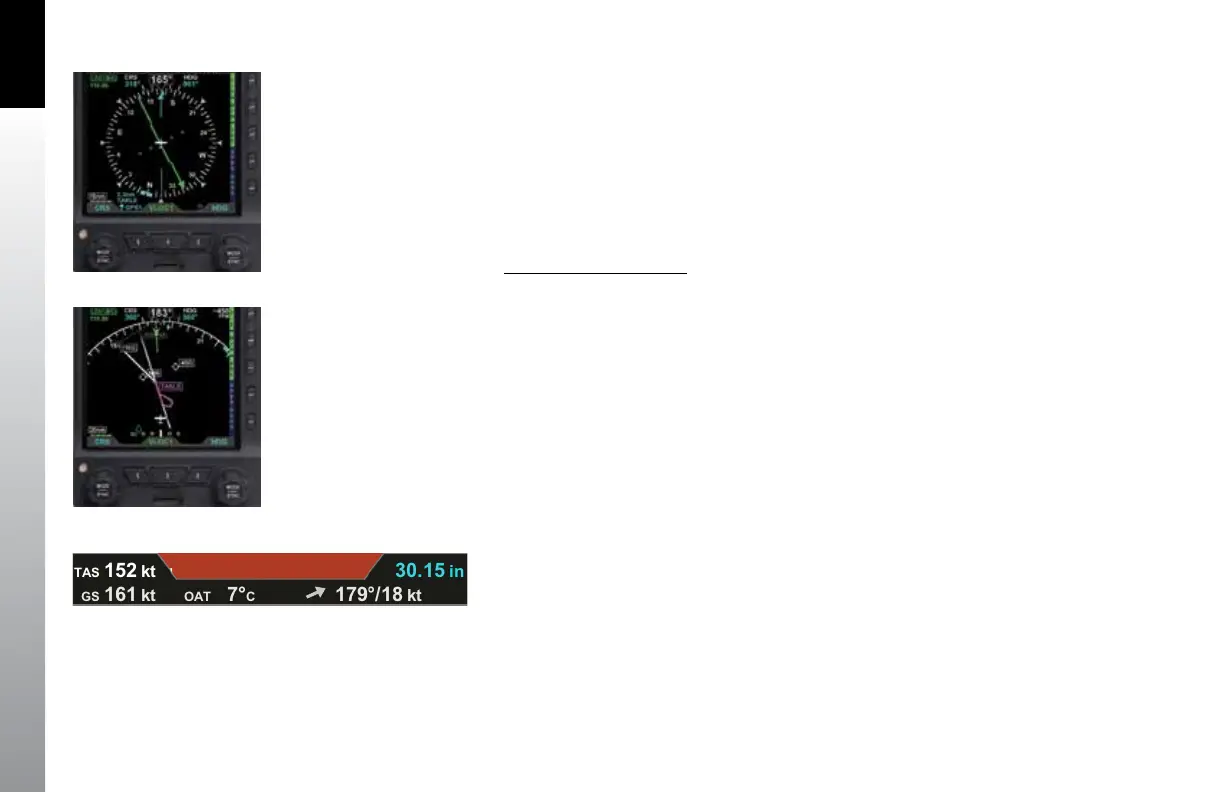
• Press the 360/ARC Hot Key to alternately select either the 360° (Figure 3-32)
or the ARC (Figure 3-33) Compass Mode.
We set cruise power and lean the mixture. As the airplane stabilizes in cruise, we check
the Data Bar to monitor performance. True Airspeed (TAS) is close to book performance
for this altitude and power setting. OAT is close to ISA. Winds aloft are close to forecast,
about a 30º left quartering headwind at 15 knots, so we’ll expect to gain some ground
speed due to a stronger tailwind component when we turn northwest toward Reno.
Check TAS, GS, and winds and temperature aloft on the Data Bar (Figure 3-34).
Ahead, we can see out the window some threatening convective buildups, those
that were mentioned in our weather brieng and which we checked using Data Link
Weather on the ground in Albuquerque. We still have the NEXRAD precipitation (NXRD)
and Data Link Lightning (LTNG) overlays selected, and the PFD Nav Display shows
the weather clearly ahead of us. For a more real-time look at lightning activity in the
buildup, we switch to our WX500 Stormscope® and see lots of strikes appearing as we
also see the lightning ashes out the window.
Figure 3-32
360° Compass Mode
Figure 3-33
ARC CDI Compass Mode
Figure 3-34
Data Bar



 To Next Page