CHAPTER 4 REFERENCE GUIDE
EFD1000 VFR PFD Pilot’s Guide
Page 4-61
091-00028-001 ( )
When a trac symbol and the Ownship Symbol partially or completely overlap, the
trac symbol and data block will overlay the ownship symbol.
4.8.3.2. Trac Altitude Filter
1
There are ve Altitude Filters available: O, Normal, Unrestricted, Above, and Below
(Table 4-6). Only trac within the selected altitude lter value will display.
Hot Key Label Altitude Filter Level Trac Display Volume
TRFC O None
TFCN Normal ±2,700 ft
TFCU Unrestricted ±9,900 ft
TFCA Above +9,900 ft to -2,700 ft
TFCB Below +2,700 ft to -9,000 ft
Table 4-8
Trac Filter Parameters
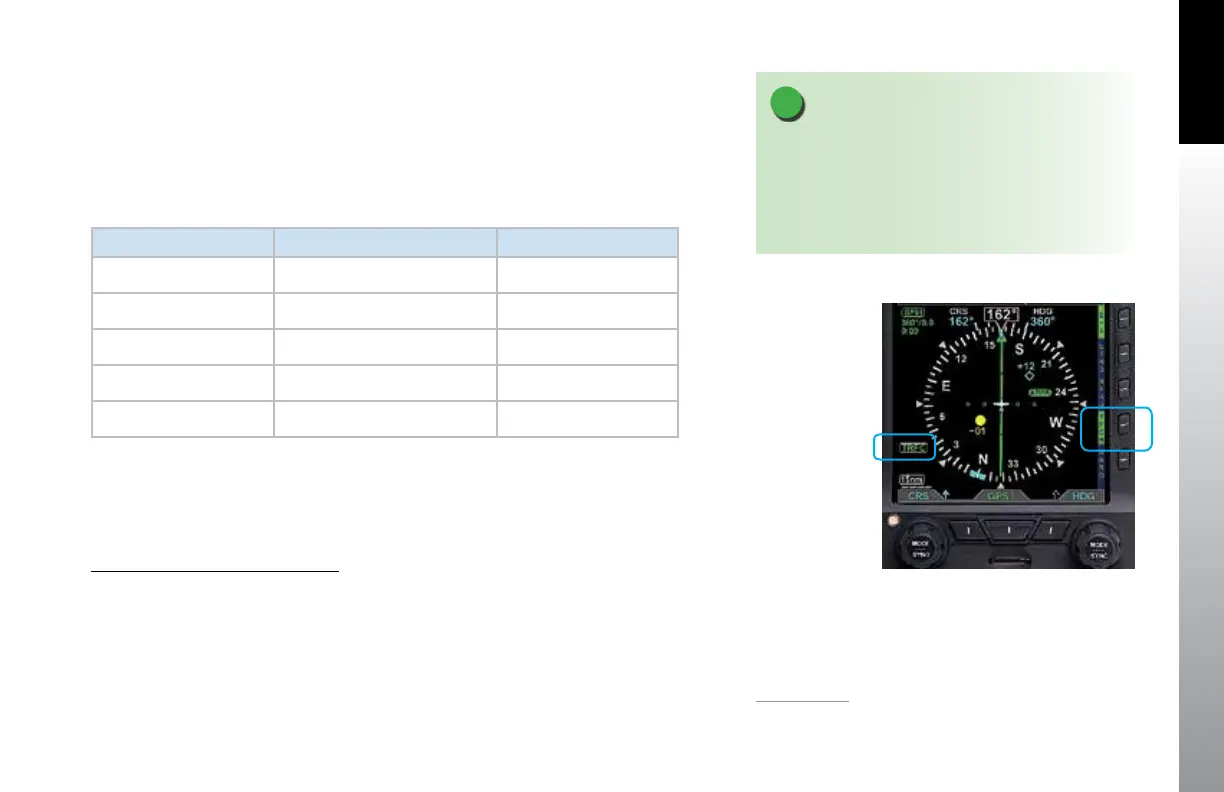
The pilot adjusts the altitude lter value by continuously pressing the TRFC Hot Key, which
cycles through each of the lter levels.
Change the Trac Altitude Filter
1. Select the 2/2 Hot Key Menu
2. Press the TRFC Hot Key to select the desired lter level.
The TRFC annunciation displays in the lower left of the display (Figure 4-117).
NOTE
The altitude lters listed in Table 4-8 are referenced to
your aircraft and the PFD altitudes. The trac sensor
congured with the PFD may have dierent (i.e., lower)
altitude thresholds. Check your trac sensor pilot’s
manual for specics.
Figure 4-130
Trac Altitude Filter
1.
VFR PFD option



 To Next Page