12.2 Adjustment of coee water temperature.
To modify the outlet water
temperature from the coffee delivery
group proceed as follows:
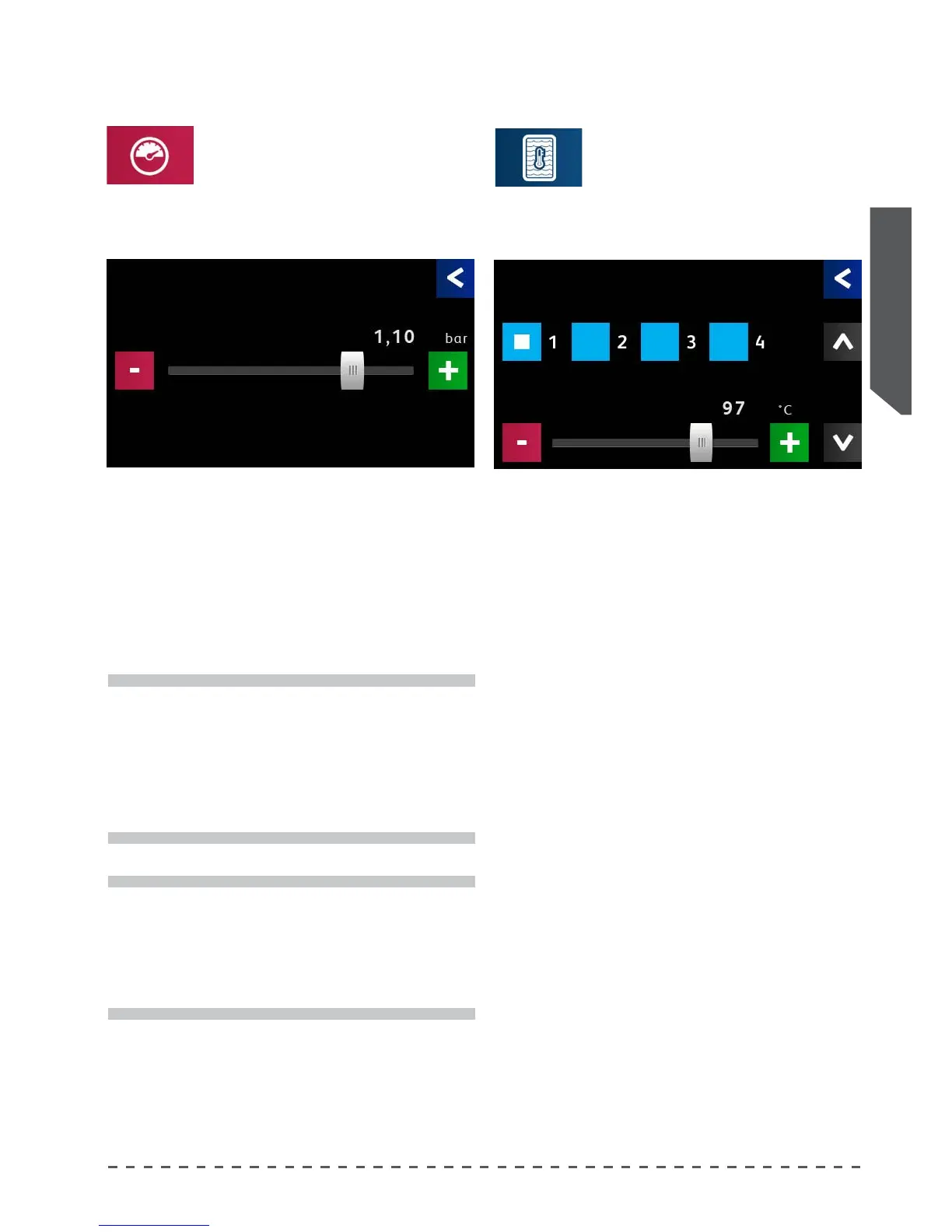
• Pressing the "Coee water temp.", displays the adjust-
ment screen.
12.1 Boiler pressure adjustment.
To modify the pressure in the services
boiler (hot water/steam) proceed as
follows:
• Pressing "Boiler pressure", displays the adjustment
screen.
i
The machine has a default pressure value of 1.2 Bar,
which allows for optimal use of normal workload
services. It is possible to increase or decrease this
value, depending on the frequency of use of the hot
water and steam services. The delivery of coee is
not inuenced by this parameter.
i
If the machine is provided with an "autosteamer"
device, it is advisable to leave the pressure of the
services boiler at 1.2 Bar (optimal value for the
correct operation of the autosteamer). The delivery
of coee is not inuenced by this parameter.
Boiler pressure
Coee water temp
• Adjust the parameters via the slider close to the de-
sired value, then use "-" and "+" for higher accuracy.
setpoint Boiler pressure.
• Adjust the parameters via the slider close to the de-
sired value, then use "-" and "+" for higher accuracy.
Group Select the group of the boiler to be adjusted.
Water temp. Coee water temperature.
setpoint
Boiler pressure
Group
Coee water temp.
Water temp.










 To Next Page