12.5 Programming of Energy Saving time
and groups stand-by
To program the machine (Energy
Saving) and groups (stand-by) start-
up and operating times at reduced
temperature, proceed as follows.
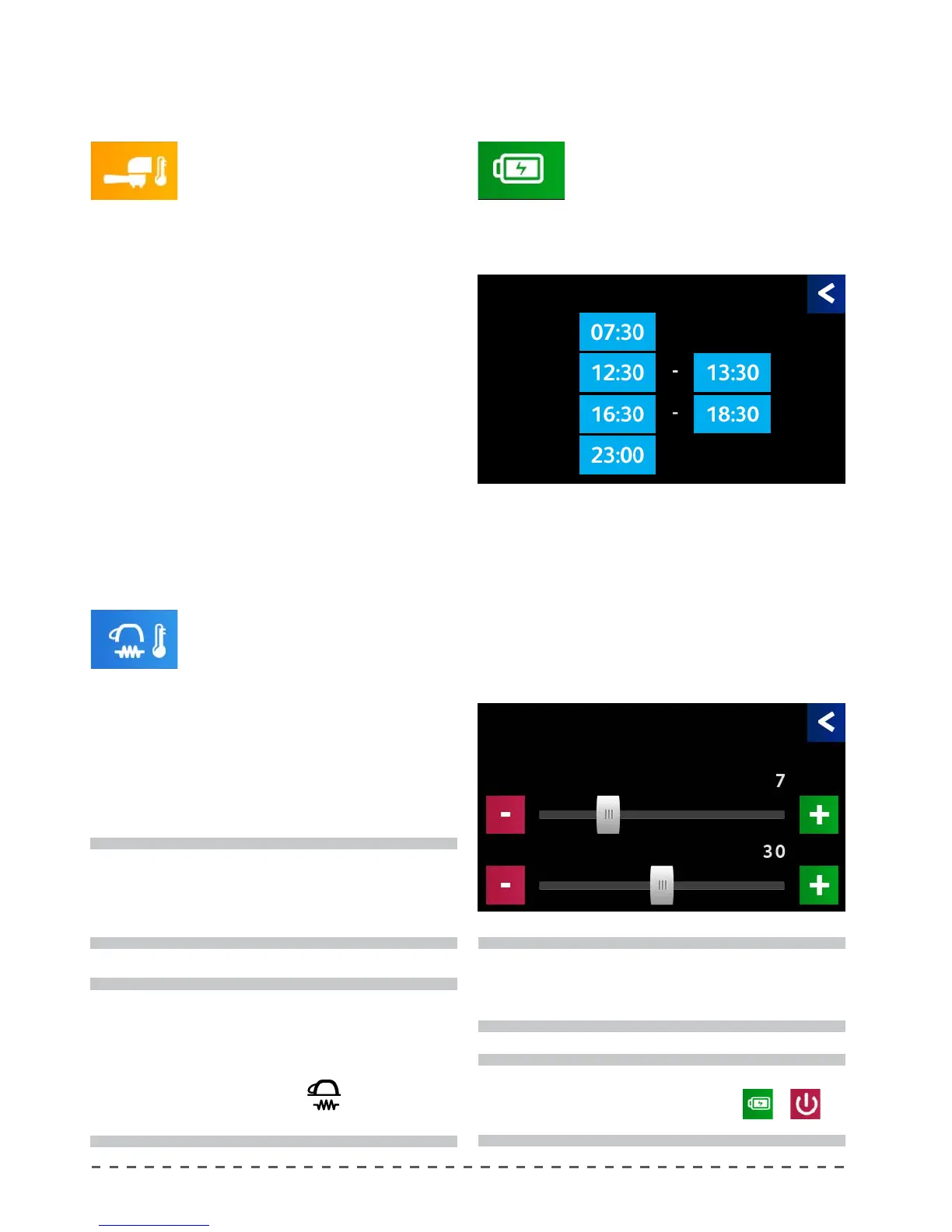
• Pressing "Energy Saving" displays the
screen below.
Where:
Time On controls the turn-on time of the machine.
Stand By 1 controls the rst time frame of the machine in
stand-by.
Stand By 2 controls the second time frame of the machine
in stand-by.
Rest controls the turn-o time of the machine.
You can change the time frames by pressing the
required boxes and adjusting the hour and minute.
12.3 Adjustment of the groups
temperature
To modify the temperature of the
single delivery groups, proceed as follows:
• Pressing "Groups temp.", displays the adjustment
screen.
• Adjust the parameters via the slider close to the de-
sired value, then use "-" and "+" for higher accuracy.
Group Select the group to be operated.
Temperature Dispensing unit temperature.
12.4 Adjusting the cup heater temperature
To modify the cup heater temperature, proceed as
follows:
• Pressing "Cup heater", displays the adjustment screen.
• Adjust the parameters via the slider close to the de-
sired value, then use "-" and "+" for higher accuracy.
Groups temp Energy Saving
Cup heater temp
i
If a temperature above 114°C is set, the indication
"CUP HEATER ON" appears on the display and the
cup heater's continuous operation is enabled.
i
If you want to program the stand-by and/or
inactivity time of the machine, set the hour to
00:00.
i
If the machine is in stand-by or idle, it will be reported
on the main screen with the symbol
or
respectively.
i
When setting a temperature below 70°C, the
indication "--" appears on display and the cup
heater is disabled. Deactivation of the cup heater
by a technician does not allow the user to activate
the cup heater with the (
) button on the
main screen.
Energy saving
Time On
StandBy1
StandBy2
Rest
Time On
Hour
Minutes










 To Next Page