12.6 Conguration of groups proper use
To congure proper use of the single delivery groups,
proceed as follows:
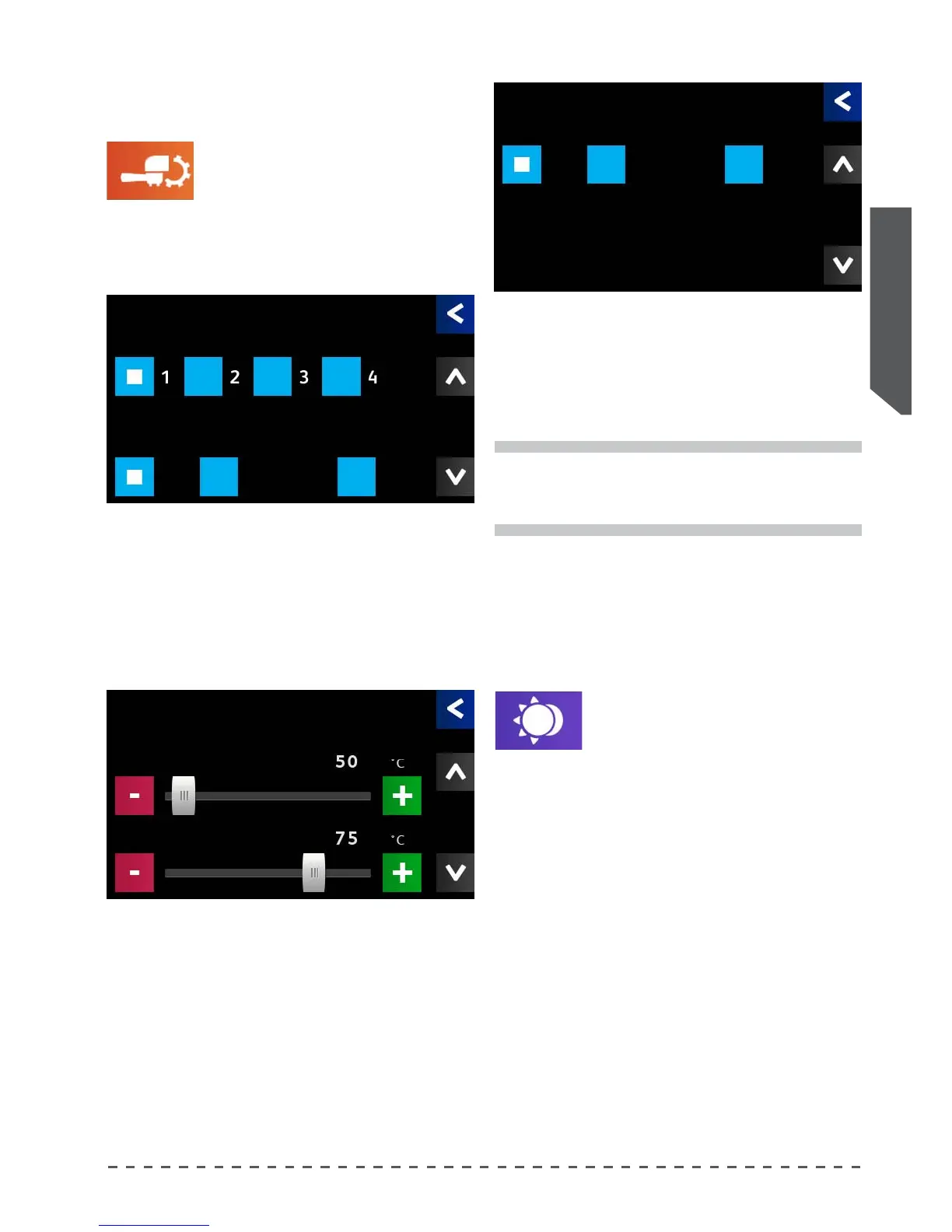
• Pressing "Working Mode" displays the screen below.
Working Mode
i
To program the single delivery groups stand-by
time and the machine energy saving time, refer
to previous paragraph.
Set the mode of operation of the selected group.
Group Select the group to be operated.
On Always active.
Stand-By stand-by mode.
O Always disabled.
In the third screen, set the "Idle" mode of of the
machine:
On machine always on.
En.Saving set on Energy Saving.
O total shutdown.
Then go to the next screen to adjust the Stand-By and
Energy Saving temperatures.
T. Stand-By temperature of the groups in the stand-by
phase
T. En.Saving temperature of the entire machine in the
energy saving phase
12.7 Standby mode
This option lets you use the daytime
energy savings mode:
• Pressing "Standby mode", displays the adjustment
screen.
• Select the desired mode.
Timer Operation according to the programmed time periods.
Auto Self-learning of the machine: during the rst week of
operation, the system records all deliveries provided
on each group at each hour. After a week of operation,
the system places the preset groups in standby, (see
previous chapter), referring to the minimum program-
mable number of servings/hour (automatic stand-by
threshold).
Standby mode
Working Mode
Group
On Stand-By O
Working Mode
Rest
On En.Saving O
Working Mode
T. Stand-By
T. En.Saving










 To Next Page