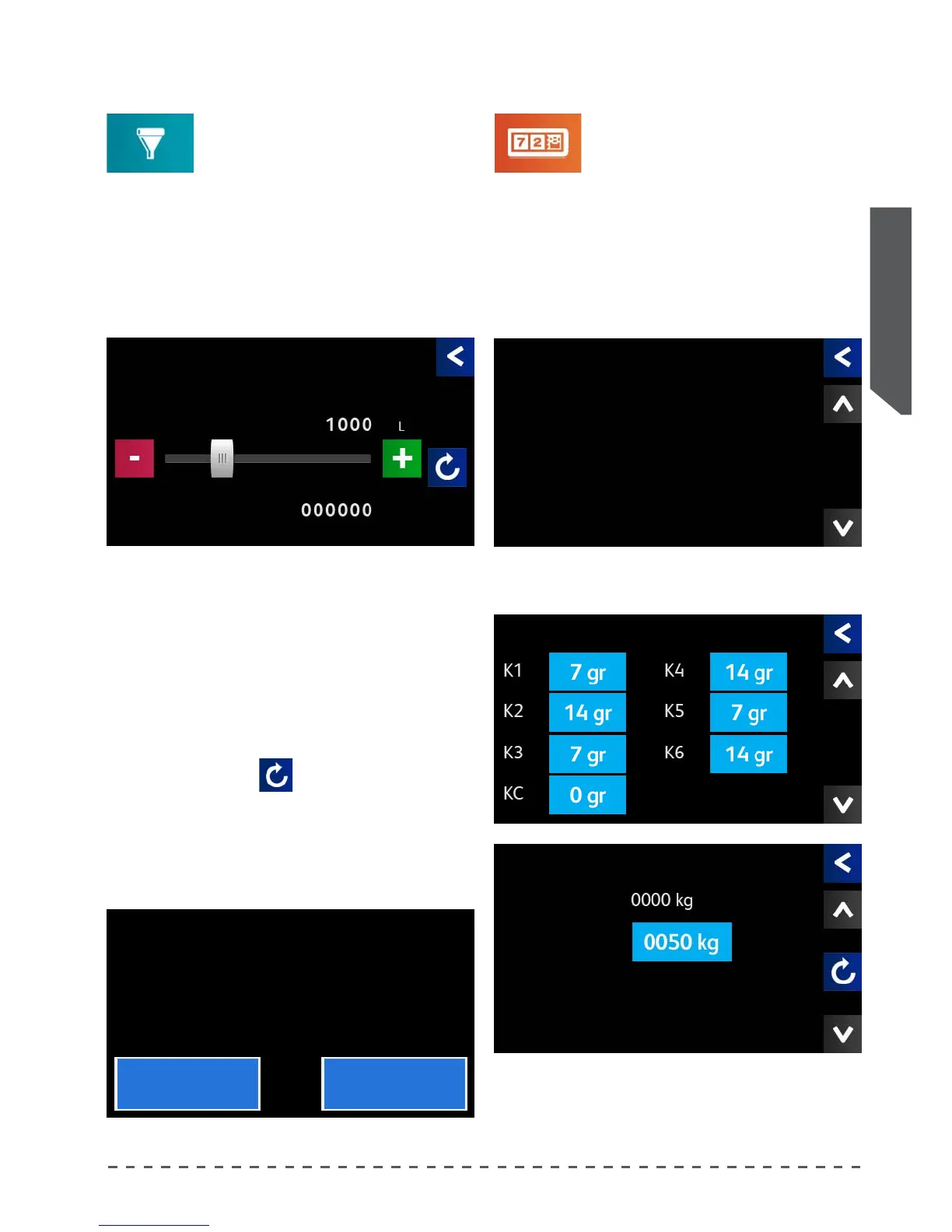
12.9 Softener regeneration
To automatically display the message
indicating the need to regenerate the
softener, proceed as follows:
Filter maintenance
• Pressing "Filters Maintenance", displays the adjust-
ment screen.
• Set the number of litres used by the machine after
which the message indicating the need for regenera-
tion will be shown
After the regeneration, to eliminate the warning set
the liters to "000000" as follows:
• press the reset key (
);
• in the next screen answer "Yes";
• the "Liters used" counter is reset to 0, and the "Filters
Maintenance" message will disappear from the main
screen.
Liters set:
Amount of water in liters, to be consumed before the
softener regeneration message appears.
Liters used:
Amount of water in liters used since the last reset.
12.10 Display of the counters
This option allows to view dierent
information, useful to the technician for
the proper identication of any anomalies.
It also provides a valuable tool to
the user in carrying out scheduled
maintenance.
Below is a list of the screens within this menu with a
brief description.
• Press "Counters"; after a short time the main screen
appears.
Counters
The rst screen shows the number of total coee
selections and washes performed by the machine.
The second and third screen allow to control the wear
of the grinders of grinder doser, and to act accordingly.
Filter maintenance
Liters setted
Liters used
Counters
Total coee 00000000
Total washes 000000
Wear ABD Blades
Grinded
Limit
Counters
Reset counters.
Are you sure ?
Yes No










 To Next Page