12.17 Setting the number of active groups
To activate the washing procedure, press "Force
washing", then "Yes" on the next screen
when asked for conrmation.
Attention: during this phase, all the
coee selections are disabled until the
washing has been completed.
Follow the indications provided on the display:
• Use the solid lter;
• insert the detergent tab into the lter;
• attach lter holder to delivery group 1;
• press the
" PROG/
STOP" key
to start the
washing
phase;
i
Programming of the machine serial number is
activated only for a technician. The serial number
can be reprogrammed later.
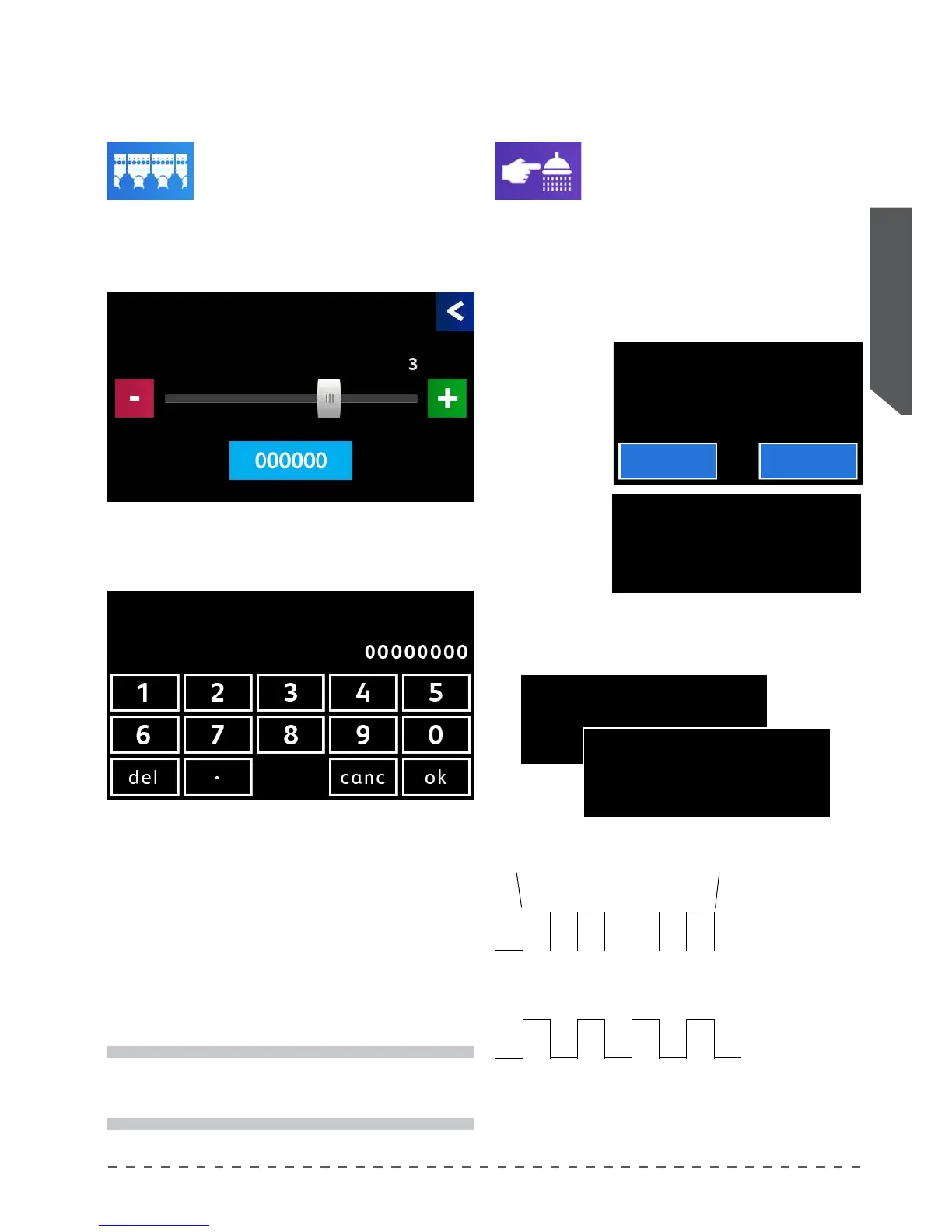
12.16 Setting the number of active groups
This item allows to set the number of active groups
installed on the machine, as well as to set
the serial number of the same.
Proceed as follows:
• Pressing "Num. of groups" displays the
screen below.
Set the number of groups installed on the machine.
Pressing the serial number displays the screen to type
the new number.
Type the serial number of the machine using the
numbers of the touchscreen, if you type an incorrect
value, you can use the (del) key to delete the last digit.
After typing in the number, press (ok) to conrm and
return to the previous screen.
Pressing (canc), the system returns to the previous
screen without making any changes.
Num. of groups Force washing
Group
solenoid valve
Cycle start
Pump
Cycle end
5” 5” 5” 5”
5” 5” 5”
5” 5” 5” 5”
5” 5” 5”
GROUP WASHING
PUT THE DETERGENT
THEN PRESS
STOP/PROG KEY.
GR.1 END OF WASHING OK
GR.2 ADD DETERGENT
GR.3 ADD DETERGENT
GR.4 ADD DETERGENT
GR.1 WASHING ON
GR.2 STOP/PROG KEY.
GR.3 STOP/PROG KEY.
GR.4 STOP/PROG KEY.
Force washing.
Are you sure ?
Yes No
the following messages appear on the display in
alternating sequence:
Num. of groups
Active Groups
Factory Code
Factory Code










 To Next Page