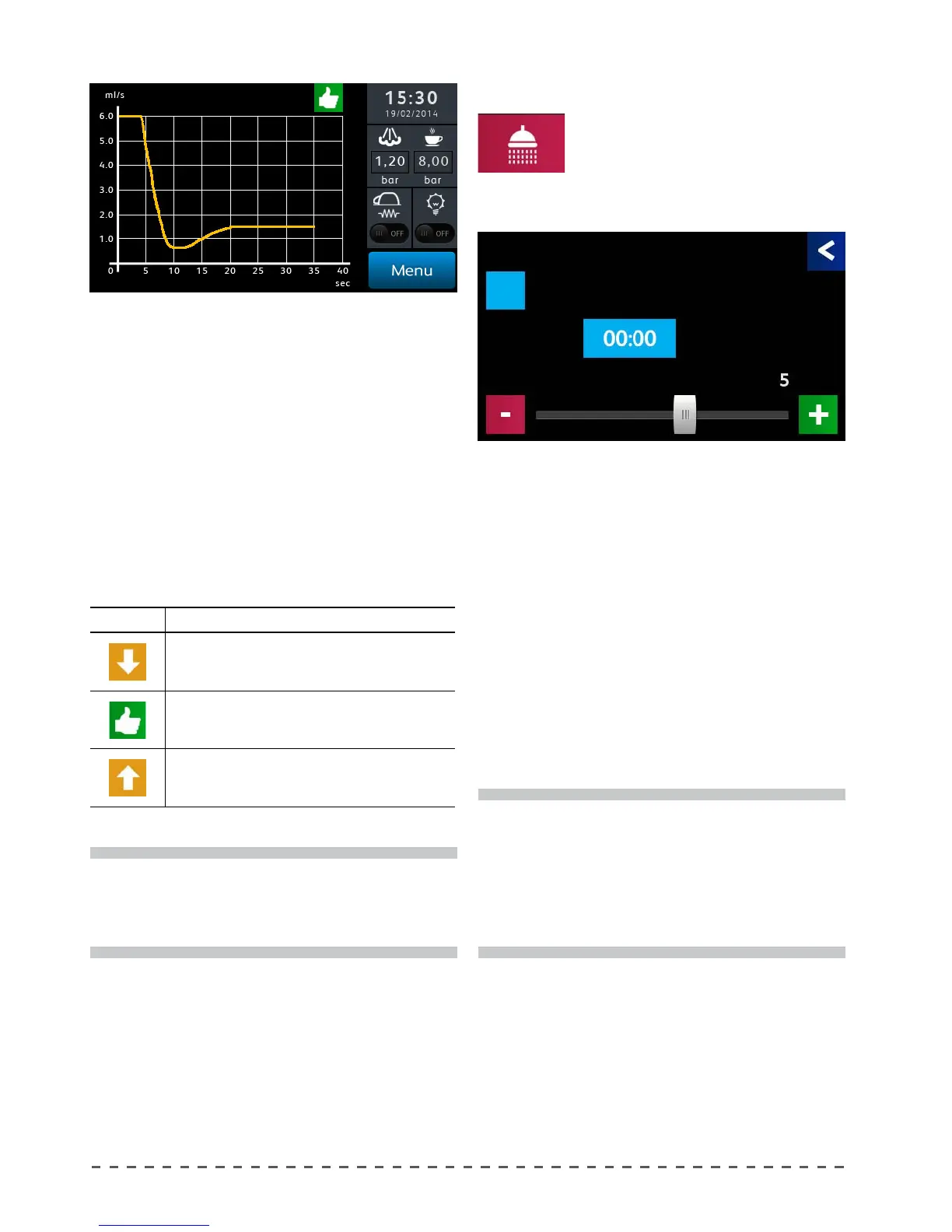
Flux:
In the last programming of coee doses, the system
memorizes the ow speed of the water during delivery.
If "ux mode" is activated, the deliveries are controlled
by the system and are considered valid when the speed
of delivery is within the tolerance set. If the delivery
speed is too fast or too slow, the system will display a
message suggesting to increase or decrease the grind
of the coee (see table below).
The adjustment bar, allows to set the tolerance value
(Range: 0 ÷ 50%).
LIGHT DESCRIPTION
Dispensing too slow.
Dispensing within the tolerance parameters
Dispensing too fast
i
By setting the "FLUX" mode, the machine will
only check the coee dose keys. The "STOP/PROG"
key, if used for delivery, will not be subject to ux
verication.
i
To perform cleaning operations, proceed as
indicated in chapter "Group washing". When the
machine is turned on, after the temperature
raises to operating levels, if set to YES, the display
shows the washing request. to disable the washing
request, set time to 00:00.
12.15 Programming group washing
To program the automatic notication
of delivery group washing request
proceed as follows:
• Pressing "Group washing" displays the
screen below.
Start On:
Enable or disable the request for automatic washing
of the groups at machine start-up.
Hour:
Sets the time at which the request is sent for washing
groups.
Cycles:
This parameter controls the number of cycles of water
supply during the washing.
On completion of the wash cycle set, the display will
request the rinsing of the lter holder.
Group washing
Gruop 1
Group washing
Start On
Cycles
Hour










 To Next Page