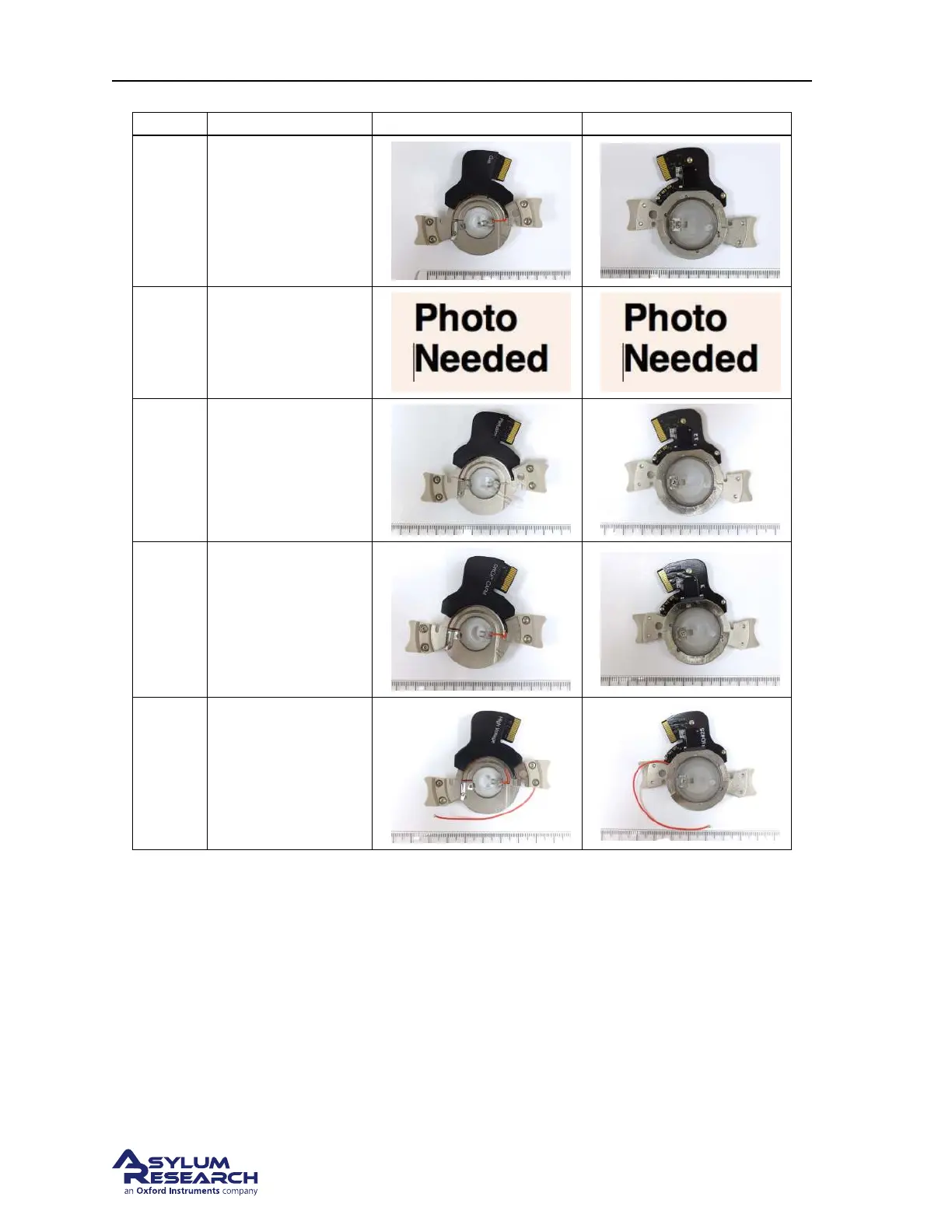
Ch. 12. Cantilever Holder Guide Sec. 12.1. Identifying Cantilever Holders
Part # Holder Description Top Photo Bottom Photo
901.758
Gas
For most contact and
AC mode Imaging.
901.770
Liquid
For fluid imaging in
a droplet.
901.745
Perfusion
For fluid imaging in
a droplet with flow.
901.767
ORCA
Conductive AFM
with a single current
range, 2nA/V.
901.771
High Voltage
Typically used for
High Voltage PFM
Imaging.
12.1.2. Electronic Identification of Cantilever Holders
1. Attach the cantilever holder to the Cypher Scanner.
2. From the main menu bar in the software select Programming ⊲ Cantilever Holder and Sample Panel.
3. At the bottom left of this panel click the ‘Check Holder’ button and the type of cantilever holder
will be highlighted.
DRAFT
Page 142



 To Next Page