Ch. 21. Shipping or Moving Sec. 21.2. Nomenclature
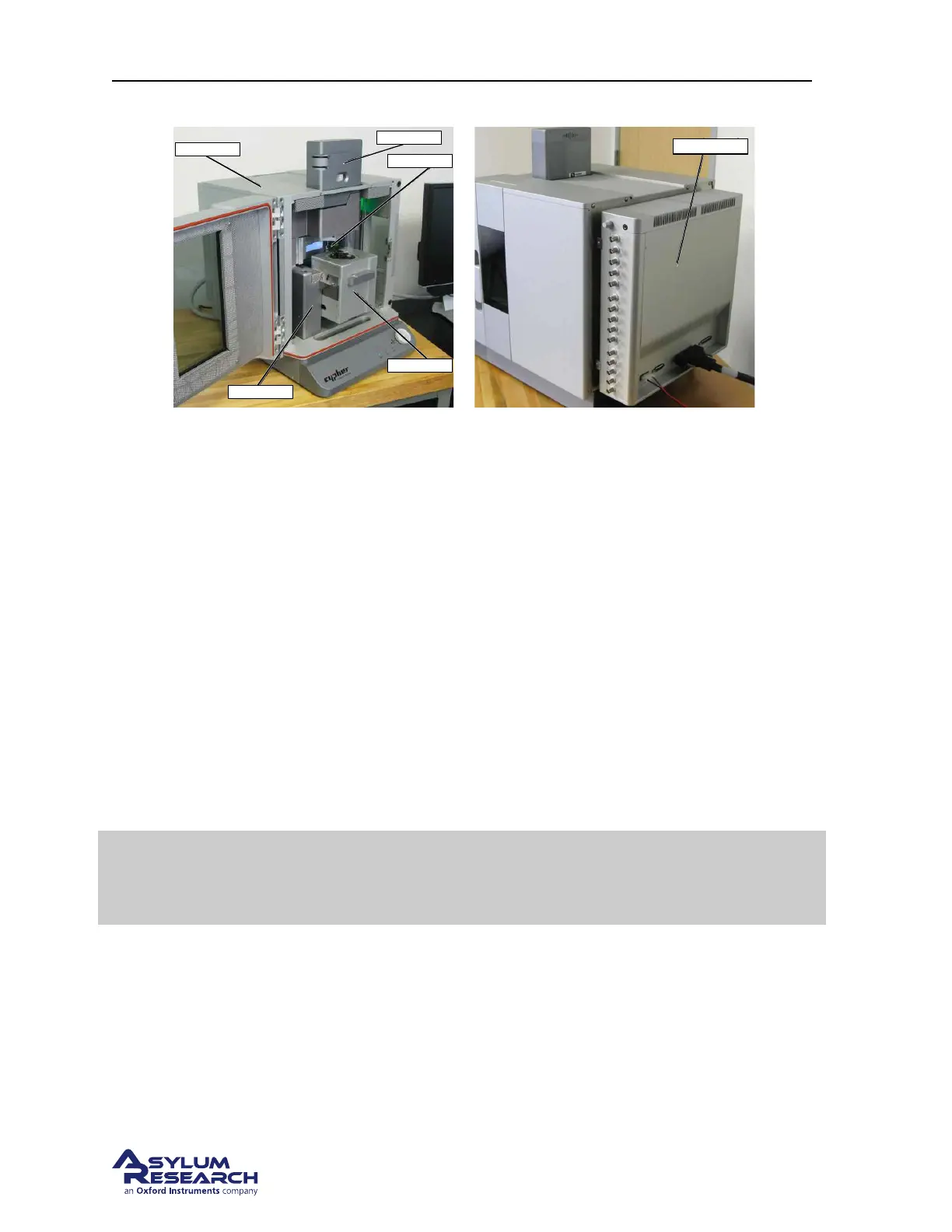
Objective
Scanner
View System
Enclosure
Chassis
(a) Front View. Note that Camera is also referred to
as View System in this chapter.
(b) Rear View
Figure 21.1.: Cypher parts basic nomenclature
21.2. Nomenclature
21.3. Proper System Shut Down
1. Motor up the cantilever holder.
2. Remove any samples from the scanner.
3. Remove all loose items from the AFM enclosure.
4. Shut down the IGOR software and the computer.
5. Power off the AFM controller.
6. Unplug all cables leading to the AFM enclosure and place them aside, keeping them together.
Warning
Never lift the AFM enclosure with the instrument inside. Don’t try to move the
AFM from the lab to, say, the loading dock prior to packaging. Disassemble the
AFM within its normal laboratory setting.
21.4. Shipping a Complete Cypher AFM System
STOP!! Call or otherwise contact Asylum Research and talk to us before moving anything. Chances
are that with a few phone calls and the help of this chapter you can do the job yourself. Not calling us
will likely result in instrument damage, costly repairs and downtime, and the voiding of your warranty.
BETA
Page 238



 To Next Page