Ch. 5. Cantilever Holder Guide Sec. 5.2. Cantilever Holder Changing Stations
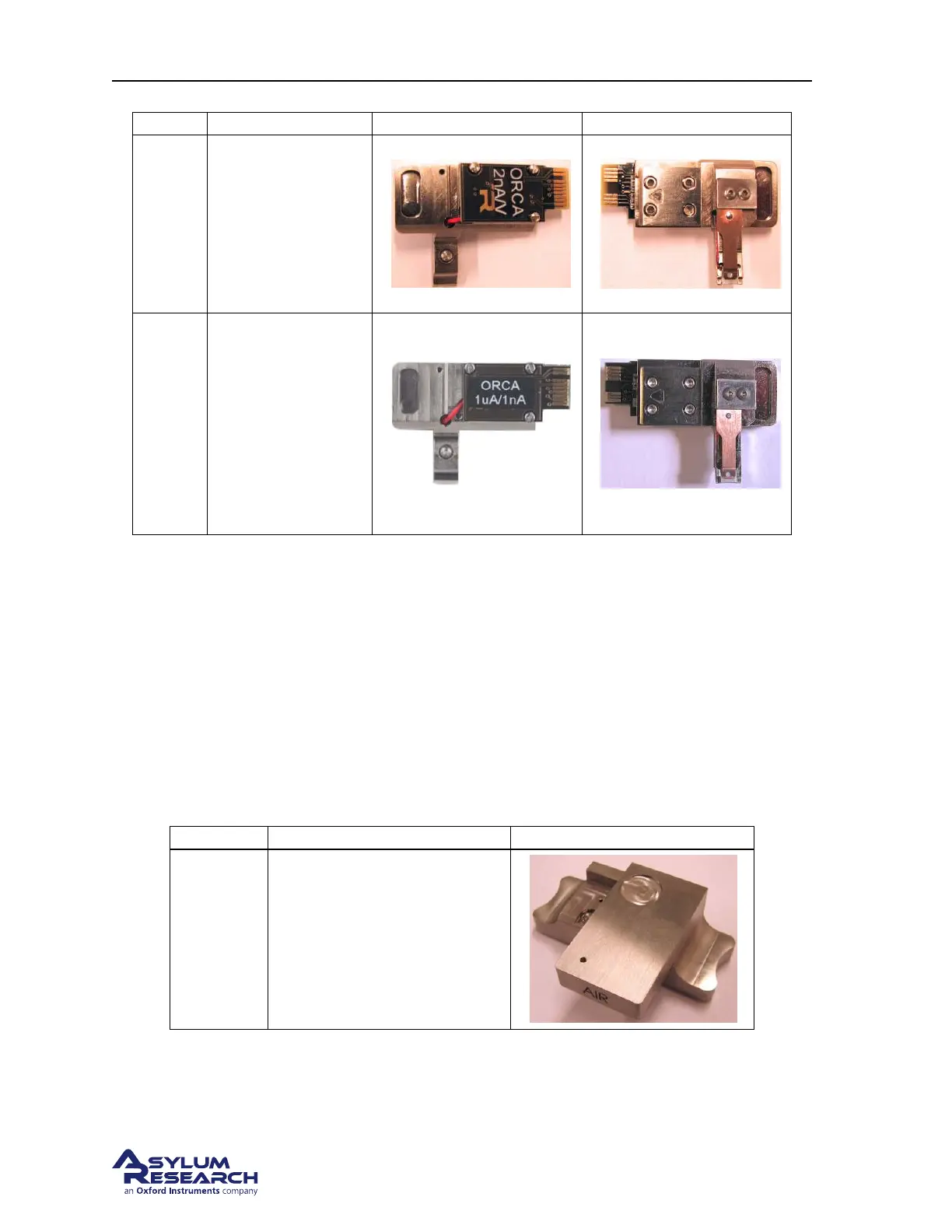
Part # Holder Description Front Photo Back Photo
901.73x
ORCA
Conductive AFM
with a single current
range. See
Chapter 8
on page 92. Fits in
the Air Changing
Station. For use in
air only.
901.708
Dual Gain ORCA
Conductive AFM
with a two
simultaneous current
ranges. See
Chapter 8 on
page 92. Fits in the
Air Changing
Station. For use in
air or liquid.
5.1.2. Electronic Identification of Cantilever Holders
1. Attach the cantilever holder to the Cypher Scanner. (See Step 17 on page 23).
2. From the main menu bar in the software select Programming ⊲ Cantilever Holder and Sample Panel.
3. At the bottom left of this panel click the ‘Check Holder’ button and the type of cantilever holder
will be highlighted.
5.2. Cantilever Holder Changing Stations
Part # Item Description Picture
901.715
Air Cantilever Holder Changing
Station. Used with Cypher
cantilever holders that look like
the Standard Air Cantilever
Holder.
BETA
Page 51



 To Next Page