Ch. 16. Tutorial: Scanner Exchange Sec. 16.2. Scanner Storage
16.2. Scanner Storage
The scanner should be stored under basic laboratory conditions, preferably in a locked cabinet or drawer
where it will not collect dust, be accidentally knocked over, or be “borrowed”. At the very minimum,
place it on a shelf and cover it with a soft cloth.
16.3. Replacing the Scanner
1.
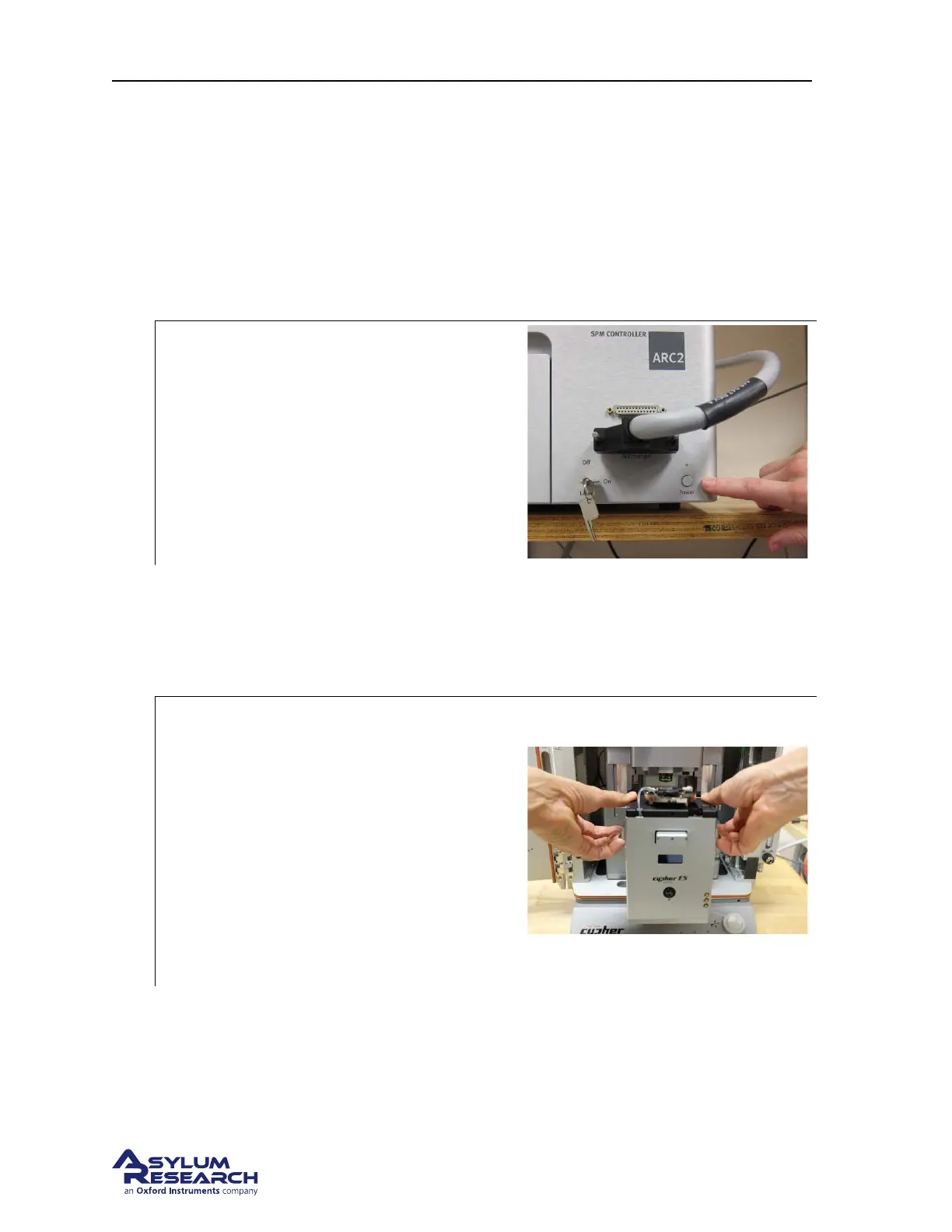
Verify that the ARC2 is off:
• Double check that the ARC2 power
light is indeed off. If not, turn off the
controller.
2. Clear a space in front of the AFM.
3. Set the scanner down in front of the AFM.
4. Swing the scanner connector to the side so it does not block the scanner’s insertion.
5. Make sure the locking lever on the chassis is in the RAISED position.
6.
Set the scanner on the rails:
• Use two hands to grasp both sides of the
scanner and remove. Place your fingers
under the two dovetail rails as shown in
the photo.
• Use care because the scanner is HEAVY.
• Lift the scanner as shown and set it on
the rails.
• Push it in far enough so it sits stably on
the rails.
BETA
Page 186



 To Next Page