Ch. 13. Cell Body and Sample Stage Guide Sec. 13.5. Storage
10.
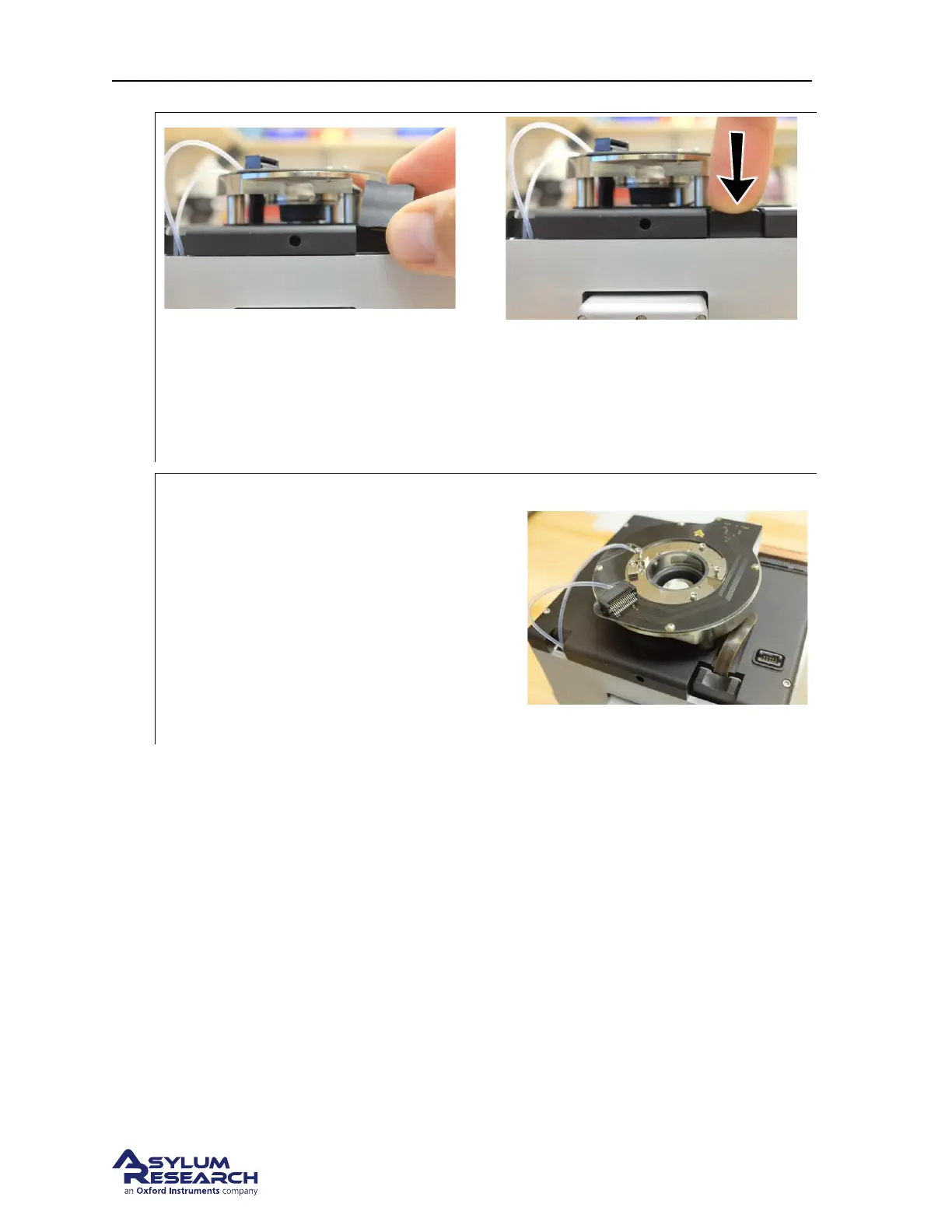
Connect the heater cable:
• As shown, insert the heater cable connector.
• Push it flush.
11.
Final checks:
• Your scanner should now look like the
photo to the right.
CHECK The sample stage top surface sits
quite deep as shown, below the glass
sidewalls of the cell body. View the stage
through the windows on the sides of the cell
and make sure you cannot see it. If the sample
stage was not seated properly, you will crush
it when you go to insert the cantilever holder.
13.4.5. Replace the Scanner
1. Refer to 16.3.
2. When pressing the scanner against the back of the chassis, you should sense a hard stop of metal
touching against metal. This requires a little extra pressure to compress some springs behind the
copper plate at the back of the scanner. Not pressing the scanner all the way into the chassis may
hamper thermal performance when using cooling or heating stages.
13.5. Storage
13.5.1. Storing disassembled sample stages
Once a sample stage has been removed from a cell body (See
13.3.1), it should be stored in the mem-
brane container in which it shipped. See Figure 13.8 on page 172.
DRAFT
Page 171



 To Next Page