Ch. 19. Air Temperature Controller Sec. 19.5. Enclosure Door Function
1.
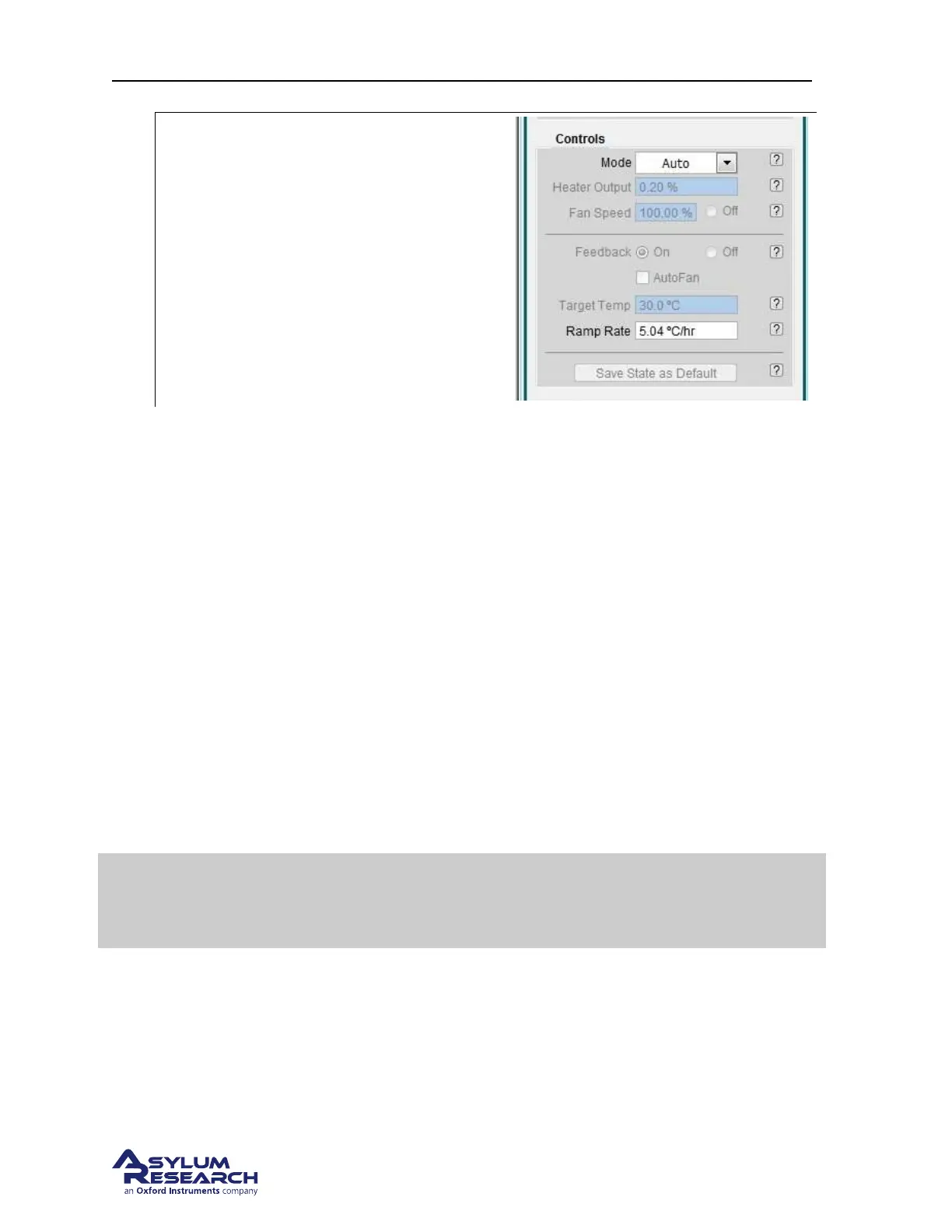
Setting the mode to Auto:
• From the ‘Mode’ pulldown in the ATC
Panel, select ‘Auto’.
• You will notice that some values will
become “grayed out” since they are now
controlled by values stored in the ATC
firmware.
During operation, the ATC feedback will be maintained as long as the power to the ARC2 controller
and ATC unit are left on. Exiting the software will not interrupt the ATC operation.
19.5. Enclosure Door Function
When the enclosure door is open, the ATC cannot realistically attempt to control the temperature inside
the Cypher enclosure. Therefore the ATC senses the opening of the door and temporarily freezes the
feedback process but keeps the fans running and also keeps the air heater power at the same level when
the door opened.
Once the door is closed again (we urge you do this quickly, see
Section 19.1.1 on page 205) the air keeps
blowing for about a minute and then the feedback automatically resumes. You will see the LEDs on the
front of the ATC change colors while this is happening. More on the LEDs in the next section.
19.6. ATC Front Panel LEDs
The LEDs on the front of the ATC unit provide a basic visual cue regrading the condition of the system.
Summary
If all three lights are green, the ATC is functioning properly and attempting to
control the temperature inside the Cypher enclosure. For any other combination of
colors, please read further.
BETA
Page 215



 To Next Page