Ch. 4. Tutorial: AC Mode in Air, Std. Scanner Sec. 4.1. Required Materials
4.1. Required Materials
This tutorial is designed to be performed, not merely read. You will learn the most if you operate the
instrument yourself, with an experienced user watching, providing advice.
It will be necessary to gather a few items prior to beginning the tutorial:
1. Cantilevers: You will need an
AC160TS cantilever, which is manufactured by Olympus. The
AC160TS, with a spring constant of ~42N/m and a resonance frequency of ~300kHz, is a workhorse
for AC mode imaging in air. Every Cypher ships with a package of AC160s, but if these can-
tilevers are unavailable, any cantilever with a similar spring constant and resonance frequency
should work fine.
2. Sample: The tutorial will use the
Asylum Research calibration grating that ships with every sys-
tem (Asylum Part# 290.237).
3. Tweezers: It is preferable to use tweezers with curved tips (for example, Asylum Part# 290.102).
4. Wrench: A 1/16” ball head wrench (for example, Asylum Part# 290.139) is required.
5. SPM: This tutorial is designed for a Cypher equipped with the Standard Scanner and a large spot
SLD or Laser Module (See
Chapter 18 on page 190).
4.2. Loading the Cantilever and Sample
This section covers sample and cantilever loading as well as the course approach of the cantilever tip
toward the sample.
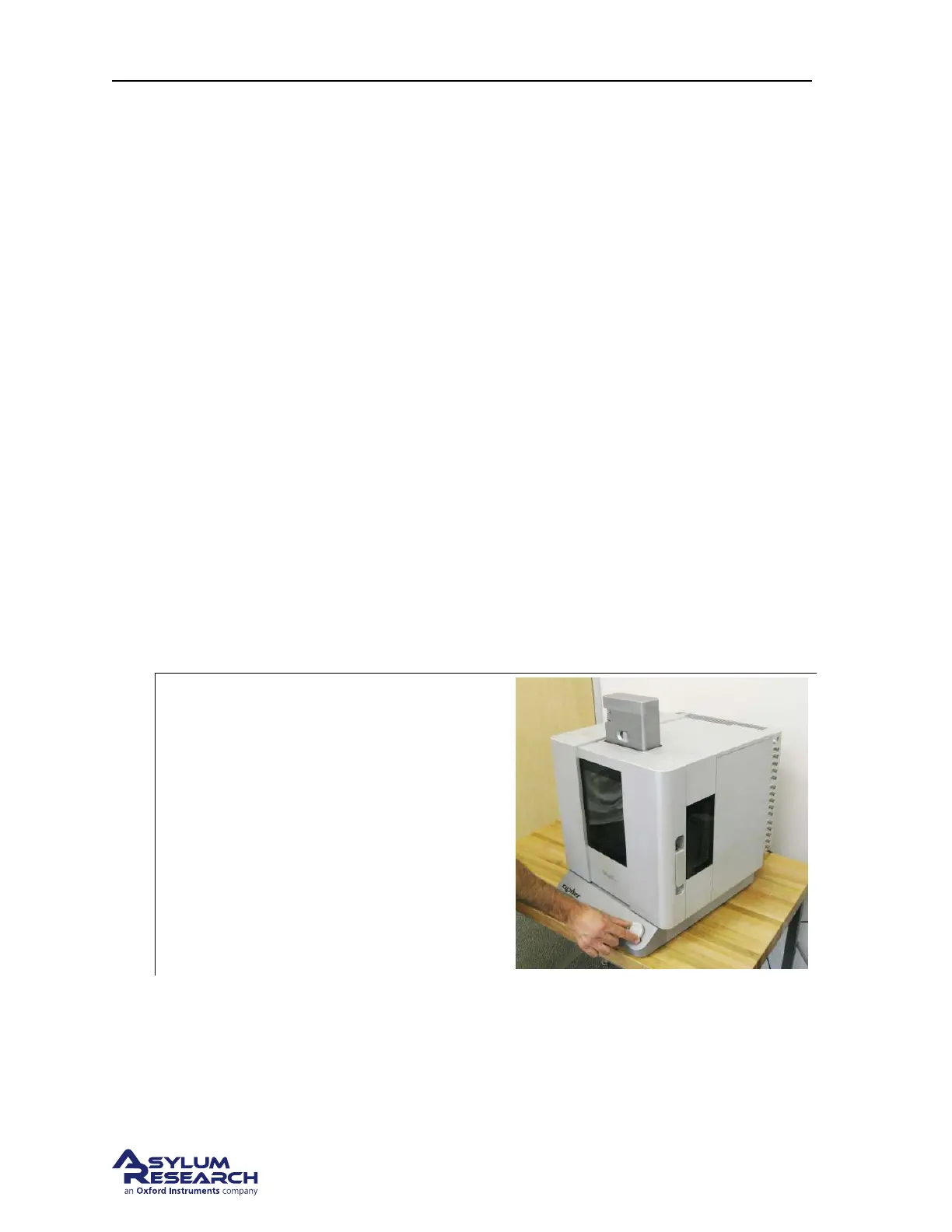
1.
Raise the cantilever holder:
• Rotate the ‘Engage Control Knob’ on the
Cypher clockwise and hold it until the
cantilever holder is far from the sample
or is at its upper limit of travel.
Note Although it is not required, for safety
reasons we recommend making motor moves
with the door closed. Beware of pinch points
(
Figure 20.1 on page 230).
support.asylumresearch.com Page 18



 To Next Page