Ch. 4. Tutorial: AC Mode in Air, Std. Scanner Sec. 4.4. Imaging
Question Why does the sample look out of
focus when the tip is on the surface? How do
I fix this?
Answer The laser and video image both pass
through the same microscope objective.
While performing AFM, the objective must
remain focused on the back of the cantilever
to keep the laser focused. Since the sample
sits one tip height farther away, it will not be
in focus. The fix is extra optics just before the
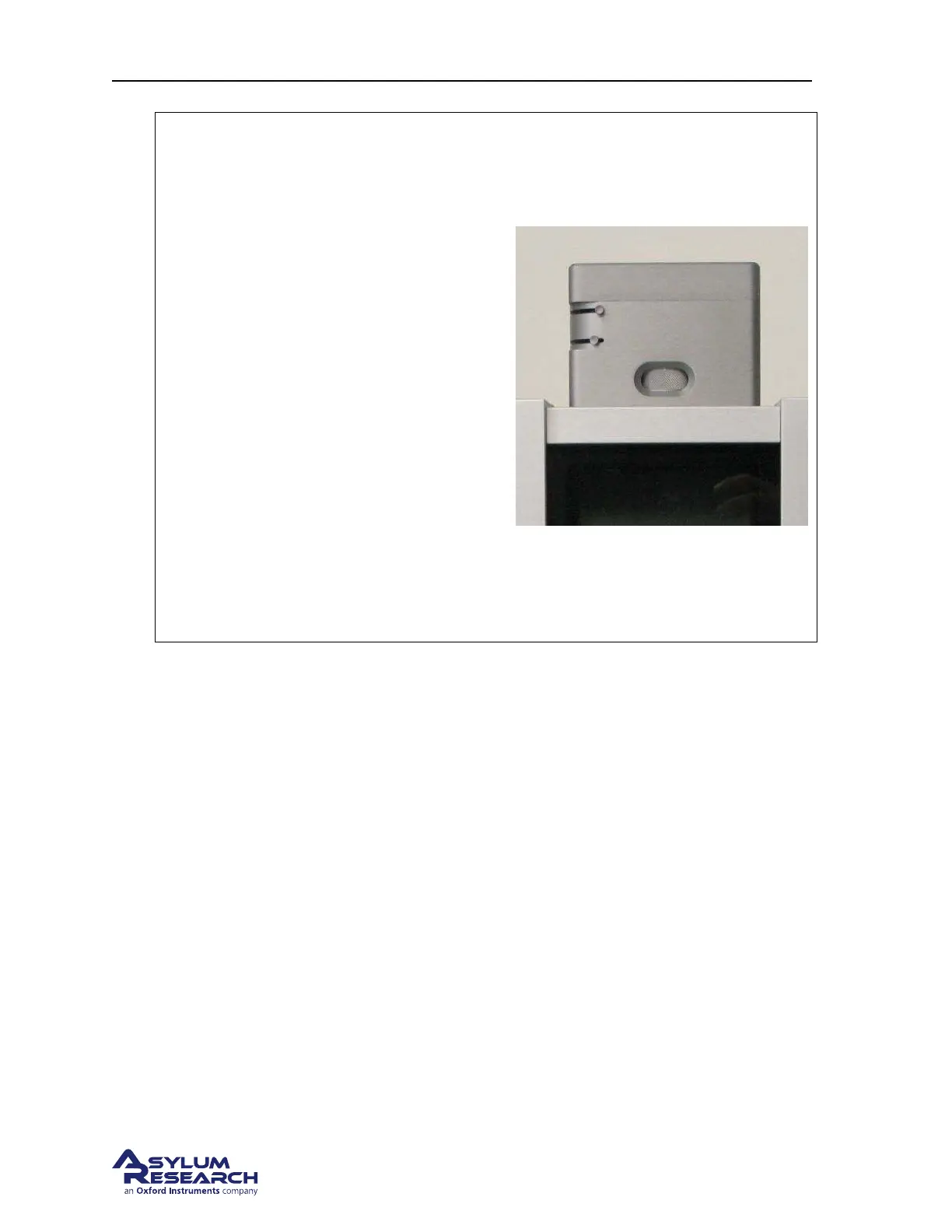
video camera. Adjust the focus ring (at the
center in the photo on the right) on the view
system until the sample is in focus. Of course
the cantilever and laser spot will now appear
blurred in the video image.
Note When it comes to focusing on the next
cantilever (
Step 9 on page 29) you must be
sure to set the focus adjustment back to zero,
as in
Step 3 on page 26. Cypher includes a
sensor to see that this has occurred and the
software will warn you to zero the focus
offset when necessary.
4.4. Imaging
This section will get you scanning and tracking the surface.
4.4.1. Set-Up and Initial Parameter Selection
Based on the previous section, it is assumed that:
• The cantilever tip is on the surface, or was just disengaged from the surface.
• The laser is aligned on the cantilever and the photo detector difference (deflection) signal has been
zeroed.
support.asylumresearch.com Page 40



 To Next Page