Ch. 16. Tutorial: Scanner Exchange
16. Tutorial: Scanner Exchange
CHAPTER REV. 1711, DATED 10/23/2013, 22:16. USER GUIDE REV. 1714, DATED 10/25/2013, 20:36.
Chapter Contents
16.1 Removing the scanner . . . . . . . . . . . . . . . . . . . . . . . . . . . . . . . . . . . 183
16.2 Scanner Storage . . . . . . . . . . . . . . . . . . . . . . . . . . . . . . . . . . . . . . 186
16.3 Replacing the Scanner . . . . . . . . . . . . . . . . . . . . . . . . . . . . . . . . . . . 186
The Cypher AFM can be purchased with various scanner modules. This tutorial describes how to safely
swap from one scanner to another.
16.1. Removing the scanner
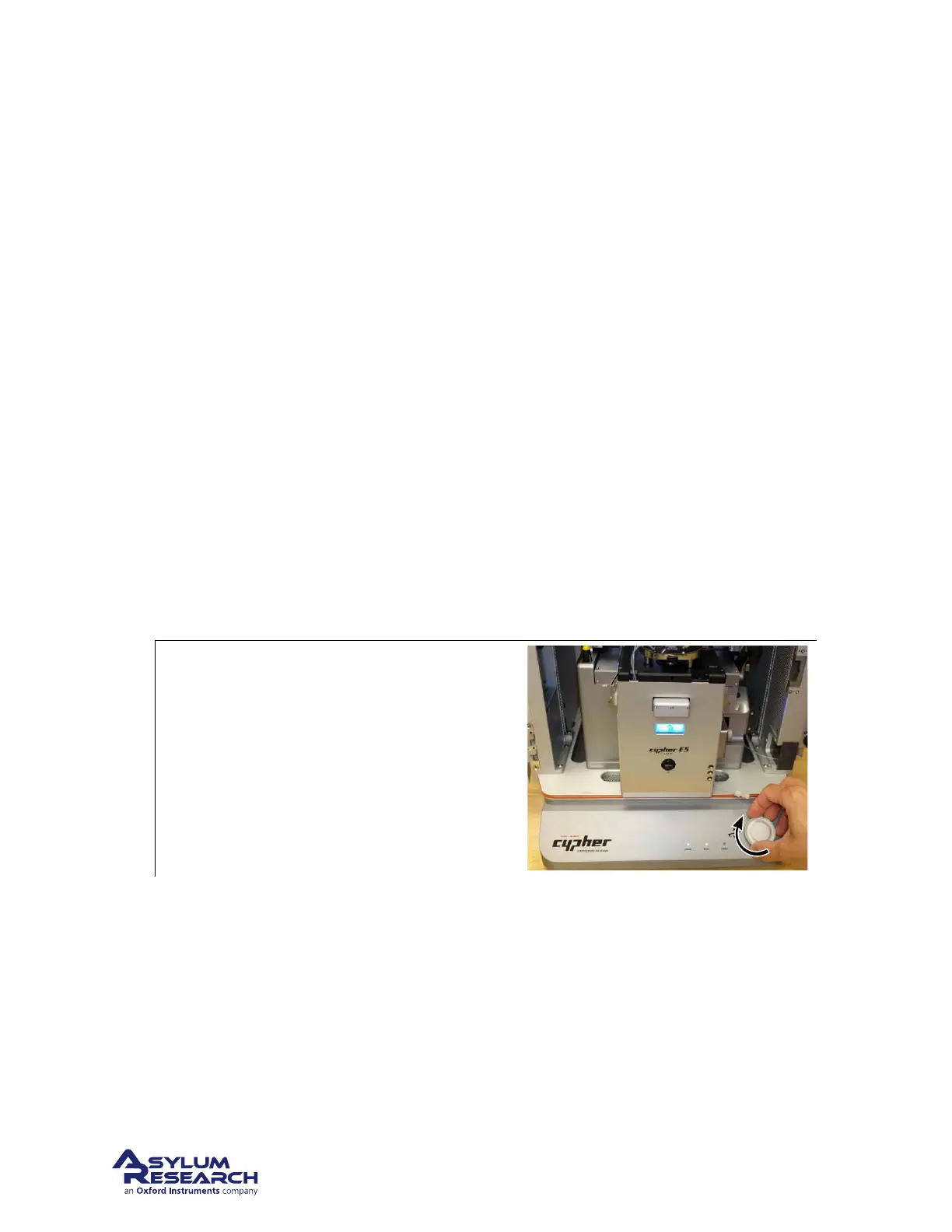
The photos show the removal of the Environmental Scanner. The steps are the same for any other model.
1.
Raise the coarse engage stage: It’s likely
you’ll need to change a cell body after
scanner removal, so it’s best to raise the stage
now to make those later actions possible.
• Rotate the Engage Control Knob on the
Cypher clockwise and hold it until the
cantilever is at its highest position.
BETA
Page 183



 To Next Page