Ch. 8. Conductive AFM (ORCA) Sec. 8.3. Preparing for Imaging
8.3. Preparing for Imaging
8.3.1. Zeroing the ORCA Current and Sample Bias signals
The signal path through the Cypher can pass through many stages of signal conditioning. Each particular
circuit in the signal path can introduce a voltage offset which when added together can skew the zero
point of your measurement. The following adjustments should be made to your system prior to imaging.
8.3.1.1. Zeroing the ORCA current signal
1. Start the Cypher software if not already running.
2. Select contact mode as an imaging mode.
3.
Install the ORCA holder into the scanner’s
tip engage pillar.
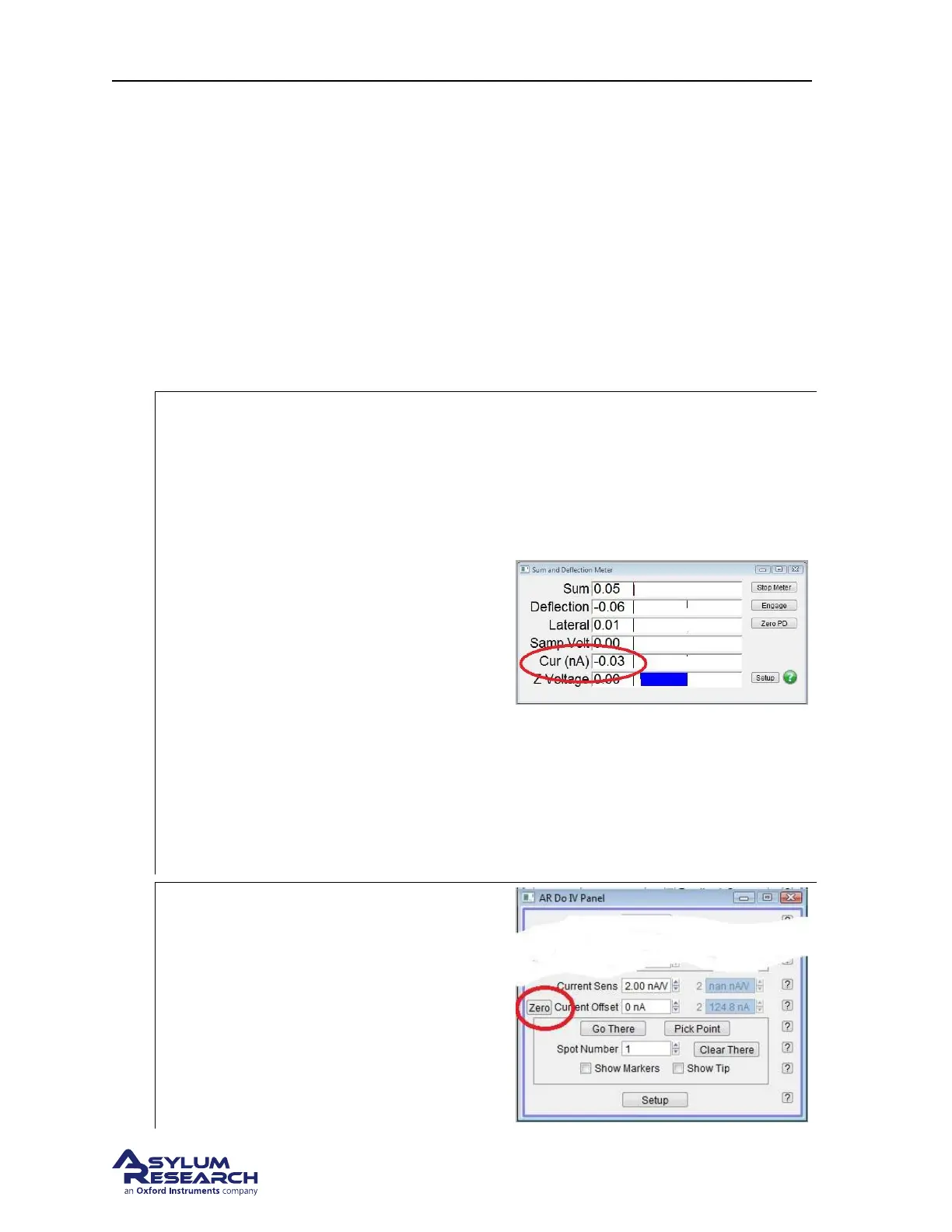
• The software will automatically add the
ORCA current and Sample Voltage to
the items shown in the SUM and
Deflection meter window.
• Push the scanner into the chassis and
close the enclosure door. The ORCA
current amplifier is sensitive to RF and
other emitted signals such as florescent
lighting.
• Note the current being registered in the
Cur display. In this example, the offset
current is around -30pA.
Note If the Sum and Deflection meter
window does not update, Try adding Current
as one of the data channels in the Master
Channel panel and then reselect Contact
mode as the imaging mode the system.
4.
Open the Do IV control panel
• Go AFM Controls to locate the DoIV
panel.
• Locate the Current Offset parameter at
the bottom of the window.
Note If you are using a Dual Gain ORCA
holder holder, the Current 2 offset and Sens.
will be active.
DRAFT
Page 96



 To Next Page