Ch. 14. Gas Handling and Leak Testing Sec. 14.2. Manifold Connections
14.2. Manifold Connections
14.2.1. Scanner Faceplate Removal
1.
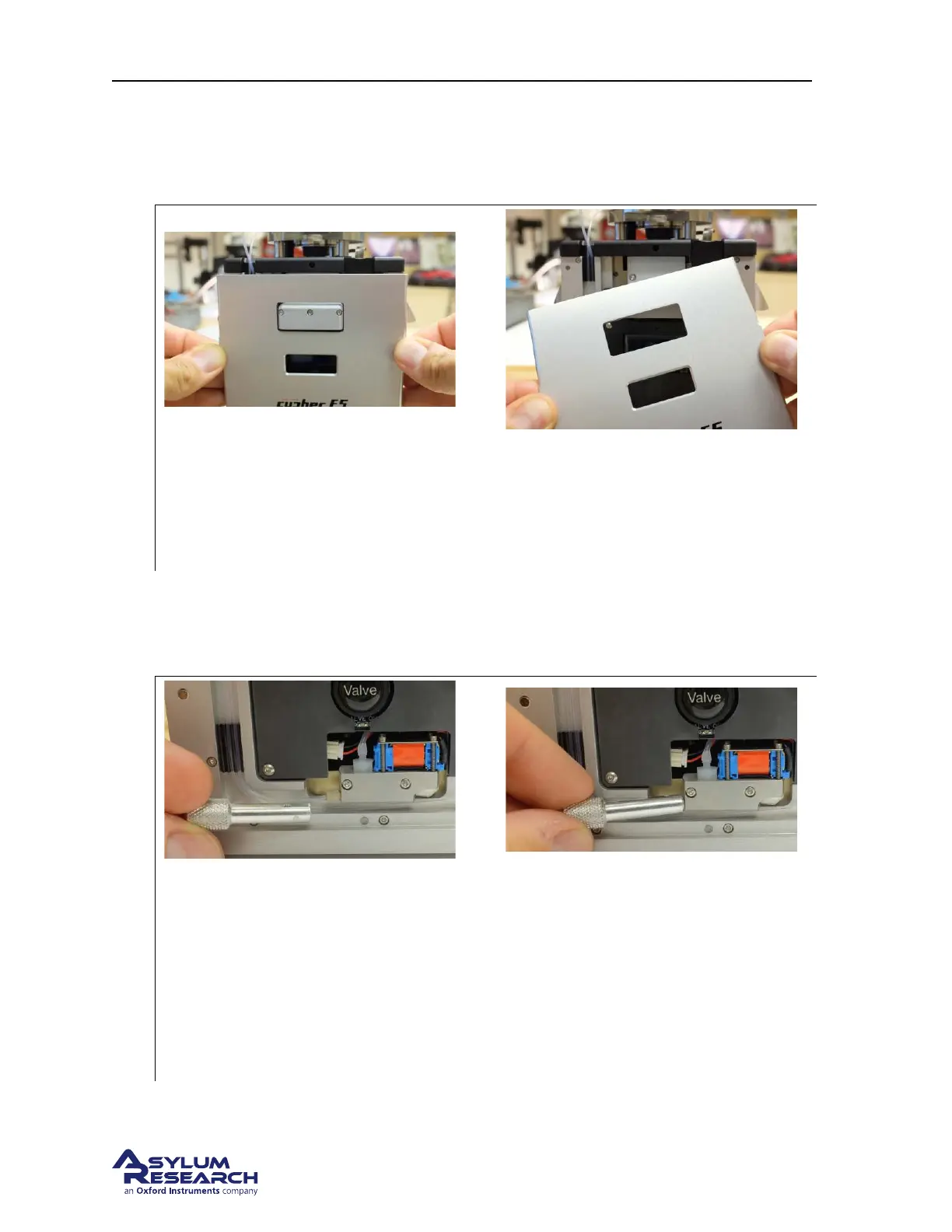
Remove the scanner cover:
• Grip the cover as shown.
• Pull forward. The cover is attached magnetically.
14.2.2. Manifold Cell-side connection
Process for removing the tubing connected on the cell-side of the valve manifold.
1.
Remove the fitting using the tool:
• Place the tool on the fitting. The slot in the tool slides over the tubing.
• Unscrew until the fitting comes loose. An O-ring should stay attached to the tubing.
If not, you may need to retrieve it from the port with tweezers.
• If it feels there is not enough room to complete this step, please follow to the next
step:
DRAFT
Page 175



 To Next Page