Ch. 16. Tutorial: Scanner Exchange Sec. 16.3. Replacing the Scanner
7.
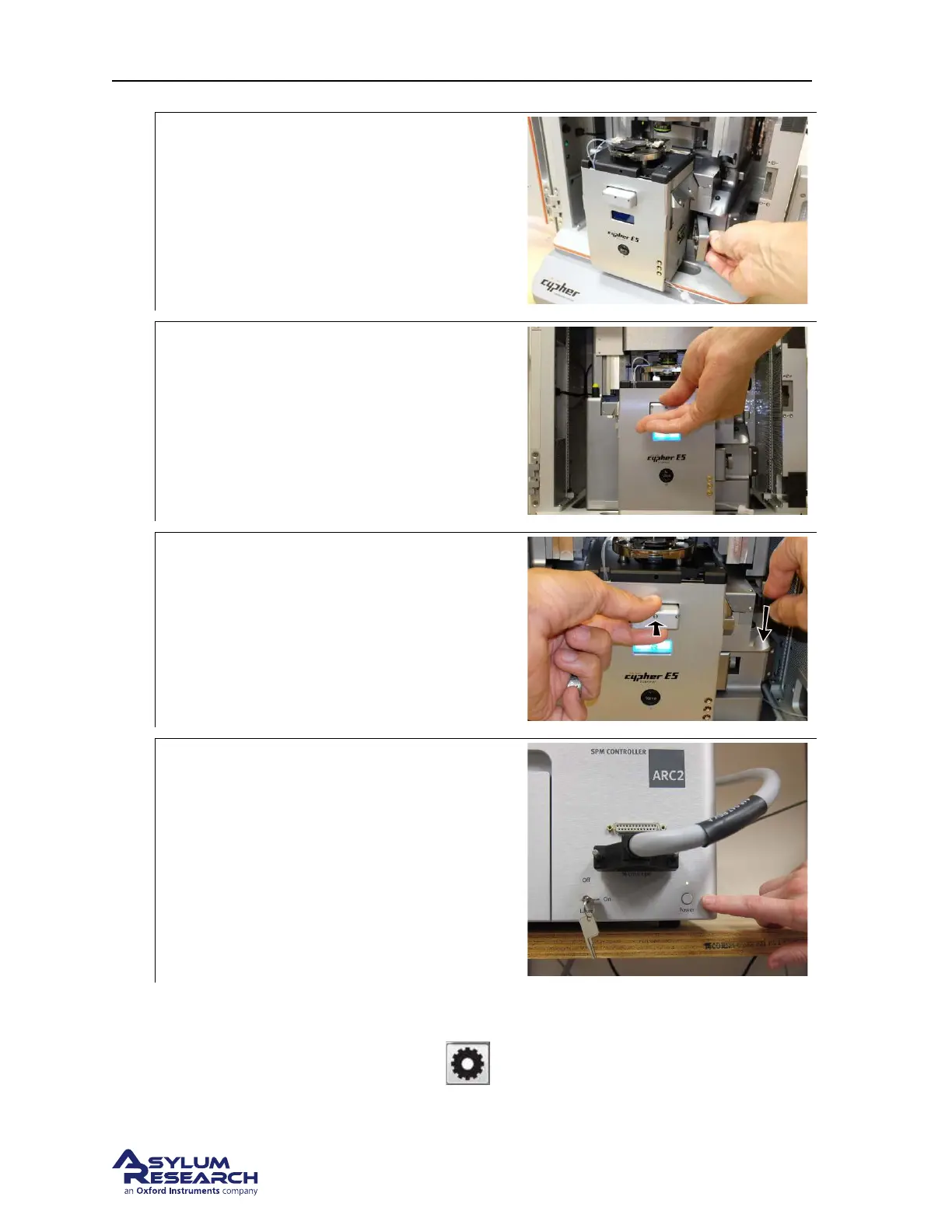
Secure the scanner connector:
• Press the connector into its mating
socket.
• Turn the knob on the right side of the
scanner clockwise until firmly tight.
8.
Push the scanner in:
• Push the scanner all the way into the
chassis until it connects with the chassis.
9.
Lock the scanner:
• Continue to apply pressure against the
scanner.
• Lower the lever to the right of the
scanner to lock it into place.
10.
Turn the AC2 back on:
• Press the button as shown. The light
must remain green.
11. Sometime during the following steps you may be asked to re-home the motors. Please do so when
the software requests it.
12. When the process completes and click the
button and the popup list of attached hardware
should include the scanner.
BETA
Page 187



 To Next Page