Ch. 16. Tutorial: Scanner Exchange Sec. 16.1. Removing the scanner
5.
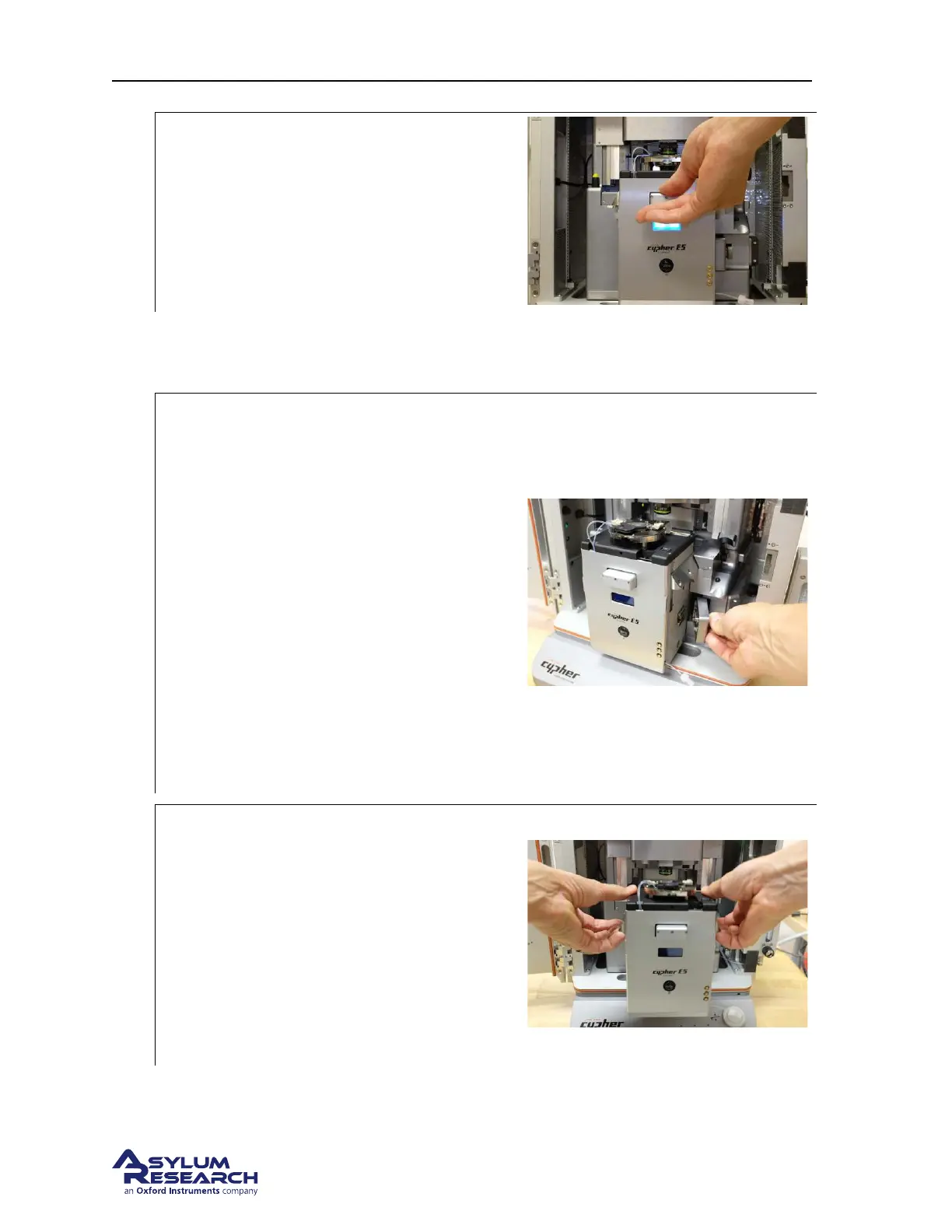
Begin to pull the scanner out:
• Pull the scanner out about halfway.
6. Now go and clear out a place to set the scanner down once you remove it. We recommend you
first place the scanner right in front of the AFM system, and then grip the scanner again to move
it elsewhere. If the scanner is dropped it might become irreparably damaged.
7.
Detach the scanner from the chassis:
• Check that the light behind the scanner
is off. This confirms the controller was
turned off.
• The light behind the display on the front
of the scanner will remain on. This is
OK. It is powered by an alternate power
supply.
• Turn the knob on the right side of the
scanner counterclockwise to unscrew.
• The knob will disengage and retract
back towards the chassis. If the knob
does not disengage readily, make sure
the scanner body is pulled out
sufficiently from the chassis.
8.
Remove scanner:
• Use two hands to grasp both sides of the
scanner and remove. Place your fingers
under the two dovetail rails as shown in
the photo.
• Use care because the scanner is HEAVY.
• Preferably place the scanner right in
front of the AFM and then pick it up
again to move it to its storage location.
BETA
Page 185



 To Next Page