Ch. 4. Tutorial: AC Mode in Air, Std. Scanner Sec. 4.2. Loading Lever and Sample
14.
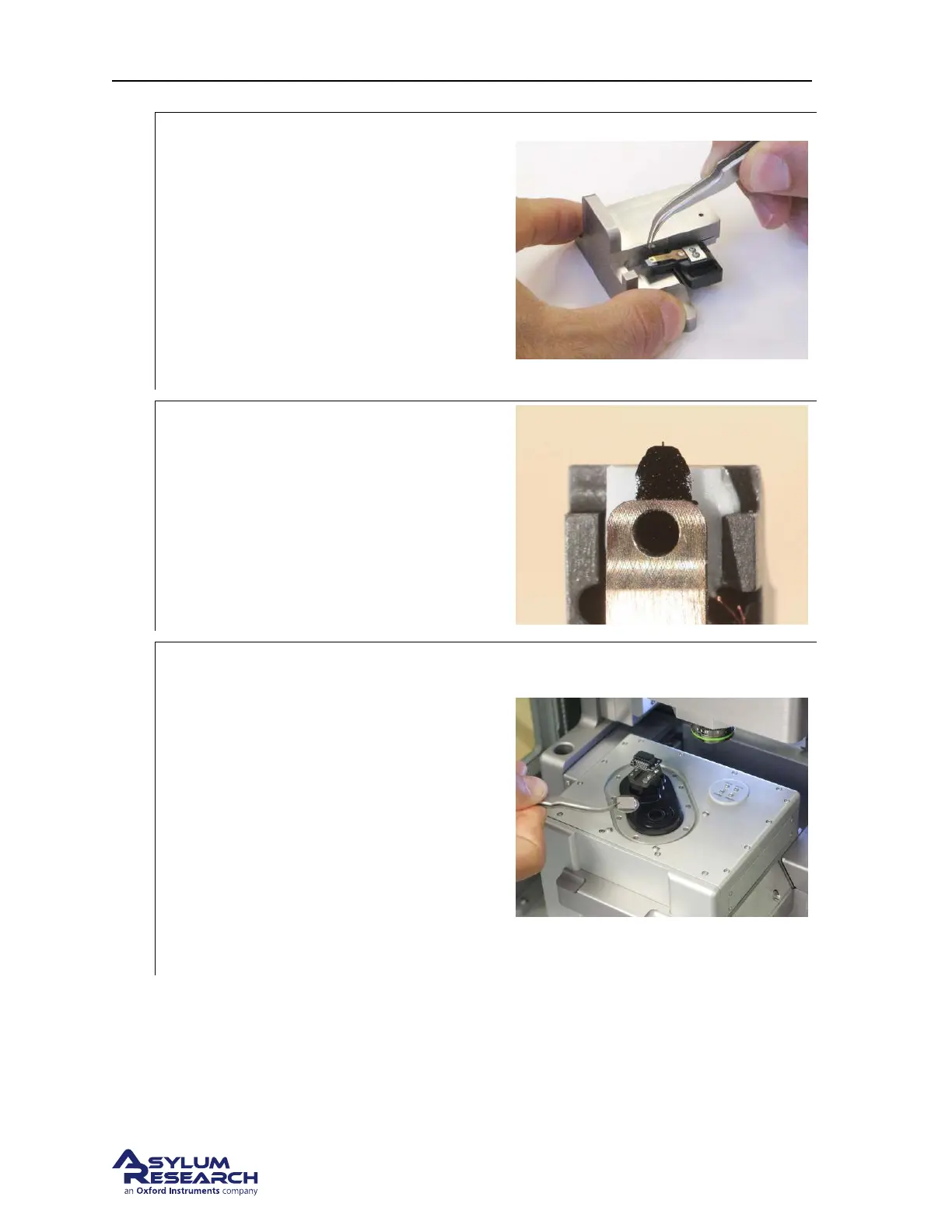
Load new cantilever:
• Place and center the cantilever in the
holder (also see photo in next step for
alignment).
• A good technique is to release pressure
on the changing station while still
gripping the cantilever chip with
tweezers. This prevents misalignment
caused by the cantilever chip sticking to
the tweezers.
15.
Check cantilever alignment:
• A properly aligned cantilever seen from
above.
• It helps to do this at least once under a
binocular stereo microscope.
16.
Prepare scanner and load sample:
• Leave the cantilever holder in the
changing station for now.
• Remove any sample that may be present
on the scanner.
• Wipe the scanner stage (defined in
Step 5 on page 19) clean with a soft
cloth. Any dust or grit will prevent the
sample disk from being properly seated.
• Place the Asylum Research calibration
grating onto the scanner stage. It will
attach magnetically.
support.asylumresearch.com Page 23



 To Next Page