Ch. 4. Tutorial: AC Mode in Air, Std. Scanner Sec. 4.2. Loading Lever and Sample
17.
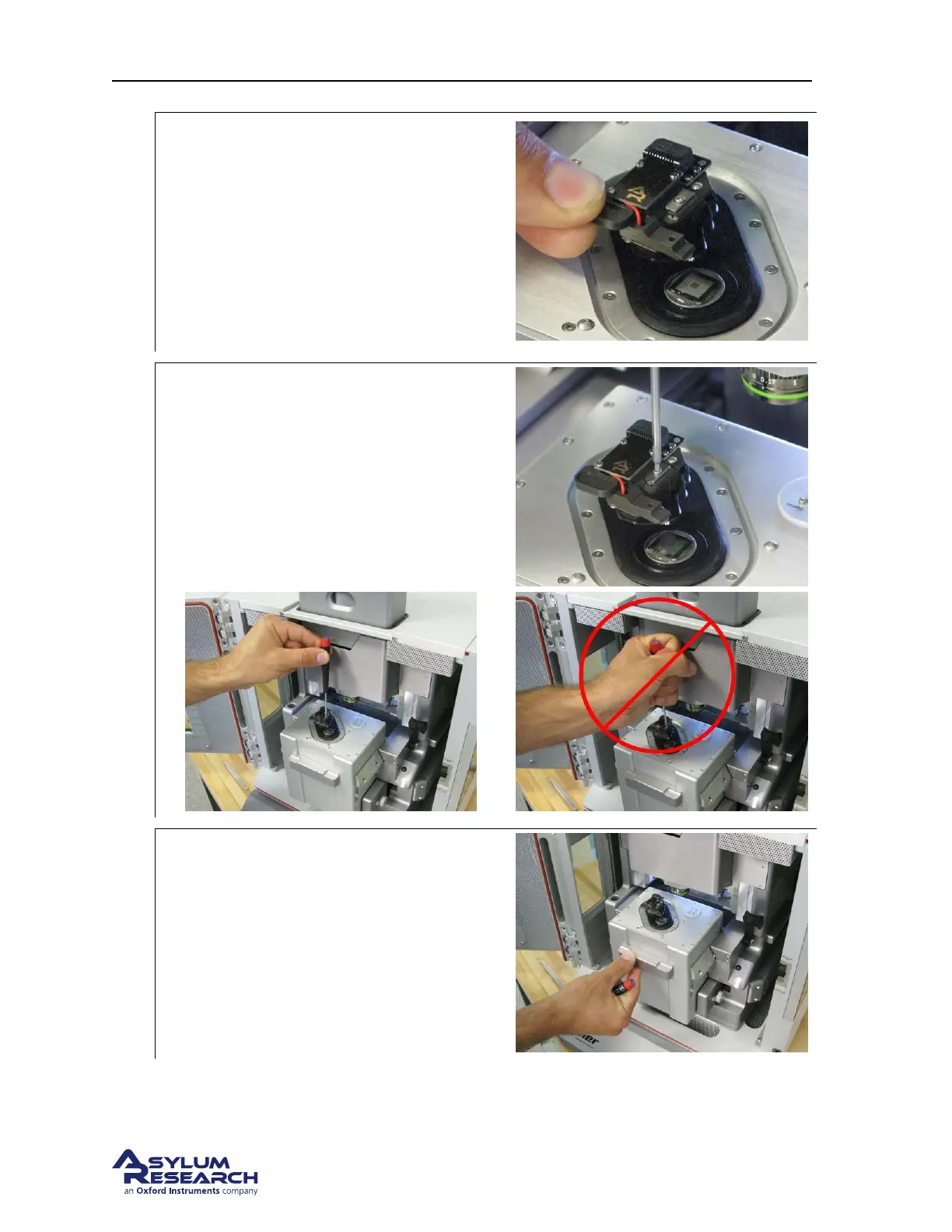
Insert cantilever holder into scanner:
• Remove the cantilever holder from the
changing station.
• Insert the cantilever holder into the
scanner. Pay attention that the metal
dovetail engages properly.
• If it will not go in, loosen the screw by
half a turn (see
Step 6 on page 20).
18.
Tighten cantilever holder:
• Use the ball headed wrench to gently
tighten the screw that clamps the
cantilever holder.
• Don’t use your whole hand! Be gentle!
19.
Slide scanner into chassis, lock down:
• Gently slide the scanner back into the
chassis.
• Push the lever at the right of the scanner
downward to secure the scanner in
place.
support.asylumresearch.com Page 24



 To Next Page