Ch. 4. Tutorial: AC Mode in Air, Std. Scanner Sec. 4.2. Loading Lever and Sample
5.
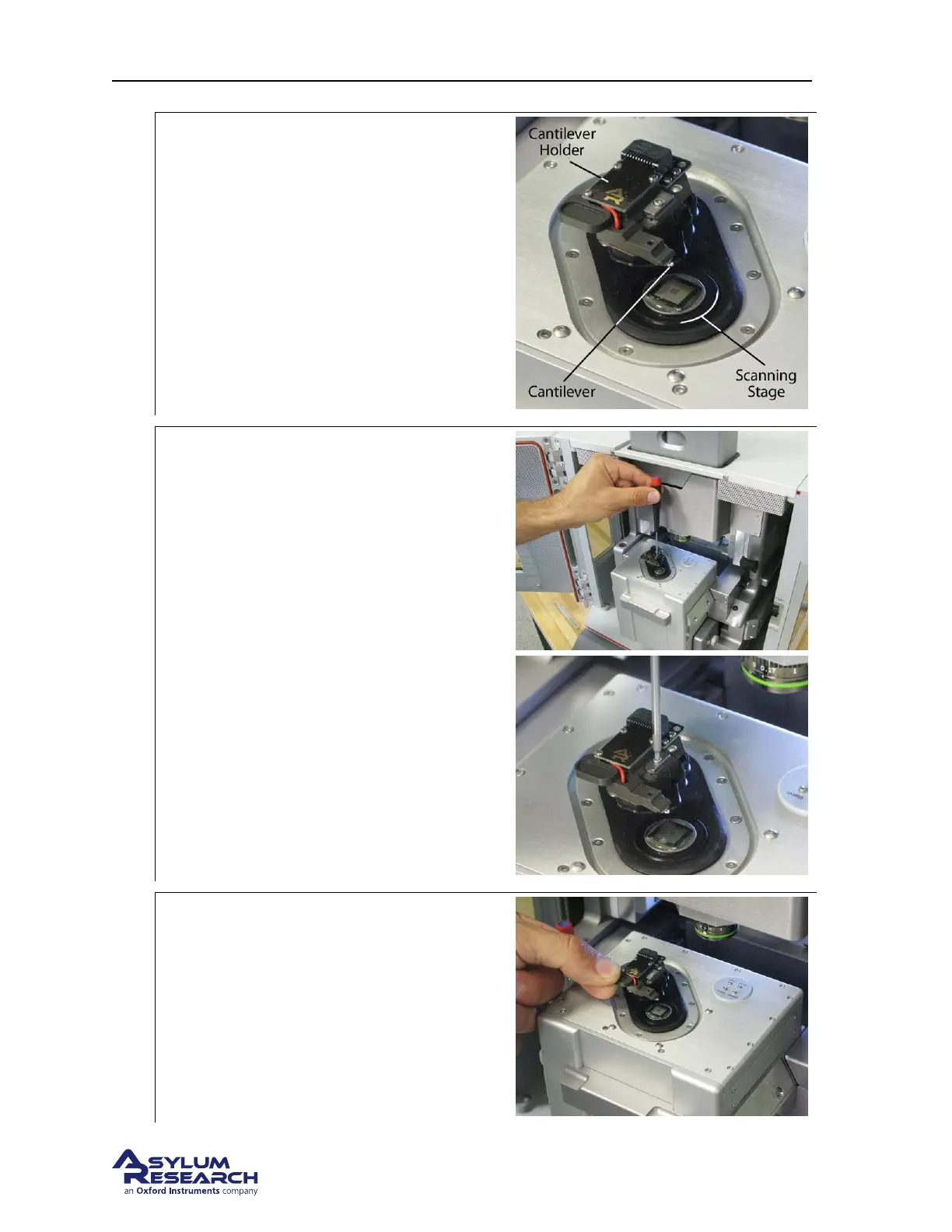
Familiarize yourself with the sample area:
• While it may look solid, the scanner
stage moves the sample in the X, Y, and
Z directions imperceptibly up to 40μm.
6.
Release the cantilever holder:
• Loosen the screw clamping the
cantilever holder. One turn
counterclockwise should be enough.
• Replace the tool in its storage place
(hole in the chassis to the left of the
scanner).
7.
Remove the cantilever holder:
• Hold by the tab with the circular recess
and pull straight out towards you.
support.asylumresearch.com Page 20



 To Next Page