Ch. 20. Safety Precautions Sec. 20.2. Light Source Safety
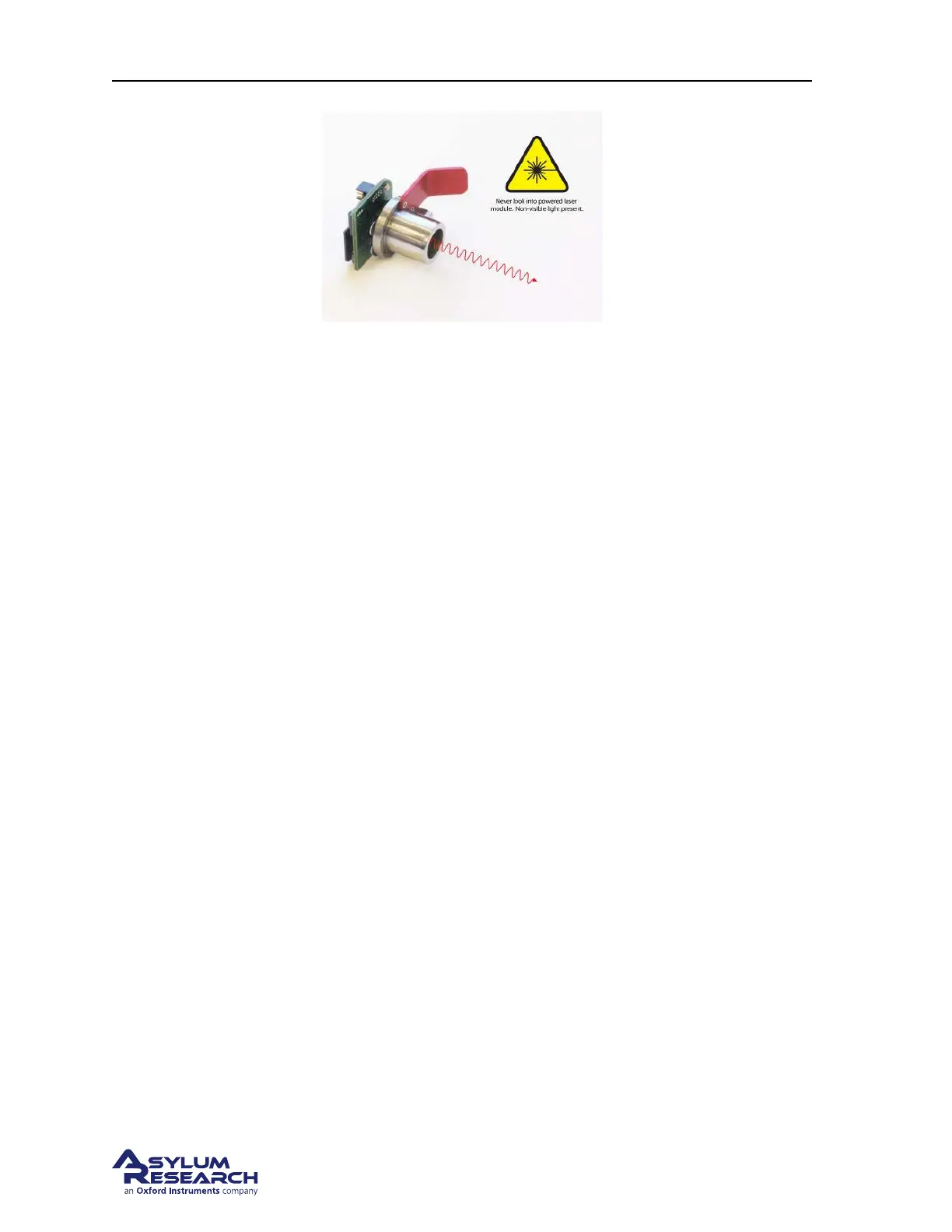
Figure 20.4.: Light source module removed from the Cypher AFM. During the removal process it is possible
to tamper with safety overrides in such a way that collimated light shines out of the module. As a safety
precaution, never look directly into the module while its power cable is attached (power cable not shown in
this image).
Light Source Remote Jack In case your laboratory safety specifications require extra measures such
as a door or foot interlocks to operate laser equipment, you can attach such a switch to a connector
on the back of the ARC2 controller. If this switch is open, the laser power will be interrupted. Since
such requirements are rare, the ARC2 controller ships with a shorted connector, keeping this switch
permanently closed. Removing the connector will shut the laser off. Call Asylum Research for an
additional connector to which you can attach your own customized interlock system.
Laser Power Key Switch The laser is generally turned on and off by means of the key on the front of
the ARC2 controller. The key is captive when the laser is on, but can be removed in the ‘off’ position.
Scanner Laser Interlock When the scanner module is removed there is significantly more space under
the objective lens to insert objects which might reflect the laser light in the direction of the user. To
prevent this, the laser power circuit is broken as soon as the scanner cable is disconnected, a necessary
step for scanner removal.
Collimated Source Magnetic Interlock The collimated laser source (or laser module) includes magnet-
ically activated switches which cut the laser power unless the module is inside its cradle. This prevents
the module from emitting collimated light when it is outside the confines of the instrument. The pres-
ence of strong magnetic fields can override the interlock operation. For additional safety always turn
the laser key on the front of the ARC2 controller to the off position and/or turn off the controller power.
Also note that a red LED on the front of the laser module indicates whether collimated light is being
emitted. Never look into the module if this LED is on. An additional precaution is to simply never look
into the module’s collimating lens.
Optical System Cover While it is safe to operate the system with the cover removed, keep it in place at
all times to avoid the temptation of touching the inner workings around the laser optical path.
BETA
Page 233



 To Next Page