Setting Supply Options 2-7
Adjusting the Position Settings
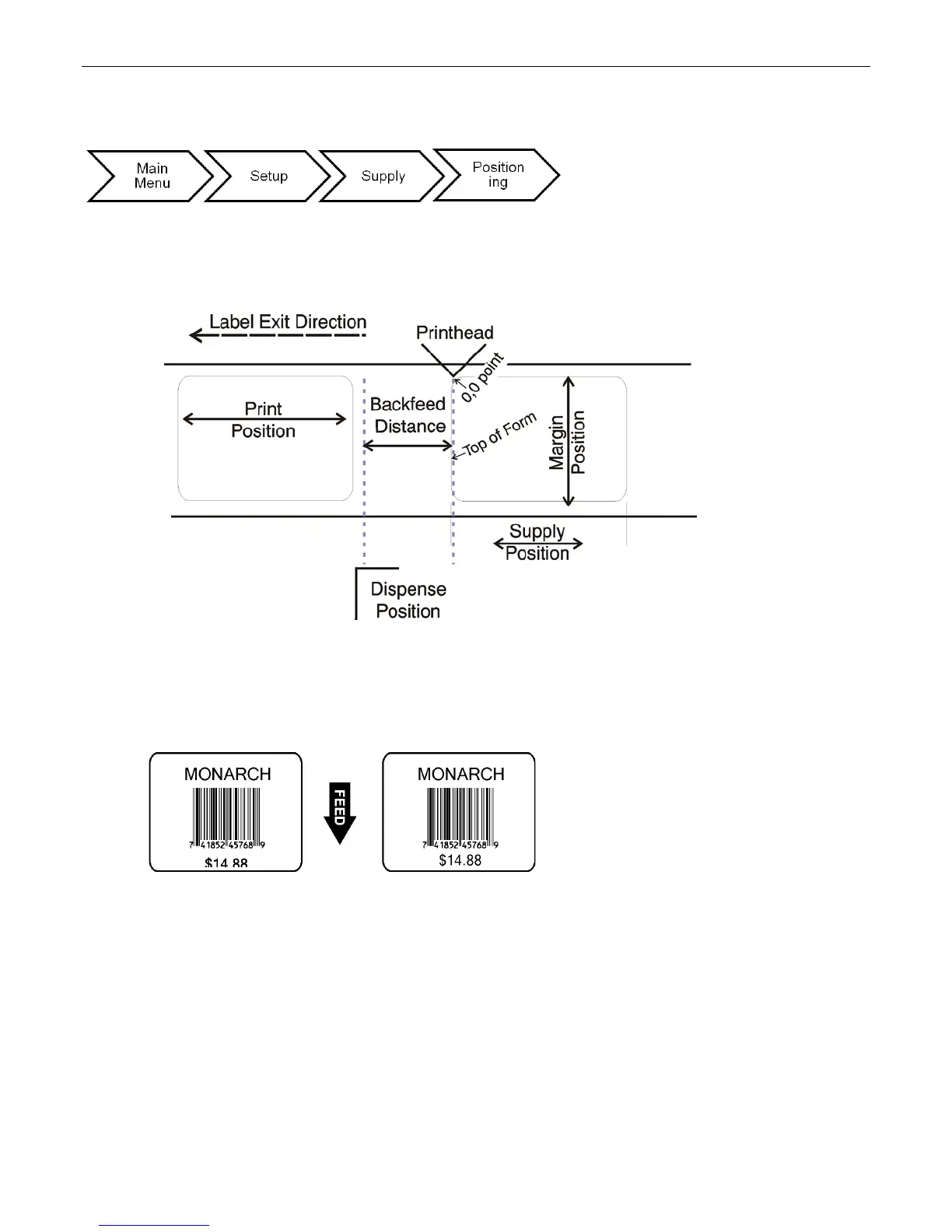
This menu includes selections to change the print, supply, margin, cut, dispense, and
backfeed distance positions.
See the following graphic for a representation of the following adjustments: dispense
position, backfeed distance, supply position, print position, and margin position.
Setting the Print Position
This function adjusts the image’s position on the supply in the feed direction. Adjust the
print position if the print is too close to the top or bottom of the supply, or overtypes the
pre-printed area. The adjustments are in dots where one dot equals 0.0049 inch.
Note: Changing this setting only affects new formats sent to the printer. Any formats
previously saved into flash memory are not affected.
Select To
Decrease the setting. Moves the print down.
Increase the setting. Moves the print up.
Note: Press the left function button to change the amount (by 1, 10, or 100).










 To Next Page