11-8 System Administrator’s Guide
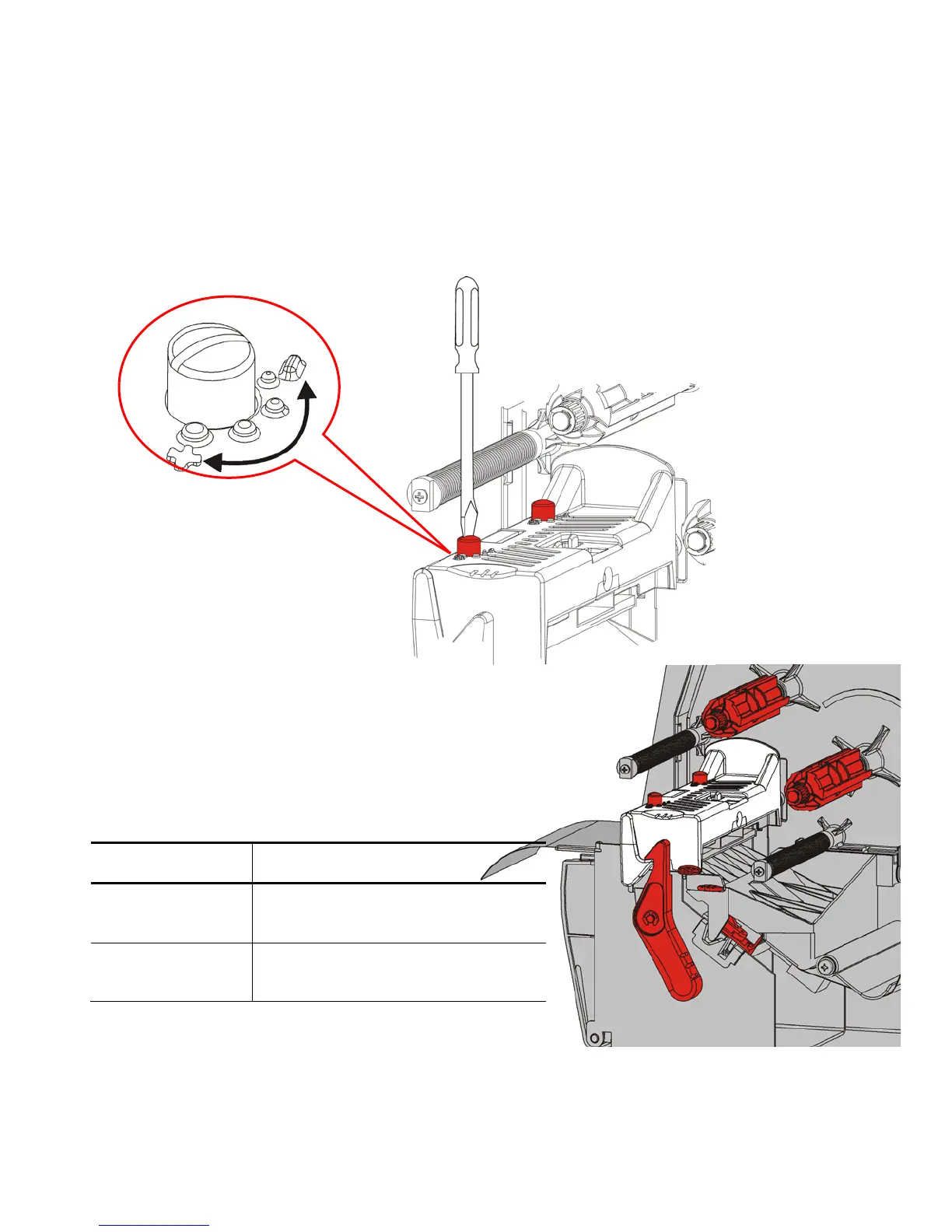
Adjusting the Printhead Pressure Dials
Two dials are located on either edge of the printhead assembly. Use a coin or flathead
screwdriver to adjust the dials based on the width of your supply. The “out of the box”
(default) setting is least pressure, which provides optimal printing in most cases.
If you see smudging, ribbon wrinkling, or poor print quality, adjust the printhead pressure
dials.
Note: Both dials must be set to the same position.
Each dial has four settings:
♦ Least pressure
♦ Light pressure
♦ Medium pressure
♦ Most pressure
Use the following guidelines to adjust the printhead pressure.
Check print quality and repeat if necessary.
Supply Width Dial Settings
Wide supply
(> 2 inches) Increase both dials one step.
Narrow supply
(≤ 2 inches) Decrease both dials one step.
If print quality does not improve, try adjusting
the ribbon tension or contact Technical Support.
Knob is set to least pressure adjustment (knobs are up).










 To Next Page