68 Encore Presentation System • User’s Guide
3. Hardware Installation
Installation
Please note the following points regarding this configuration:
• Video Processor #4 receives DVI Program and Preview feeds from Video
Processors #1, #2 and #3.
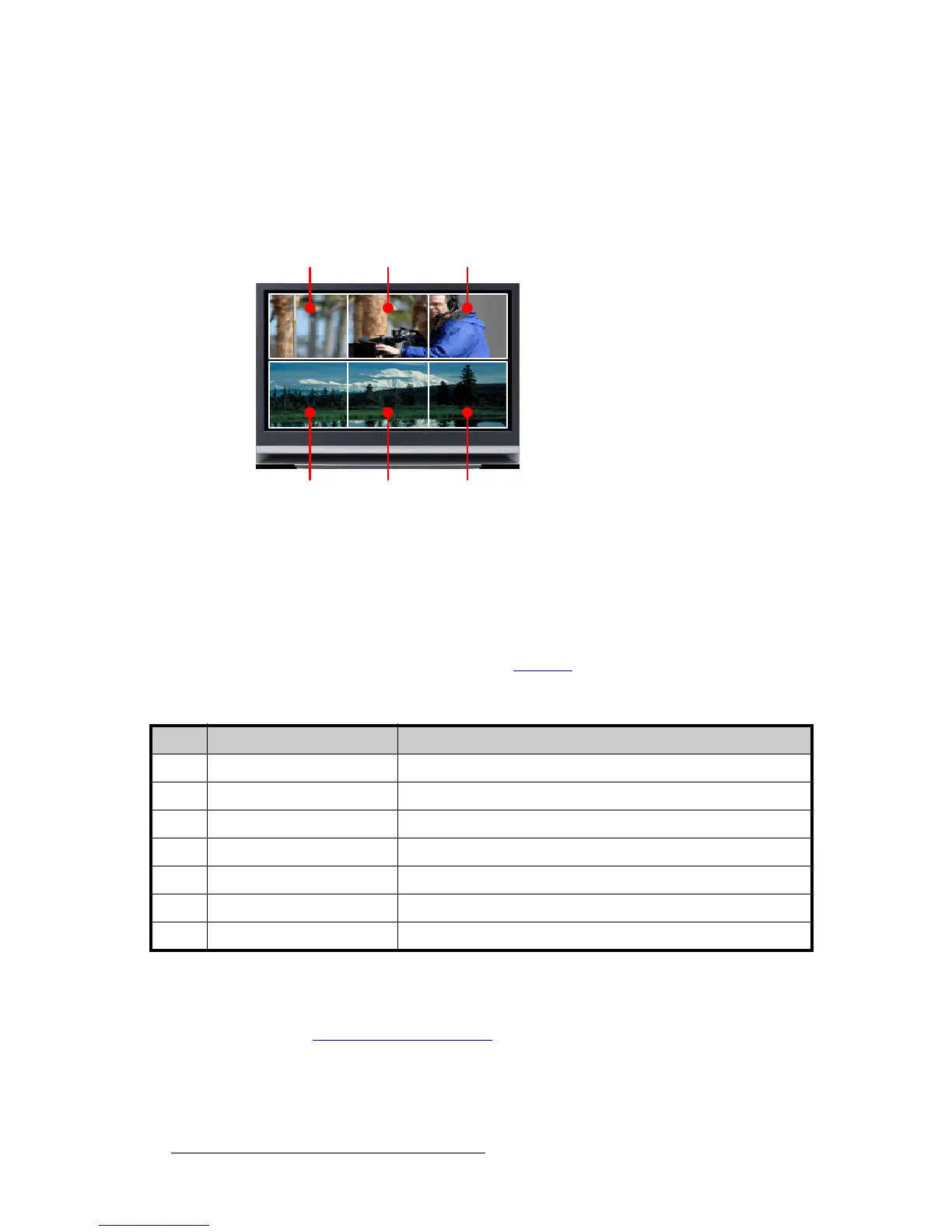
• Using Processor #4, three PIPs are scaled and positioned to create the wide
screen Program display, and three more are scaled to create the Preview display.
Figure 3-5. Wide Screen Program/Preview Monitor PIPs
• Processor #4’s Preview output is routed to the display for viewing the combined
wide screen program/preview output.
• Processor #4’s Program output is routed to an ImagePRO for scaling, and then to
an SDI or HD-SDI recorder. This configuration enables you to record the
combined wide screen program/preview output.
In addition to all of the equipment listed in
Table 3-4 on page 62, you will also need:
Use the following steps to install an Encore system that includes a combined wide
screen program/preview display:
1. Follow all steps to install a Wide Screen Encore Application, as outlined in the
“
Wide Screen Configuration” section on page 62.
2. Rack mount Video Processor #4.
3. Connect Ethernet from Processor #4 to the Ethernet Switch.
Wide Screen
Program
Wide Screen
Preview
PIP 1A PIP 2A PIP 3A
PIP 1B PIP 2B PIP 3B
Table 3-5. Equipment List, Additional Wide Screen Program/Preview Requirements
Qty. Item Note
1 Encore Video Processor Assigned as Video Processor #4
1 DVI or Analog Monitor For wide screen program/preview display
1 Ethernet cable Customer supplied
6 DVI interconnect cables Inputs to video processor #4 (customer supplied)
2 Interconnect cables Video processor #4 outputs (Analog, Video and/or DVI as required)
1 ImagePRO Optional, for use as output scaler (customer supplied)
1 SDI or HD-SDI Video Recorder Optional, to record combined wide screen output (customer supplied)



 To Next Page