Installation Setup
66 BD406/PBD406 DV16401.03 Issue 04 May 2021
Brightness
"BRIGHTNESS":
Notice: This page is shown only when the dimming input is set to "NONE". Otherwise
the aircraft dimming bus controls the brightness.
• Backlight brightness adjustment.
• Select function(s) required for the installation.
0% (off)… 100%
• Use the rotary knob to set the brightness.
• Brightness can be set in range 0...100.
• 0: value bar is not filled.
• 100: value bar is fully filled.
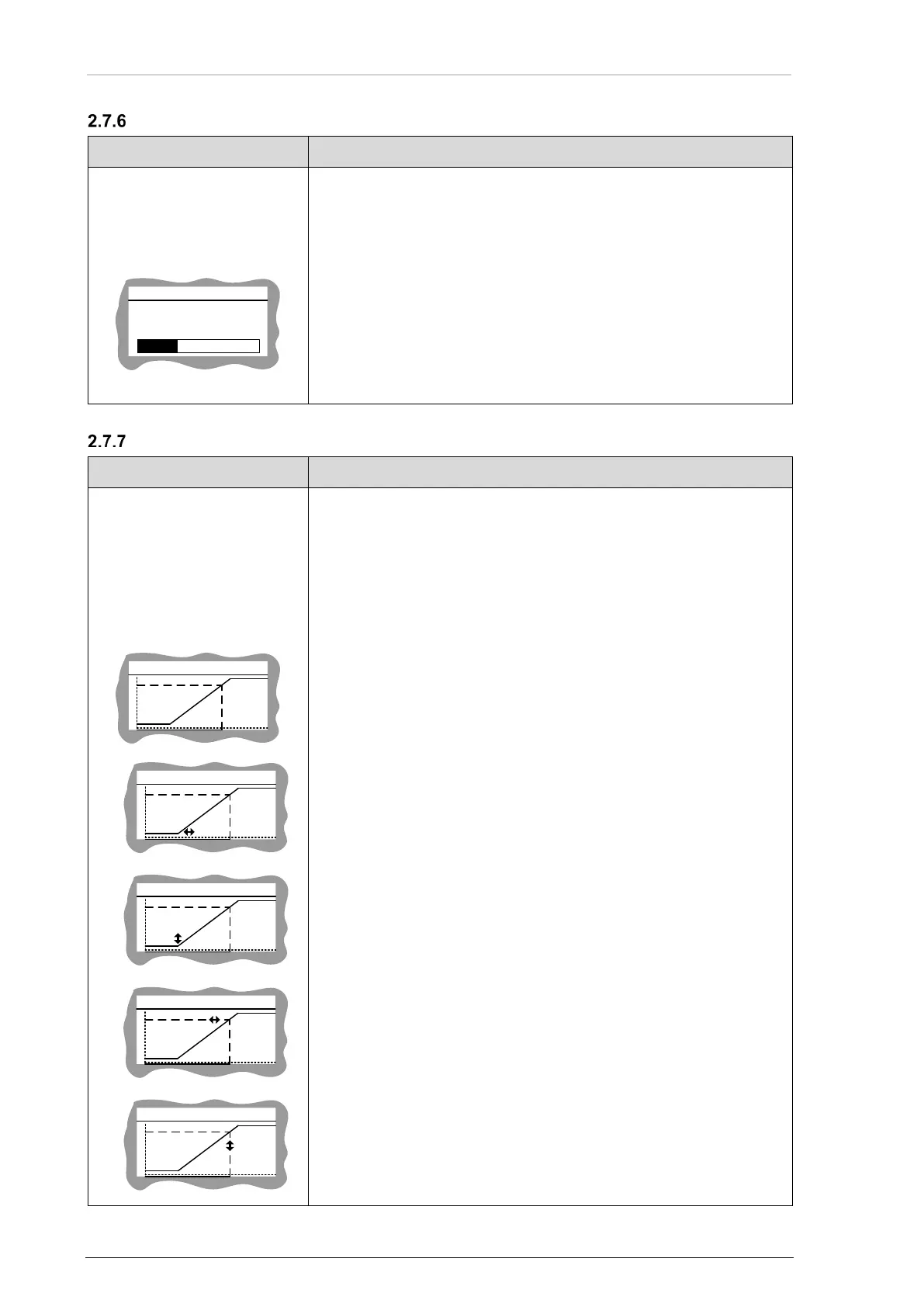
Illumination Curve
"ILLUM CURVE":
Notice: This page is shown only when the the DIMMING input is selected for "14 V or
28 V" dimming inputs voltage and for LCD with white backlight (standard). For LCD
with NVG compatible backlight this screen is not available.
• The illumination curve shows the relation between dimming bus
voltage and brightness of the LCD and key illumination.
• Two adjustable points V1 and V2 define the illumination curve.
• Select function(s) required for the installation.
• Use STO key select sub-screens (loop function).
• Adjust the value in horizontal (left/right), vertical (up/down)
direction with the rotary knob.
a)
a) Voltage V1 to start the brightness increase (below V1 brightness
is 0).
b)
b) Minimum brightness if V1 is just reached.
c)
c) Voltage V2 for which maximum brightness is reached (above V2
brightness is constant).
d)



 To Next Page