86 BD406/PBD406 DV16401.03 Issue 04 May 2021
Warning and Failure Indications
BD406 / PBD406 supply additional information about existing or occurred malfunctions. Not all
abnormal situations can be shown to the user, but the device will try to show scope of error.
The device tests itself during test called PBIT. The test works during each power-on process. The
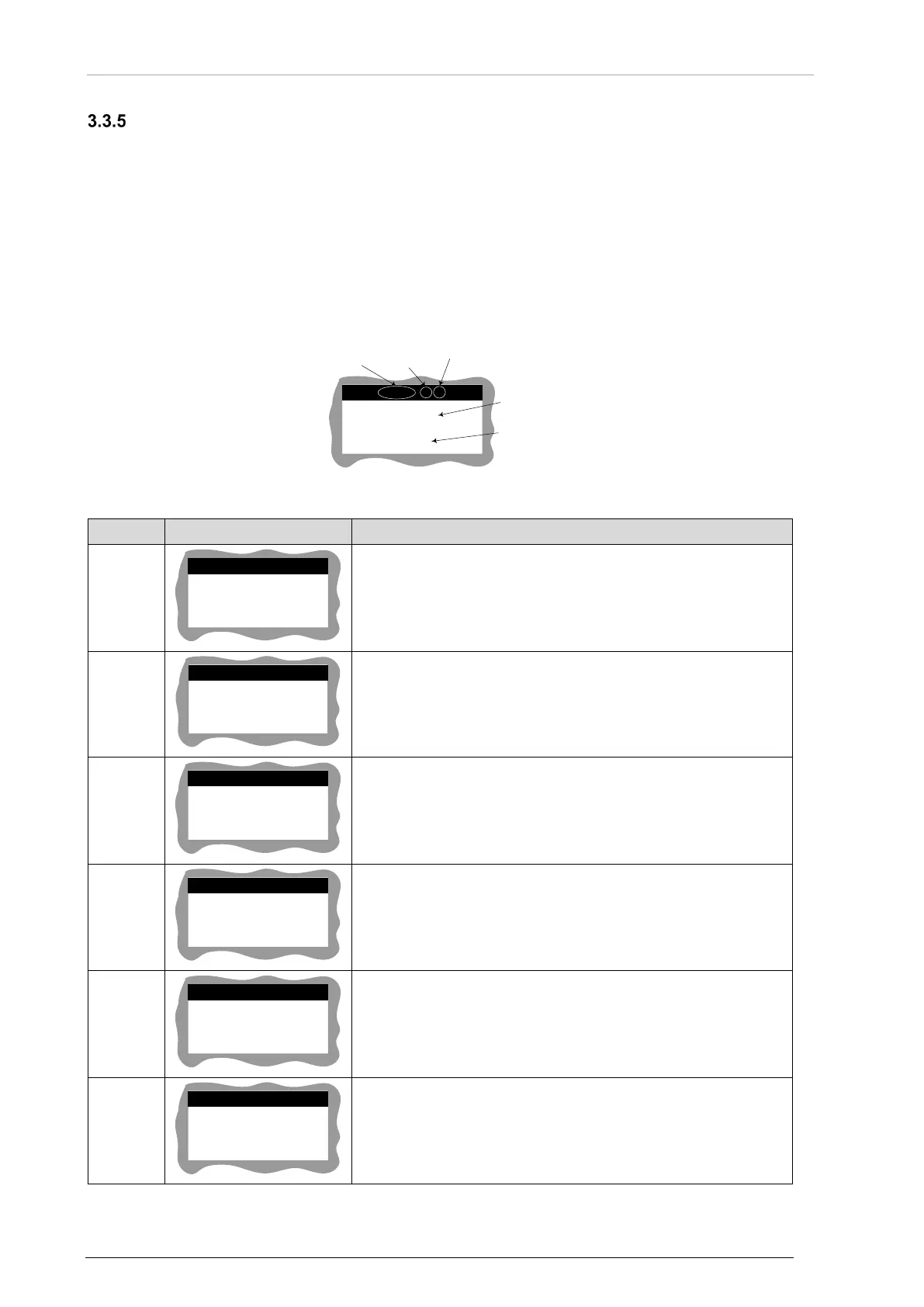
receiver shows error screen with information about total number of errors that were registered in the
system, number of current errors, error identifier (Error ID), short description, user action – if available.
If error messages cannot be removed from the screen contact service.
Action, related to errors that can be confirmed by the user, it depends on malfunction.
BD406 without control head:
To control and read the test results, status and messages an external control interface is required.
ERR
-12 01
/
03
GPS COMM
ERROR
Error ID
Number of
current error
Total number
of errors
Error
description
Required
user action
(optional)
Press STO
to confirm
Figure 38: Error/Warning - Display Description
ERR-01 01/0
INSTALLATION
SETTINGS FAILED
• All internal installation settings are lost.
• Contact service.
ERR-02 01/03
CALIBR/FACTORY
SETTINGS FAILED
• Calibration / factory settings are lost.
• Contact service.
ERR-03 01/03
FATAL EROR
NO RECEIVER
• Communication error between CH and CM.
• Contact service.
ERR-04 01/03
SERVICE REQUIRED
Press STO
to confirm
• CM hardware error.
• Contact service.
ERR-05 01/03
BEACONS DB
FAILED
Long press STO
to clear DB
• Beacons database integrity error.
• Data are lost.
• Contact service.
ERR-08 01/03
AUDIO DB
FAILED
Press STO
to confirm
• Audio database integrity error.
• Data are lost.
• Contact service.



 To Next Page