DV16401.03 Issue 04 May 2021 BD406/PBD406 105
Operations from Beacon/NavPoint Course View
• Push to STO key starts this menu.
MDE key
short push
Back to Beacon/NavPoint details view.
left/right turn
Decreases / increases selected value by one (without loop function).
Rotary knob
long push
Constant course becomes equal to the true bearing.
Description - Beacon Course View
B
03
/15
CRS
:
072
+18 km
DIST
: 123.4 km
b)
B 03/15
CRS:
072
+2 DEG
DIST: 123.4 km
c)
B 03/15
CRS:
072
+48 km
DIST: 123.4 km
d)
B 03/15
CRS:
072
+14 NM
DIST: 123.4 NM
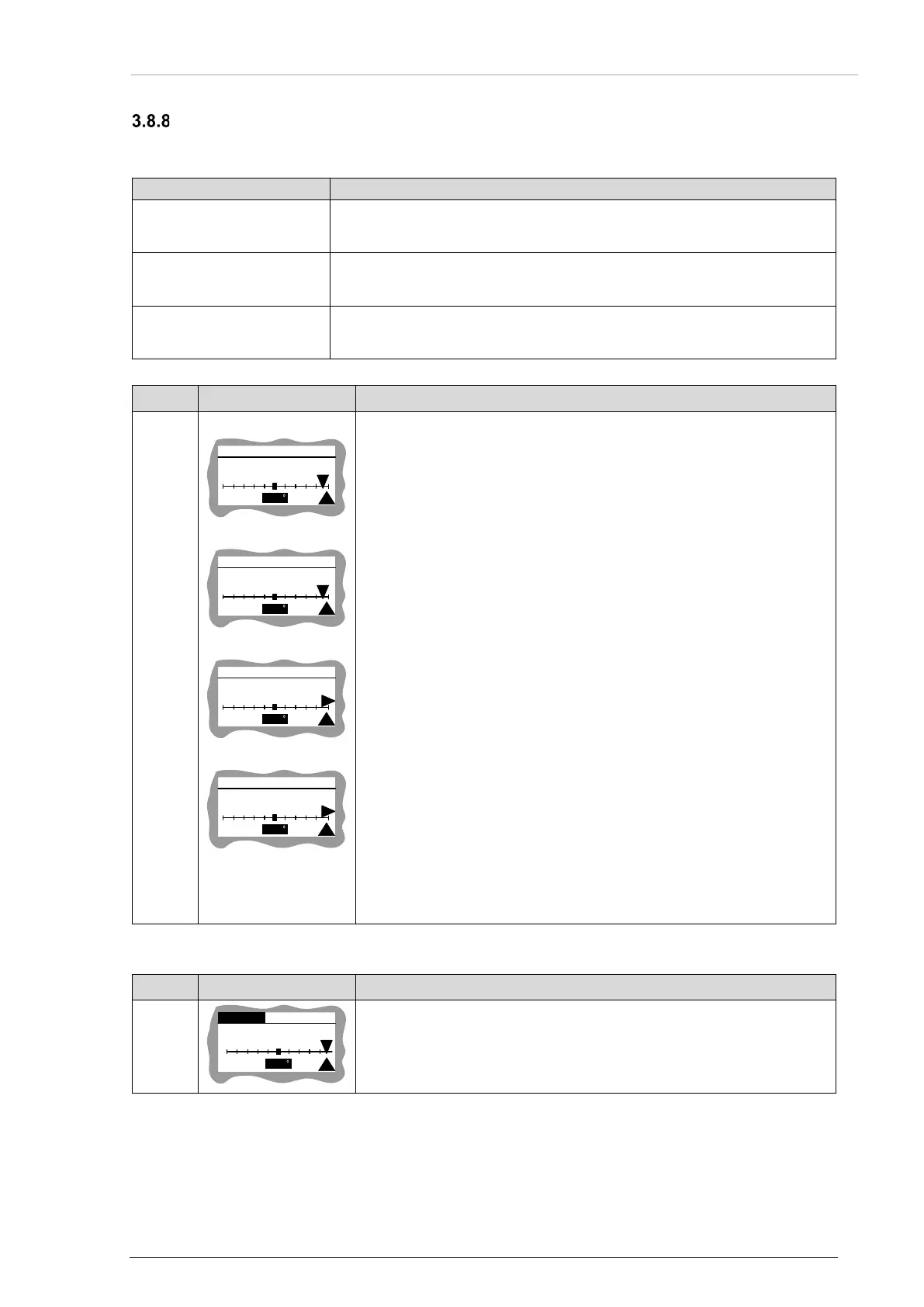
Course deviation indicator – constant course view (compare with
row ID5 "Table 7: Mission Mode - Description Beacon Detail View"
page 99).
CDI indicator position (screen a)) and TO/FROM indicator related to
the course deviation defined in "Figure 44: Mission Mode - CDI,
Angular Mode, Definition for Constant Course (CRS) in
Beacon/NavPoint Course View" page 95.
DIST: distance to the target.
YY: current distance units (km/NM).
CRS: constant course (1 step resolution). Range [0…359] deg.
T: TO/FROM indicator.
Number near the arrow related to CDI value. For angular CDI value
ranges [-90…90] degrees (screen b)).
For CDI in distance mode (km/NM) value ranges [-999…999] of
selected units (screens c), d)).
CDI units, vertical bar range and CDI mode of indications are
settable see "Table 11: Mission Mode - Description Config Menu
View" page 104.
If CDI is out of range: arrow changes orientation (screen b)) and
shows direction of required course correction to eliminate deviation.
If any value is invalid: --- is shown.
If CDI is invalid: arrow and deviation value is not shown.
• Turn rotary knob to change constant course.
• Long push to rotary knob: Constant Course becomes True
Bearing. New CDI and navigation values are calculated.
Table 12: Mission Mode - Description Beacon Course View
Description - NavPoint Course View
N 03/15
CRS:
072
+18 DEG
DIST: 123.4 km
Table 13: Mission Mode - Description NavPoint Course View



 To Next Page