DV16401.03 Issue 04 May 2021 BD406/PBD406 101
Operations from Beacons/NavPoints Menu View
BD406 without control head: N/A
• A long push to MDE key starts this menu.
Left key (LEXCH)
short push
Selects the page before menu action (loop function).
short push
Selects next menu action (loop function).
MDE key
short push
Back to Beacon/NavPoint details view.
STO key
short push
Accepts entered data and menu operation.
Rotary knob
left/right turn
Decreases / increases selected value by one (loop function).
Rotary knob
short push
Selects next field (loop function).
Description - Beacon Menu View
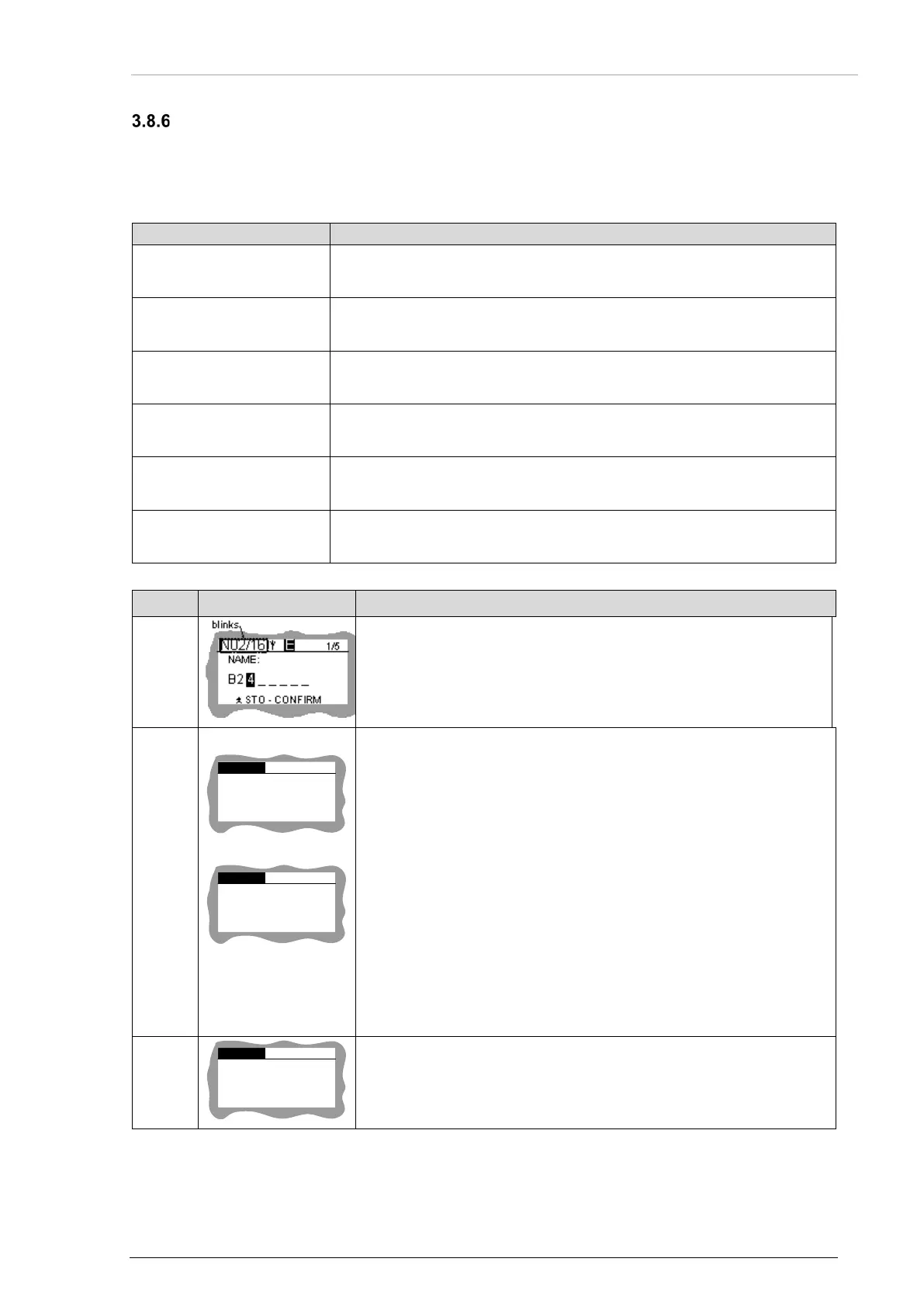
When Beacon/NavPoint menu is active the identification field
blinks, characters and background are inverted each 0.5 s.
B
03
/15
COPY TO
STO - CONFIRM
N 21
1/2
b)
B 03/
15
COPY TO
STO - CONFIRM
N IS FULL
1/2
Beacon edition screen:
Copies beacon position to a new NavPoint. Started with long push
to MDE key in beacon details view.
Push to STO key: beacon position is copied to new NavPoint.
Device changes to beacon details view.
N: number of first empty record that used to store beacon
position. Beacon position is only stored if a free space in memory is
available.
If NavPoint memory is full (49 NavPoints in nonvolatile memory)
screen b) is shown.
NavPoint parameters:
NavPoint name NXX is equal to BXX (XX is number of the beacon
related NavPoint).
NavPoint info is equal to beacon 15HexID.
NavPoint position is equal to beacon position.
B
03/15
2/2
LONG STO
- CONFIRM
DELETE ALL
BEACONS
Deletes all beacons stored in nonvolatile memory.
Started with long push to STO key. Device changes to beacon
details view.
Table 9: Mission Mode - Description Beacon Menu View



 To Next Page