82 BD406/PBD406 DV16401.03 Issue 04 May 2021
3.3 Controls and Indications
BD406 without control head:
N/A.
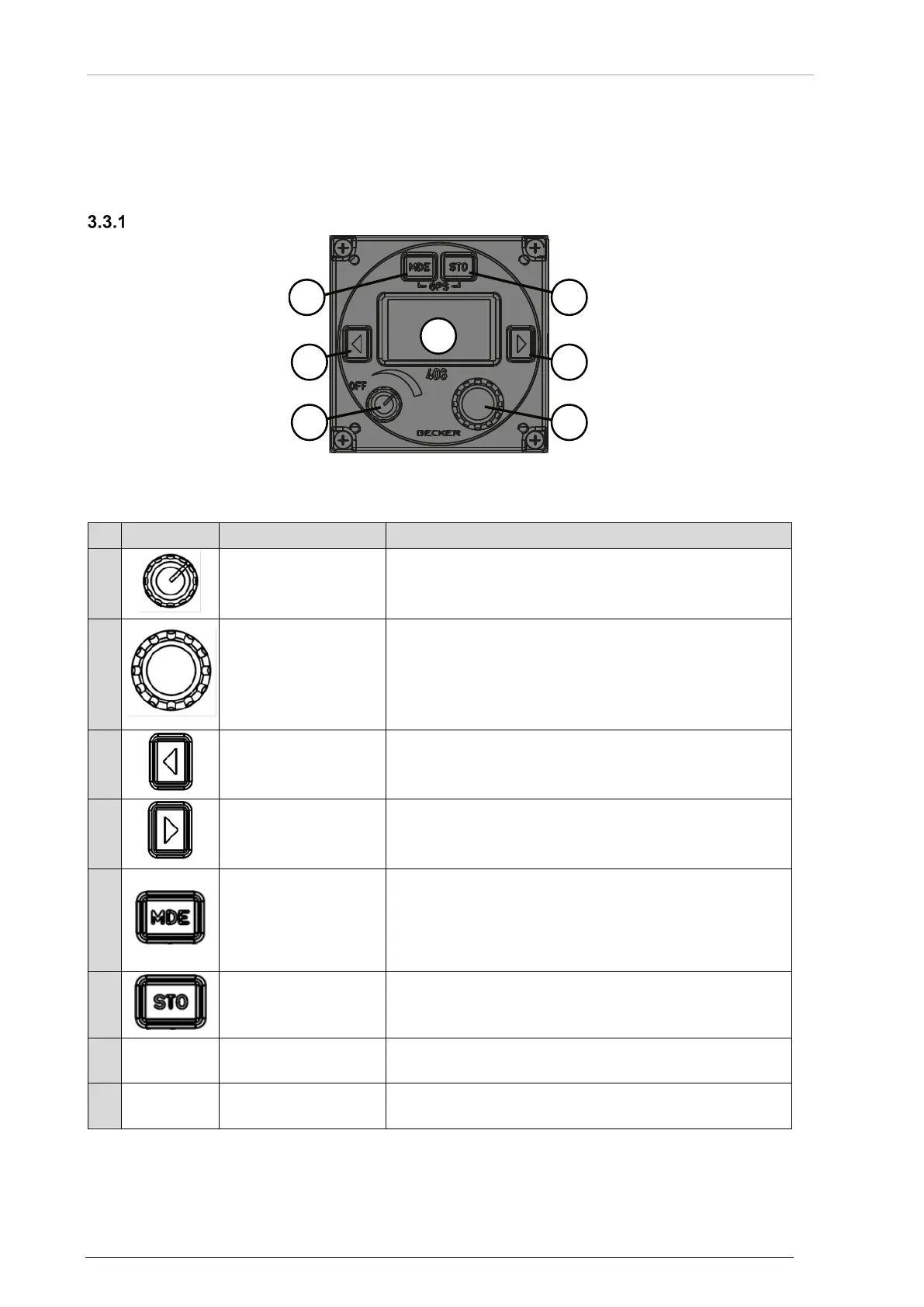
User Interface - BD406
Figure 34: User Interface - BD406*
* BD406 is part of the PBD406
1
volume
• Turns the device ON/OFF and is used to adjust the
volume level of audio output signals.
2
button function
Context sensitive element.
• Turn the rotary encoder to change the selected
parameters (decrease/increase values, …).
• Push the rotary encoder to select the digits.
• Push the rotary knob activates voice messages.
• Push the rotary encoder to confirm the adjustment.
3
(abbrev. LEXCH)
Context sensitive element.
• Short push – selects previous screen with beacon /
NavPoint details (loop function).
4
(abbrev. REXCH)
Context sensitive element.
• Short push – selects next screen with beacon /
NavPoint details (loop function).
5
Context sensitive element.
• Short push – toggles between beacon details and
NavPoint details.
• Long push – conditionally enters beacon menu /
NavPoint menu (action can be ignored in specific
6
Context sensitive element.
• Short push – enters beacon course / NavPoint course.
• Long push – enters config view.
-GPS-
• Push and hold the MDE and STO key at the same
time for > 2 s to activate the GPS mode.
7
Display
• Shows context dependent contents.
The device identifies a:
"Long push": when you push and hold down a knob or key for > 2 seconds.
"Short push": any push < 2 seconds.



 To Next Page