AeroNav 900/880 Series Pilot’s Guide
89000039-010
3-12 FMS Subsystem Rev 1 May 2019
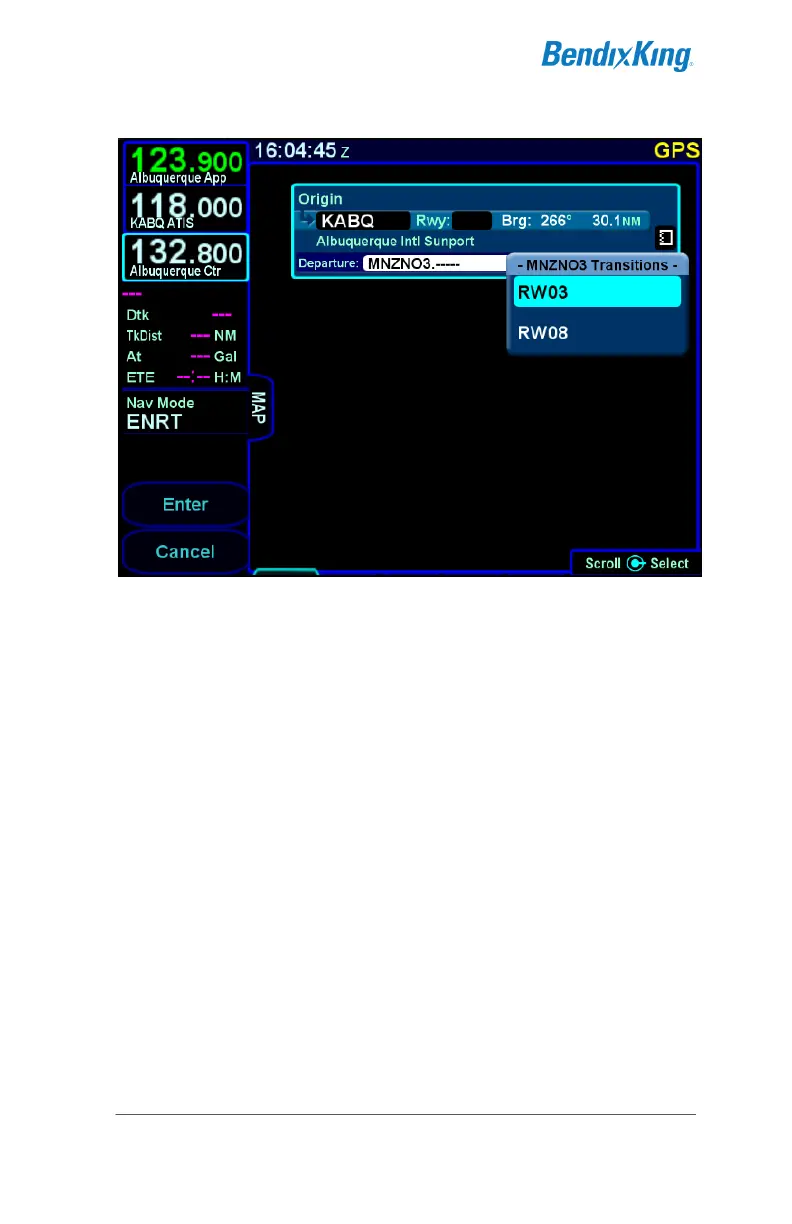
Departure Runway Transition Dropdown
If the inserted departure had a selected runway transition and
either the airport had no selected runway or the selected runway
was not applicable to the departure, then the FMS will set the
runway for the airport based on the runway transition that was
selected. There are cases where a runway transition applies to
all runways at the airport or to a set of parallel runways. In those
cases, if there was no selected runway for the airport, the FMS
will select the first runway (numerically) that is applicable.
INSERTING A WAYPOINT
To insert a waypoint into the flight plan, rotate the right outer knob
until an insert cursor is positioned where the new waypoint is to
be inserted. Note that a waypoint can generally be inserted
anywhere in the flight plan except for within terminal area
procedures (i.e. departures, arrivals, and approaches). Press the
knob button to generate a dropdown. If the cursor is in a position
where a waypoint can be inserted, "Waypoint" will be shown as
the first entry in the dropdown. Generally, the cursor will be at the
"Waypoint" selection to start. Select "Waypoint" and enter the
waypoint identifier. Geofill™ will typically find the correct waypoint
by the second character entered.



 To Next Page