AeroNav 900/880 Series Pilot’s Guide
89000039-010
3-2 FMS Subsystem Rev 1 May 2019
FPL (FLIGHT PLAN) TAB
FMS BASIC CONCEPTS
For properly configured dual AeroNav installations, enter your
plan into only one of the AeroNavs and the data is automatically
shared between them.
NOTE
FMS Centric Calculations
The FMS presumes the pilot intends to fly the flight
plan as created. All deviation data, most data block
data and the times to go and fuel calculations are all
based on that assumption.
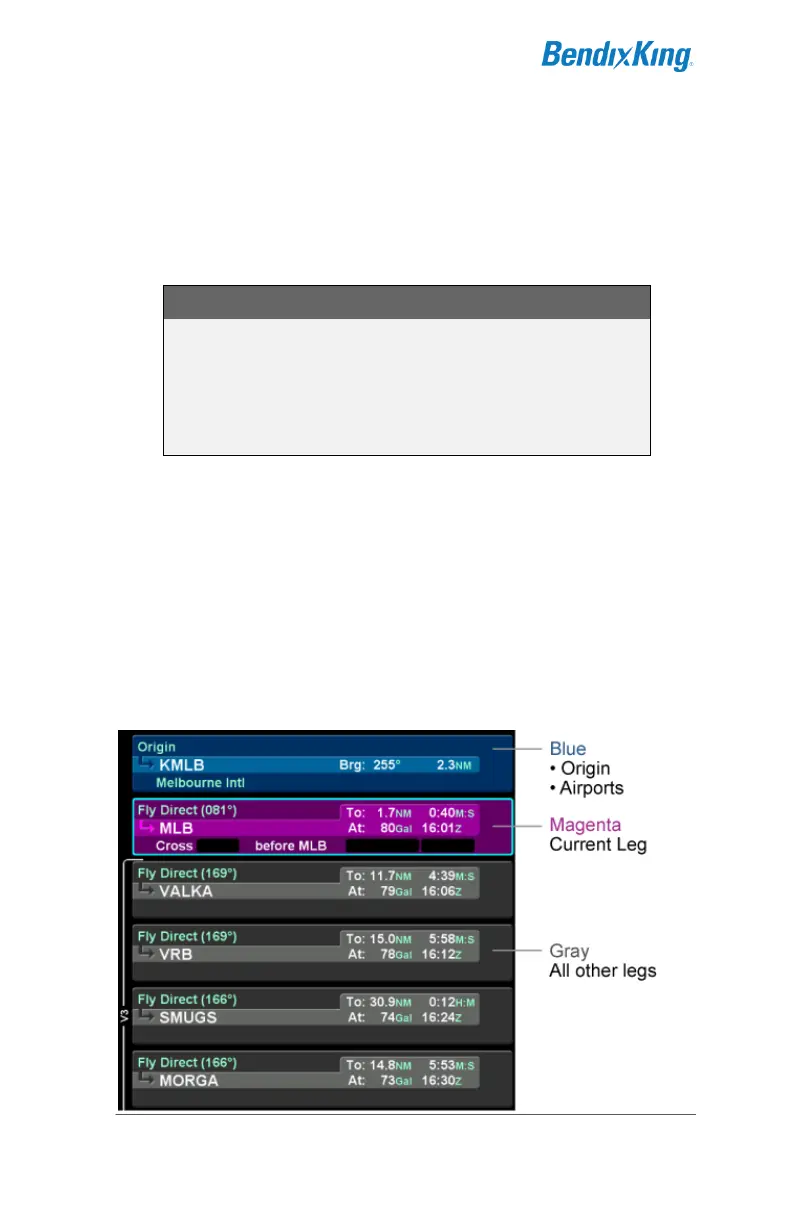
Each leg of a flight plan has its own color-coded background
designed to make the overall flight plan easier to read at a
glance. Each flight plan can consist of up to 128 legs.
The origin and all airport waypoints are depicted with a blue
background. The active leg of the flight plan is always depicted
with a magenta background. All other legs of a flight plan are
depicted with a gray background.
Flight Plan Detail



 To Next Page