AeroNav 900/880 Series Pilot’s Guide
89000039-010
5-2 Aux Subsystem Rev 1 May 2019
AUDIO TAB
The AUDIO tab provides control and display of all system audio-
related features such as radio volume, squelch settings, satellite
radio channel tuning and com presets.
VOLUME CONTROL
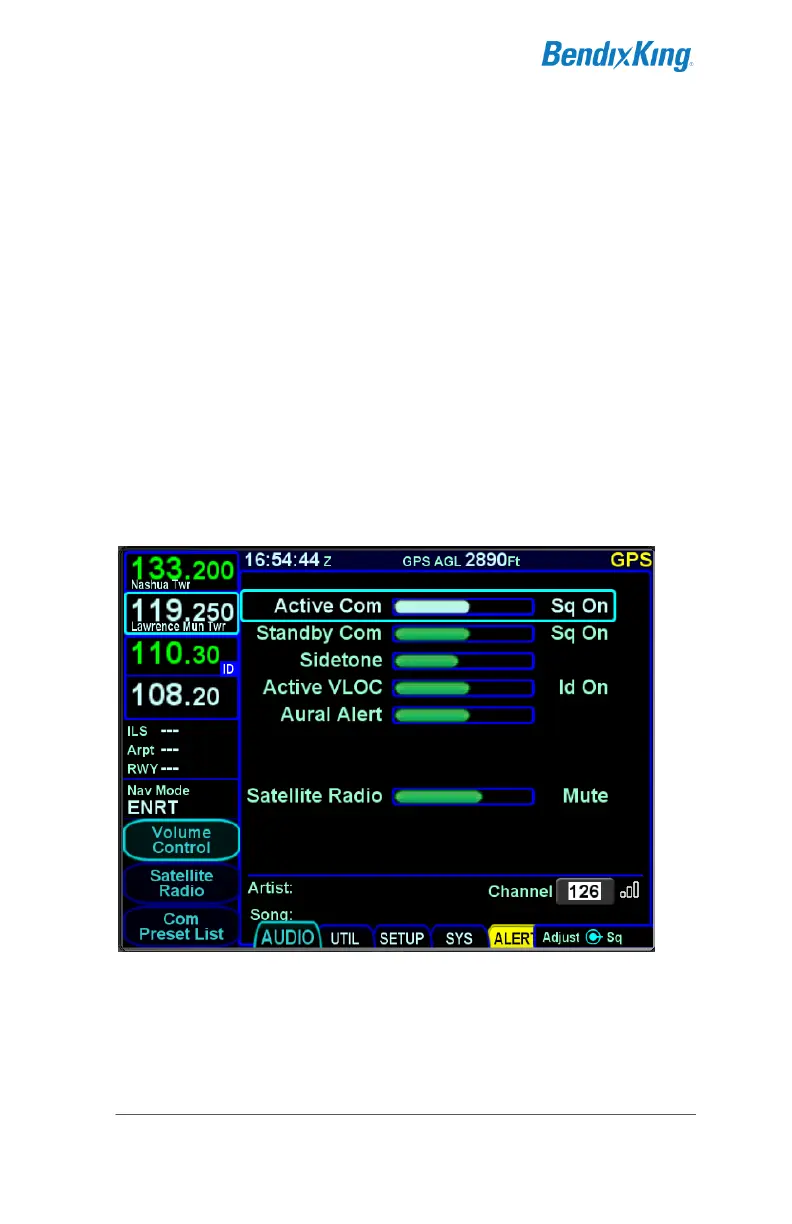
Each subsystem for which the AeroNav has an ability to control
volume (and squelch and ID on/off) is displayed as a separate
line item when the “Volume Control” LSK is active.
The bottom right AeroNav knob controls row selection, volume,
squelch, ID on/off. If configured for satellite radio, the knob also
provides mute control. To select one of the volume controls,
rotate the outer knob. To adjust the volume, rotate the inner
knob. To toggle squelch†, ID, or mute (as applicable) push the
knob button (a 1-2 second delay is possible).
Volume Control (AeroNav 900 Shown)
Touch control can also be used to make all those adjustments
(e.g. selecting a row by touching, changing a volume level by
touch dragging the bar, turning squelch on/off by tapping the
correct area on the display, etc).



 To Next Page