AeroNav 900/880 Series Pilot’s Guide
89000039-010
Rev 1 May 2019 Aux Subsystem 5-67
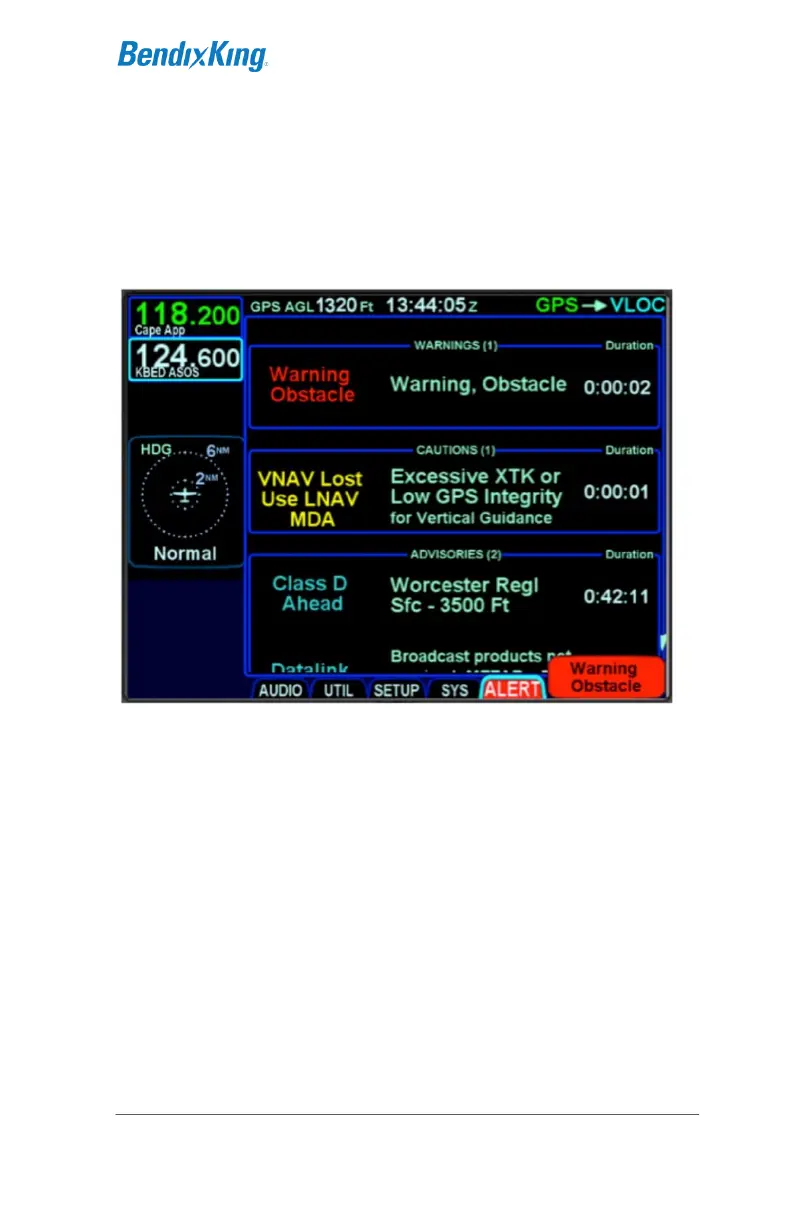
ALERT TAB
The ALERT tab keeps a running tally of all active alerts, grouping
them by level. If there is an active alert in the system, pressing
the AUX button will cause the ALERT tab to be displayed rather
than the last tab that was selected in the AUX subsystem.
Systems Alerts Tab
Each section in the page is organized into three columns.
"Short Text" - A short description of the condition. This
text also appears in the message bar.
"Long Text" - A longer description of what caused the
condition. In some cases, there is nothing further to be
added, so the long text is the same as the short text.
Duration - The elapsed time since the alert was first
issued.
A complete list of warning, caution, and advisory alerts is given in
section 7 .



 To Next Page