AeroNav 900/880 Series Pilot’s Guide
89000039-010
Rev 1 May 2019 FMS Subsystem 3-35
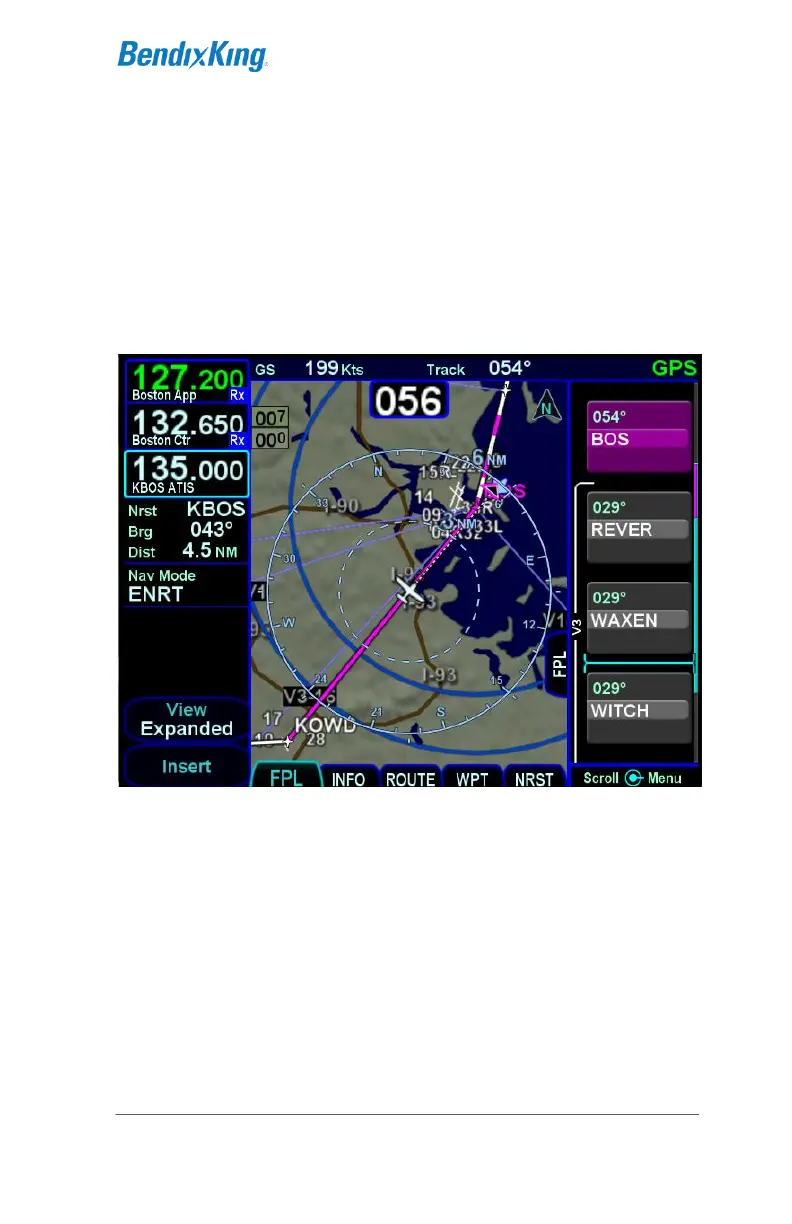
USE OF THE MAP FPL SPLIT PAGE
The Map-FPL split tab on the FMS page presents the moving
map on the left and the FMS flight plan in a thin strip on the right.
While it can be useful in many phases of flight and scenarios, the
split page is especially helpful during arrivals. This can be most
useful to instantly correlate your flight plan with the graphical
depiction on the map. This aids in error reduction and helps
visually see options for diverts, weather avoidance, etc.
Map-FPL Split Page
CHART ACCESS
A green chart extent box is separately drawn on the map and
represents the geographic boundaries of an instrument approach
plate associated with a FMS destination. When the ownship



 To Next Page