AeroNav 900/880 Series Pilot’s Guide
89000039-010
Rev 1 May 2019 System Overview 1-33
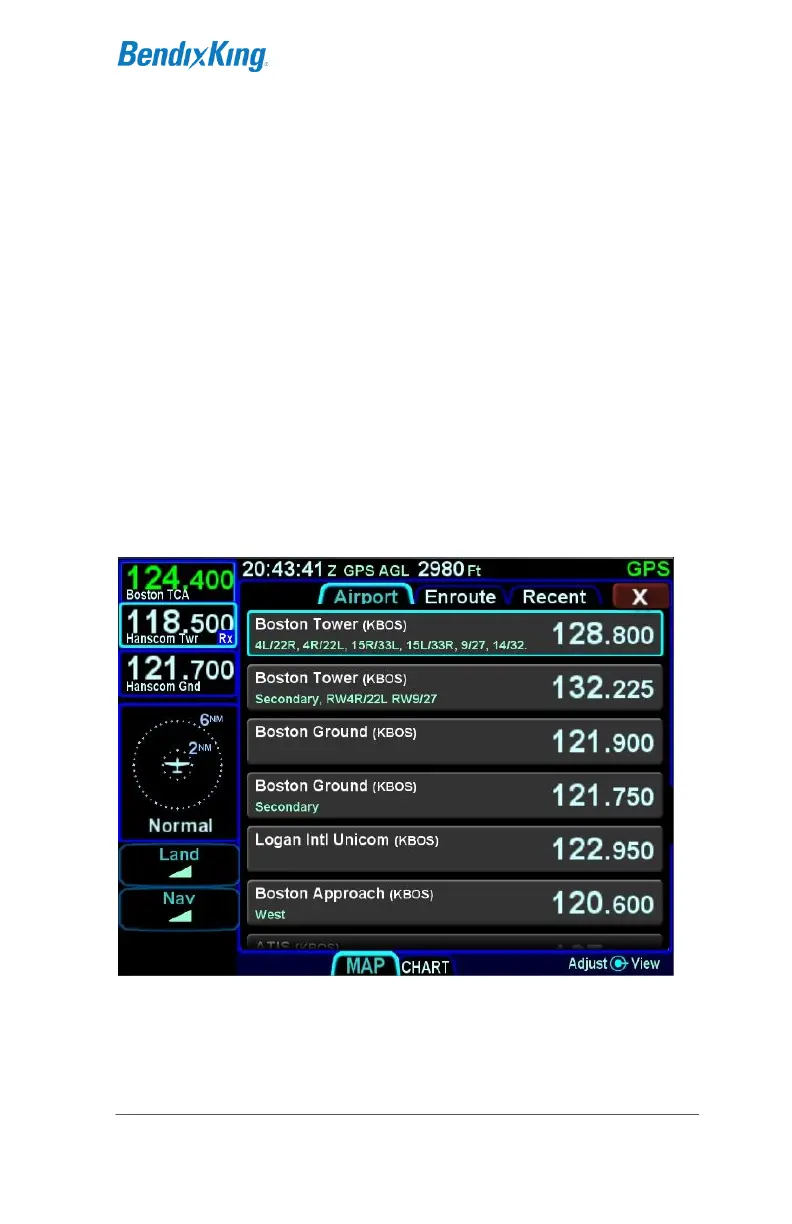
FREQUENCY LIST †
The frequency list is displayed by pressing the “FREQ” function
key along the right edge of the bezel. It has three tabs along the
top edge of the page:
Airport – the most logical com frequencies (e.g. ATIS,
ASOS, AWOS, CTAF, Tower, Ground, Clearance
Delivery) associated with either the origin airport or
destination airport (when airborne and more than 5nm
from the origin airport)
Enroute – frequencies associated with airports, ARTCC,
and FSS within 40nm of the aircraft
Recent – a running list of the most recent 10 com
frequencies that had been selected for the Active
frequency (persists across power cycles).
Freq List Page
The selected tab can be changed by pressing the FREQ bezel
button or by touching the desired tab. The airport and enroute
tabs only populate when there is a GPS position..



 To Next Page