Permits all datablock slots except
the top left two dedicated COM
slots to be configured as desired.
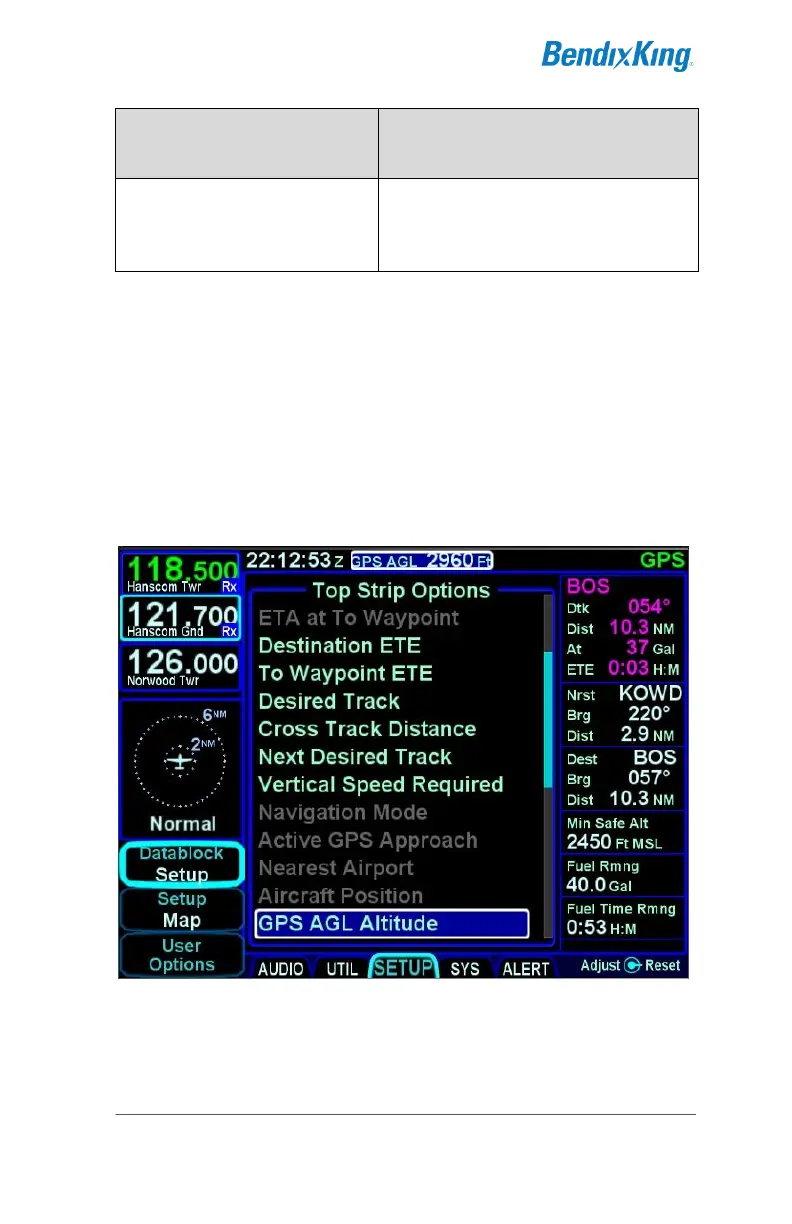
Setting up customizable datablocks is accomplished using the
“Datablock” LSK on the SETUP tab of the AUX page and
selecting “Setup” as the option.
Once on the Datablock Setup page, use the right outer knob to
select the desired page location (middle of top strip in the
example below), and the inner knob to select the data item from
the list (GPS AGL Altitude in the example below).
Datablock Setup
Any change made on this page is immediately accepted with no
special “save” step required. Datablocks can be inserted along
the upper left edge of the display, along the top edge of the
display and along the entire right edge of the display.



 To Next Page